
Run a preservation-first prompt: one goal, numbered constraints against invented facts, an explicit output format, and a required change log before you trust any rewrite. That single pattern, adapted across five styles, covers everything from a quick tone shift to a machine-readable spec for a coding agent. The templates and checklist below let you run it in the next five minutes.
TL;DR:
- Rewrites must preserve all key facts, numbers, and quotes exactly, avoiding any added reasoning or qualifiers not present in the original source.
- Clear constraints should specify the goal, such as length reduction or tone adjustment, along with preservation rules to prevent factual drift.
- Using a change log and unmet claims list helps verify that no critical information was lost or altered unintentionally during rewriting.
- Restrict the model with structured templates tailored for different purposes, like concise summaries or formal specifications, to ensure accuracy across tasks.
- Consistent auditing of numbers, names, and dates is essential before publishing, as these are the most common points of error in automated rewrites.
Table of Contents
- Which Prompt Rewrite Styles Fit Which Job
- A Preservation-First Rewrite Prompt, Step by Step
- Where Rewrites Go Wrong (and How to Fix Each One)
- Ready-to-Use Templates for Common Rewrite Jobs
- Turning This Into a Repeatable Workflow
- Auditing a Rewrite Before You Trust It
- Why the Change Log Matters More Than the Rewrite Itself
- Store Every Rewrite Style in One Place With Promptchief
- Sources
- FAQ
Which Prompt Rewrite Styles Fit Which Job
Not every rewrite job needs the same scaffolding. A plain rewrite works for a quick tone shift. A canonical, execution-contract form works when a coding agent or another automated system has to parse the output without guessing. Mixing these up is the most common reason rewrites drift from the source.
Five styles cover almost every use case:
- Plain rewrite: a direct pass with one stated goal, best for tone or formality changes on human-read text.
- Execution-contract: a structured, compact form (fields, constraints, expected output) built for agentic or code-facing tasks where ambiguity breaks something downstream.
- Concise_strict: aggressive compression under a hard word or character cap, useful for meta descriptions, alt text, or notification copy.
- Chain-of-thought (cot): the model reasons through structural or logical edits before producing the final text, useful for dense technical or argumentative rewrites.
- Fewshot_skeleton: two or three labeled examples set the target voice, then the model matches that pattern on new input.
Model families handle these differently. Reasoning-tuned models do well with cot without extra scaffolding; smaller or instruction-only models often need the fewshot examples spelled out because they won't infer style from a description alone. Research on prompt-based editing for text style transfer backs this up: explicit structural controls reduce distortion far more reliably than a vague instruction like "make this more formal."
A Preservation-First Rewrite Prompt, Step by Step
Preservation beats polish. If the rewrite changes a fact, a number, or an implied claim, it failed, no matter how good the prose sounds. Here's the sequence that keeps that from happening.
- Analyze first. Before writing any instruction, list the non-negotiable claims in the source: names, dates, numbers, direct quotes, and any conditional statements ("only for EU residents," "as of last quarter"). This becomes your constraint list.
- Write one goal per prompt. "Make this more concise" and "make this more persuasive" are two different passes, not one. Bundling goals is the fastest way to lose control of what actually changed.
- Add numbered preservation constraints. State them explicitly: "1. Add no new facts, reasons, or examples not present in the source. 2. Preserve every number, name, and date exactly. 3. Keep quoted material verbatim." Add a format or length target as its own numbered item, and use placeholders like
[UNSPECIFIED]for anything the source doesn't cover, instead of letting the model invent a fill-in. - Require a change log and an "unmet" list. Ask for a short summary of what changed and, separately, which constraints could not be satisfied given the format or length target. This turns a subjective claim ("I preserved the voice") into something you can actually check, a point Multigrid's guidance on rewriting prompts makes directly.
When constraints conflict, an aggressive length cap fighting a "preserve every clause" rule, rank them by number and instruct the model that lower numbers win. If a single pass can't satisfy both a strict word count and full fact retention, split the job: one pass to compress structure, a second to verify facts against the original.
Pro Tip: Store your numbered constraint list as a reusable block, not a one-off. Paste the same five preservation rules into every rewrite prompt regardless of topic, and only swap the single goal line each time.
Where Rewrites Go Wrong (and How to Fix Each One)
Most bad rewrites fail in one of four predictable ways, and each has a specific fix rather than a general "try again."
- Over-correction. The model adds a reason, a benefit, or a qualifier that wasn't in the source because it "sounds more complete." Fix: explicitly ban added reasoning in your constraints, and require the unmet list so silent additions get flagged instead of buried.
- AI-grey voice flattening. Frontier models systematically strip contractions, first-person pronouns, and sentence-length variety, pushing everything toward the same flat register, a pattern documented in the AI Tools Guidebook's rewrite prompt research. Fix: include a short voice spec (sentence-length range, allowed contractions, a banned-phrase list) in every prompt, not just the first one.
- Bundled goals. Asking for shorter, more formal, and more persuasive in one pass produces a muddy result you can't debug. Fix: split into separate single-goal passes and save each as its own template.
- Length versus fact conflicts. A strict cap forces the model to cut something, and it often cuts the wrong thing. Fix: numbered priority constraints plus a required "unmet" report, so you see exactly what got dropped instead of finding out later.
Ready-to-Use Templates for Common Rewrite Jobs
Each template below follows the same skeleton: a source placeholder, one goal, numbered preservation rules, and an output contract. Swap the goal line and the format spec, and the rest stays constant.
- Plain tighten. "Rewrite the text below to be 30 percent shorter. 1. Add no new facts or claims. 2. Preserve every number, name, and date exactly. 3. Keep the same paragraph order. Return the rewrite followed by a three-line change log. SOURCE: [paste text]"
- Voice-preserving shorten. Same as above, but add: "4. Match this voice spec: contractions allowed, sentence length varies between 8 and 22 words, no corporate filler phrases." Useful when a legal or brand voice has to survive a length cut.
- Execution-contract for code tasks. "Convert the instructions below into a structured spec with fields: role, objective, constraints (numbered), input_format, output_format, and unmet. Do not add functionality not described in the source. SOURCE: [paste text]" This format works well because structured pipelines like Promptsmith's analyze, refine, and execution-contract flow show that agentic tasks parse structured fields far more reliably than free prose.
- Concise_strict for machine output. "Rewrite to a maximum of 155 characters for a meta description. 1. Preserve the primary claim. 2. No invented statistics. Return only the final string, no commentary."
- Fewshot style mimic. Provide two labeled before/after examples in your target voice, then: "Apply the same transformation to the text below, preserving all facts. SOURCE: [paste text]"
After each run, spot-check the change log against the source before you reuse the output anywhere public.
Turning This Into a Repeatable Workflow
The four-step loop is analyze, rewrite, verify, store, and each step benefits a different kind of user. Writers benefit most at the analyze step, since listing claims up front catches half the errors before they happen. Developers lean on the rewrite step's execution-contract format. Editors live at verify. Teams that reuse the same prompts across projects need the store step or they rebuild the same constraint list every week.
Tool categories map to that loop pretty cleanly:
- Prompt refiners take a rough instruction and restructure it into role, objective, constraints, and format, cutting iteration time according to open-source refiner tools.
- Prompt generators build variants (cot, concise_strict, fewshot) from one base spec without mutating the original, a pattern used in prompt-architect's variant generation.
- Template libraries hold your five rewrite skeletons so you're not retyping constraints every session.
- Prompt managers like Promptchief save those templates with cloud sync, so the same constraint block and rewrite style is available whether you're working in ChatGPT, Claude, or Gemini, without re-pasting from a notes app.
Auditing a Rewrite Before You Trust It
Ask for the change log in a structured format, not prose. A minimal JSON pattern works: {"claims_kept": [...], "claims_dropped": [...], "unmet": [...]}. If claims_dropped isn't empty, stop and ask why before you publish.
- Manually spot-check every number, proper name, date, and direct quote against the source, since these are the errors readers notice fastest.
- Run a second, separate pass that only asks "list any claim in the rewrite not present in the source" as an automated entailment-style check.
- Keep a short human audit routine: read the first and last sentence of both versions side by side, since drift tends to show up first at the edges of a passage.
This "unmet" field pattern comes directly from Multigrid's constraint design work, which treats conflicting constraints as something the model should surface, not silently resolve on its own.
Why the Change Log Matters More Than the Rewrite Itself
Most people judge a rewrite by whether it reads well. That's backwards. A smooth, confident-sounding rewrite with a dropped clause is worse than an awkward one that kept everything, because the smooth version is the one nobody double-checks.
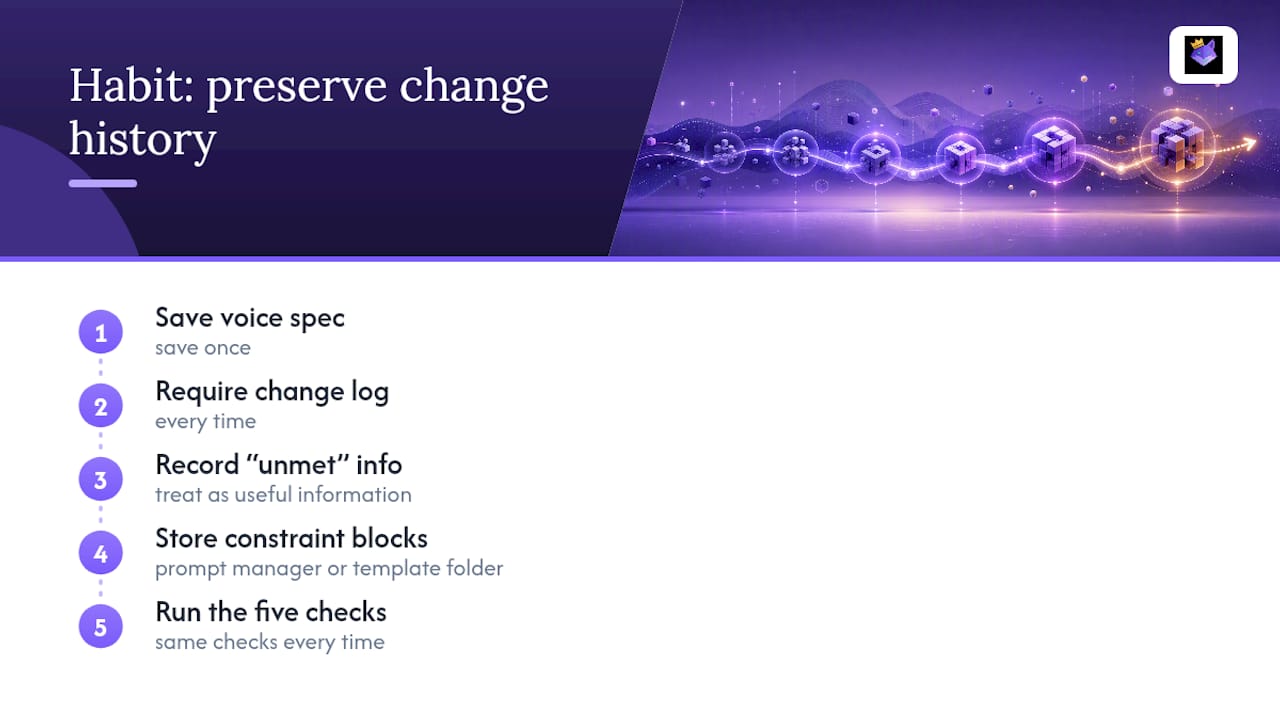
The habit that actually changes outcomes is boring: save a voice spec once, require a change log every single time, and treat "unmet" as useful information instead of a failure. I've seen more meaning drift come from skipping the change log than from any single bad prompt. Store your constraint blocks somewhere you'll actually reuse them, whether that's a dedicated prompt manager or a plain template folder. The tool matters less than the discipline of running the same five checks every time.
— John
Store Every Rewrite Style in One Place With Promptchief
Rebuilding the same numbered constraint block every time you open a new chat wastes the exact time this system is supposed to save you. Promptchief keeps your rewrite templates, voice specs, and constraint lists synced across various AI platforms, so the plain-tighten prompt you built last week is one search away instead of buried in an old conversation.

The platform's built-in rewrite feature applies multiple style options directly to saved prompts, and its fuzzy search helps you find templates without digging through chat histories. Team workspace features let you share a voice spec with an entire content team so rewrites align, rather than each person creating their own constraints. If you want a running start, the AI prompt examples library offers templates you can use in your workflow today.
Sources
- Rewriting Prompts That Do Not Destroy Meaning · Multigrid
- Prompt-Based Editing for Text Style Transfer
- ayagmar/pi-promptsmith
- nuclide-research/prompt-architect
- Article Rewrite Prompts: 17 Ways to Edit Without Losing Voice | AI Tools Guidebook
FAQ
What are the main styles for rewriting prompts?
The core styles are plain rewrite, execution-contract, concise_strict, chain-of-thought, and fewshot_skeleton, each suited to a different output need, from tone edits to machine-readable specs.
How can I rewrite AI prompts without losing the original meaning?
Add numbered preservation constraints (no new facts, exact numbers and names, placeholders for unknowns) and require a change log so the model reports what it kept and what it couldn't fit.
What is a good example of a rewrite prompt?
A working template reads: "Rewrite this 30 percent shorter. 1. Add no new facts. 2. Preserve every number and name exactly. Return the rewrite plus a three-line change log," followed by the source text.
What is the best format for a rewrite prompt?
For human-read text, a plain rewrite with numbered constraints works well; for coding or agentic tasks, an execution-contract format with labeled fields like role, constraints, and output_format parses far more reliably.
How do I handle idiomatic or ambiguous phrases when rewriting for a different style?
Flag idioms explicitly in your constraints ("preserve idiomatic meaning, not literal wording") and use a placeholder for any phrase whose intent is unclear, rather than letting the model guess and risk changing the claim underneath it.