
Create a compact, structured handoff packet and paste it as the first message in the new chat or ticket, then require the receiver to confirm before touching the work. Package only the goal, current state, locked decisions, open questions, and the exact next action. Nothing else. Skip receiver confirmation and you have not handed off anything. You have just shifted the confusion to someone else.
TL;DR:
- Clear, evidence-based current state details prevent rework by showing exactly what has been accomplished with supporting proof.
- Explicitly stating locked-in decisions avoids repeated debates and streamlines the handoff process.
- Open questions must be assigned to specific owners to ensure timely resolution and prevent delays.
- The first message should be the concise, actionable next step, including verification commands to confirm completion.
- Using a standardized template and requiring receiver readback ensures consistency and reduces misunderstandings across team handoffs.
Table of Contents
- What Belongs in a Prompt Handoff to Team
- Copy-Pasteable Handoff Templates and Three Examples
- When Should You Create a Handoff?
- How to Write a High-Fidelity Handoff (Step by Step)
- Why Structured Handoffs Actually Work
- How Promptchief Makes Handoffs Reliable
- What I've Learned Writing Handoffs Under Deadline Pressure
- Try Promptchief for Team Handoffs
- Sources
- FAQ
What Belongs in a Prompt Handoff to Team
A prompt handoff to team members fails for one predictable reason: it either dumps the entire chat history or it strips out the one detail the receiver actually needs. Both mistakes cost time. The fix is a fixed set of fields, written the same way every time, so anyone on the team can scan it in under two minutes and start working.
The Prompt Handoff Pattern treats a session's context as compressible. Instead of forwarding a 4,000-word transcript, you distill it into a summary a teammate can act on immediately without re-reading a single prior message.
Here is what earns a place in that packet, and why each field exists:
- Goal: One line describing the outcome, not the process. "Fix the checkout timeout bug" beats "working on the payment flow issue we discussed."
- Current state: Concrete evidence, not a narrative. File paths, actual command output, test results, the specific API response you got back. If you say "it's mostly working," attach proof of what "mostly" means.
- Decisions made: Explicit statements of what has already been locked in, so the receiver does not waste an hour re-litigating a choice you already settled. "We decided to use Redis for session storage, not the database" is a decision. "We talked about caching options" is not.
- Open questions: The items that still need a human judgment call, flagged so the receiver knows exactly where their attention is required instead of guessing.
- Next step: The first concrete action the receiver should take, stated as a command or a task, not a vague direction.
- References: Links to the actual pull request, doc, ticket, or chat thread, plus the commands needed to verify state. Developer-focused handoffs in particular should treat code artifacts as primary, linking to specs instead of paraphrasing them.
One more line matters more than people think: who owns verification. Somebody has to confirm the fix actually works, the copy actually matches brand voice, or the account actually got set up correctly. Naming that person in the handoff prevents the "I thought you were checking that" gap that swallows entire afternoons.
Copy-Pasteable Handoff Templates and Three Examples
Effective team handoff does not require reinventing the format every time. Use one universal template and adapt the details.
Universal handoff template:
- Goal: [one-line outcome]
- Current state: [what's done, with evidence: file paths, output, screenshots]
- Decisions made: [locked-in choices, stated plainly]
- Open questions: [what still needs a human call, and who should make it]
- Next step: [the first concrete action, phrased as a command or task]
- References: [links to code, docs, tickets, chat threads]
Keep the whole thing under 400 tokens where you can. Guidance from developer-focused handoff prompt documentation recommends staying concrete over comprehensive: link to the spec, don't retype it.
Here is how that template flexes across three very different handoff types.
Bug fix handoff:
- Goal: Fix intermittent 500 error on
/api/checkoutwhen cart has 3+ items. - Current state: Reproduced locally in
checkout_test.pyline 84; failing assertion isAssertionError: expected 200, got 500. Logs at/logs/checkout_2026_01.logshow a null pointer in the tax calculator. - Decisions made: Confirmed this is a null tax rate lookup, not a cart total bug.
- Open questions: Should we default to the base tax rate or block checkout when the lookup fails? Needs a product call.
- Next step: Run
pytest tests/checkout_test.py::test_multi_item_taxto confirm the reproduction, then checktax_service.pyline 112. - References: PR #482, ticket CS-1190.
Writing or edit handoff:
- Goal: Finish the second draft of the Q1 product launch blog post.
- Current state: Draft at 900 of a planned 1,200 words, saved in Google Docs (link below). Intro and problem section done; solution section is a rough outline.
- Decisions made: Tone is conversational, not corporate. Audience is existing customers, not cold traffic. Target length is 1,200 words.
- Open questions: Do we mention the pricing change in this post, or save it for a separate announcement?
- Next step: Write the solution section using the three bullet points already in the outline.
- References: Draft doc, brand style guide, competitor post we're differentiating from.
Sales to customer success handoff:
- Goal: Onboard Acme Corp (50 seats) without breaking any promises made during the sales cycle.
- Current state: Contract signed January 12. Sales promised a dedicated Slack channel and a custom integration with their internal ticketing tool.
- Decisions made: Onboarding call is scheduled for January 20. Technical lead on their side is Priya Patel.
- Open questions: Can engineering actually deliver the custom integration by the promised February 1 deadline?
- Next step: Confirm the integration timeline with engineering before the January 20 call.
- References: Signed contract, sales call recording, Slack channel request ticket.
When Should You Create a Handoff?
Not every task switch needs a full write-up. Effective team handoff depends on matching the level of detail to the size of the gap you are bridging.
Create a handoff at these triggers:
- A session reset or context window limit forces you into a new chat.
- You're switching AI models or tools mid-task.
- A shift change or end-of-day handoff to another time zone.
- You're pausing work for more than about 10 minutes and someone else might pick it up before you're back.
Match the fidelity to the stakes. A short handoff is a 2-minute scan: goal, next step, one link. A standard handoff runs 200 to 400 tokens and covers all six template fields. A deep handoff adds linked artifacts and explicit verification commands for anything with real technical or financial risk attached.
The failure mode to watch for isn't under-documenting. It's over-documenting a low-stakes handoff until nobody bothers reading it.
How to Write a High-Fidelity Handoff (Step by Step)
Writing a good handoff is a five-minute habit once it's routine. Here's the order that produces a reliable result every time, drawn from practical handoff prompt guidelines used in developer workflows.
- Stop and write the one-line task summary first. Before anything else, write what the goal is in a single sentence. This front-loads the task so the receiver's very first read tells them what matters, dramatically cutting the cognitive restart cost compared with a handoff that opens with backstory.
- Link to artifacts instead of summarizing them. If a spec, pull request, or doc already exists, link it. Don't retype it into your own words, which introduces drift and wastes time the receiver could spend reading the source directly.
- State decisions and constraints explicitly, using MUST and MUST NOT. "MUST use the existing auth middleware" is unambiguous. "We should probably keep using the same auth setup" invites a rewrite nobody asked for.
- List open questions with a named owner. An open question with no owner just sits there. An open question assigned to "Priya, by Thursday" gets answered.
- State the verification command and success criteria. Tell the receiver exactly how to confirm the work is actually done, not just started.
- Paste the handoff as the first message and request a readback. Ask the receiver to reply with a one to two sentence synthesis of what they understood and the first command they plan to run.
Pro Tip: Write the handoff before you're tired or rushed, not after. The best handoffs get written the moment a decision is locked in, while the reasoning is still fresh, not five minutes before you log off.
Why Structured Handoffs Actually Work
The evidence for this pattern doesn't come from software teams. It comes from hospitals, where a botched handoff can cost a life instead of an afternoon.
The I-PASS handoff framework was built because unstructured verbal signouts between shifts were losing critical patient information. Evidence reviews found moderate-certainty support that structured tools like I-PASS improve information transfer and outcomes compared with ad hoc handoffs, largely because they force the sender to include specific fields instead of whatever comes to mind first.
The mechanism translates directly to prompt handoff to team workflows. Structured handoffs support three functions researchers tie to team cognition: information exchange (what happened), shared assessment (what it means), and forward planning (what happens next). Skip any one of the three and the receiver either restarts from scratch or acts on an assumption nobody confirmed.
Two metrics worth tracking once you adopt this:
- Time-to-resume: how long between receiving the handoff and the receiver's first productive action.
- Clarification requests: how many follow-up questions the receiver needs before they can proceed.
A well-written handoff drives both numbers toward zero. Fewer duplicated decisions, clearer ownership, less re-explaining.
How Promptchief Makes Handoffs Reliable
Writing a good handoff once is easy. Doing it consistently across a team is where most people give up. Promptchief maps directly onto that gap: save your handoff template once, sync it across devices with cloud sync, and store it in a shared team workspace so nobody rebuilds the format from memory.

The adoption path is three steps: build the template, save it as a team template so every teammate injects the same structure, then paste the completed handoff as the first message in the new chat or ticket and require a receiver readback before work resumes.
What I've Learned Writing Handoffs Under Deadline Pressure
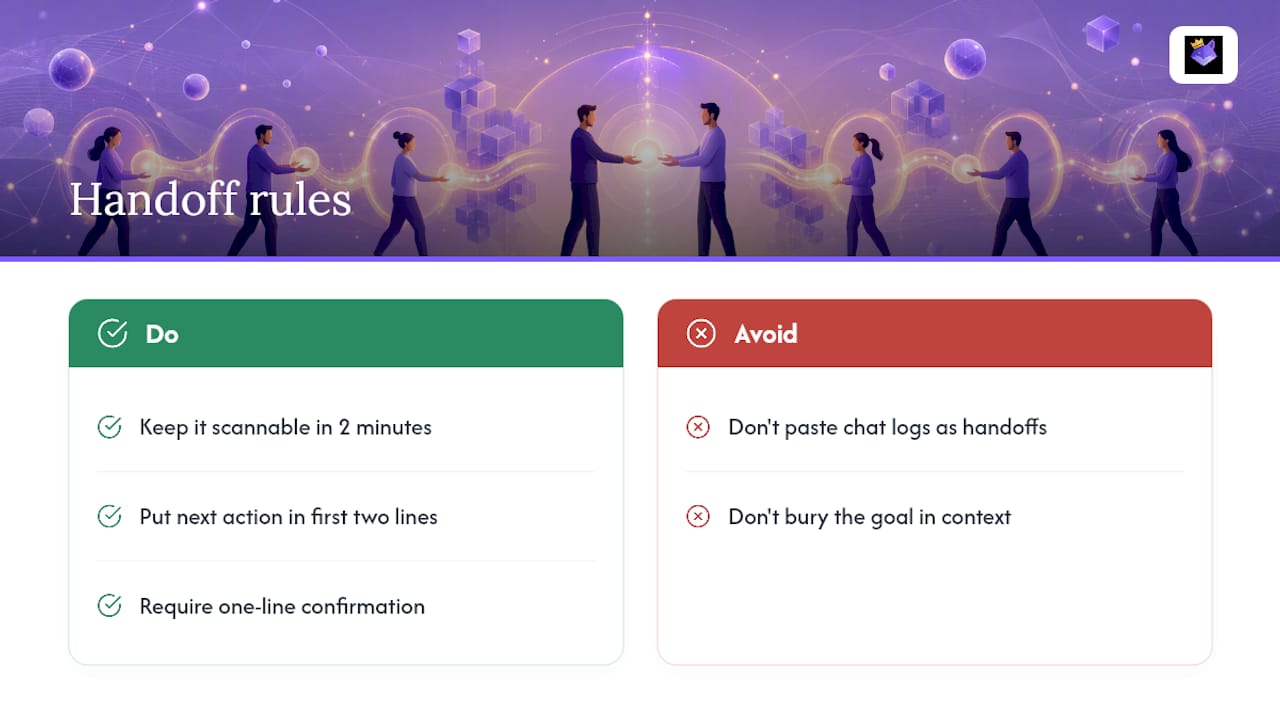
The handoffs that actually get read are never the longest ones. They're the ones where the first line tells you exactly what to do next, and everything after that is optional reading. I've watched teams lose entire days to a "handoff" that was really just a copy-pasted chat log, because the receiver had to reconstruct the goal from context nobody flagged as important.
Three rules I use without exception: keep it short enough to scan in two minutes, put the next action in the first two lines, and never accept a handoff back without a one-sentence confirmation that the receiver actually understood it. That last rule catches more problems than the other two combined.
— John
Try Promptchief for Team Handoffs
If your team is still hand-typing the same handoff structure into Slack every time someone switches shifts, you're solving a formatting problem the hard way. Prompt management built for teams handles the part that actually breaks: getting the same structured template in front of every teammate, synced across devices, ready to paste into a new chat or ticket without rebuilding it from memory.

Promptchief lets you save your handoff template once, push it to a shared team workspace, and inject it directly into ChatGPT, Claude, or whichever platform your team runs on. Pair it with the free prompt template library if you want a starting point before customizing your own. When a teammate picks up your work, they get the same six fields every time, not a reconstructed guess at what you meant. Check the pricing plans and set up your first team template today.
Sources
- AHRQ handoff communication tools (I-PASS reference)
- The Prompt Handoff Pattern: Make AI Work Survive Session Resets and Team Handoffs
- hand-off prompt guidelines (commands/handoff.md)
- Handoff tools evidence review (I-PASS, SBAR)
FAQ
What is a prompt handoff to team members?
A prompt handoff to team members is a short, structured summary of an AI session's goal, current state, decisions, open questions, and next step, passed to a teammate so they can resume the work without re-reading the entire conversation.
How long should a handoff be?
Aim for a concise handoff suitable for the task's complexity; the handoff prompt guidelines recommend staying concrete rather than comprehensive.
Does the receiver need to confirm the handoff?
Yes. Requiring a one to two sentence synthesis from the receiver, plus the first verification command they'll run, closes the loop and catches misunderstandings the I-PASS framework was built to prevent.
What tool helps teams manage handoff templates?
Promptchief lets teams save a handoff template once, sync it across devices, and inject it directly into a new chat as the first message, so the same structure gets used every time instead of rebuilt from scratch.
What's the biggest mistake people make in a handoff?
Pasting the entire chat transcript instead of a compressed summary. It buries the one detail the receiver needs under everything that doesn't matter anymore.