
A repeatable prompt workflow is a triggered, stateful process that runs a fixed prompt sequence, validates its own output, and routes the result without a human writing anything by hand. Automate one when you run the same task more than five times a week with structured inputs and a clear next step. This guide covers the minimum viable structure, four copyable templates, tool choices, and the testing habits that keep these systems from failing silently in production.
TL;DR:
- Automate workflows for tasks run more than five times weekly with predictable, structured inputs and clearly defined routing steps to justify automation costs.
- Ensure all four core components—trigger, prompt execution, output validation, and routing—are present, with error handling and state management added as complexity increases.
- Use JSON schema validation at every step boundary to prevent silent failures from malformed data or unverified output.
- Employ no-code tools for quick deployment but scale to orchestration frameworks like AWS Step Functions or LangChain for complex, scalable workflows requiring retries and human-in-the-loop checks.
- Manage and version control all workflow components with a dedicated platform to prevent inconsistencies and facilitate reliable collaboration.
Table of Contents
- What Makes a Repeatable Prompt Workflow Different From a Prompt?
- When Should You Automate a Prompt Task?
- What Are the Minimum Viable Components of a Workflow?
- Four Production Templates You Can Build Today
- Which Tools and Orchestration Patterns Actually Scale?
- What Best Practices Reduce Workflow Failures?
- How Do You Test and Monitor a Prompt Workflow?
- Why Treating Prompts as System Components Changes How Teams Ship
- Run Your Repeatable Prompt Workflows Without Losing Track of Them
- Sources
- FAQ
What Makes a Repeatable Prompt Workflow Different From a Prompt?
A single prompt is a request. A workflow is a system that decides, on its own, when to run, what to do with the result, and what happens when something breaks. That distinction is where most homegrown "automation" quietly falls apart: someone builds a great prompt, pastes it into a scheduler, and calls it a pipeline, but nothing checks the output before it lands somewhere important.
Who decides to run the thing matters more than people assume. A prompt gets triggered by a human typing it in. A workflow gets triggered by an event, a schedule, or a threshold, and it has to work whether or not anyone is watching.
Four properties separate a real workflow from a scripted prompt:
- Triggers: an event, cron schedule, or data threshold starts the run without a person clicking anything.
- State: the system remembers what happened in step one when it reaches step three, instead of treating each call as isolated.
- Routing: outputs get sent to the correct next destination based on classification, not a single fixed path.
- Error handling: a failed step retries, falls back, or escalates instead of silently returning garbage.
Workflows earn their complexity when the task is predictable and repeatable. Confluent's comparison of prompts, workflows, and agents makes this point well: workflows fit structured, deterministic tasks, while agents suit adaptive, open-ended ones, at the cost of being much harder to test and scale. If your task changes shape every time, you probably need an agent, not a workflow.
When Should You Automate a Prompt Task?
The honest answer is: not always, and not immediately. Automation has a fixed cost (build time, monitoring, failure modes to handle) and it only pays off once volume and structure justify it.
- Frequency: if you or your team run the same prompt more than five times a week, it belongs in a workflow, not a chat window, according to Promptquorum's analysis of production automation patterns.
- Structured inputs: automation works when inputs arrive in a predictable shape (a form submission, a webhook payload, a file upload). Free-form, unpredictable input is a sign you need more judgment in the loop, not less.
- Deterministic next step: if the output always routes somewhere specific (a queue, a database, a notification), automate. If a human has to decide what happens next every time, keep it manual.
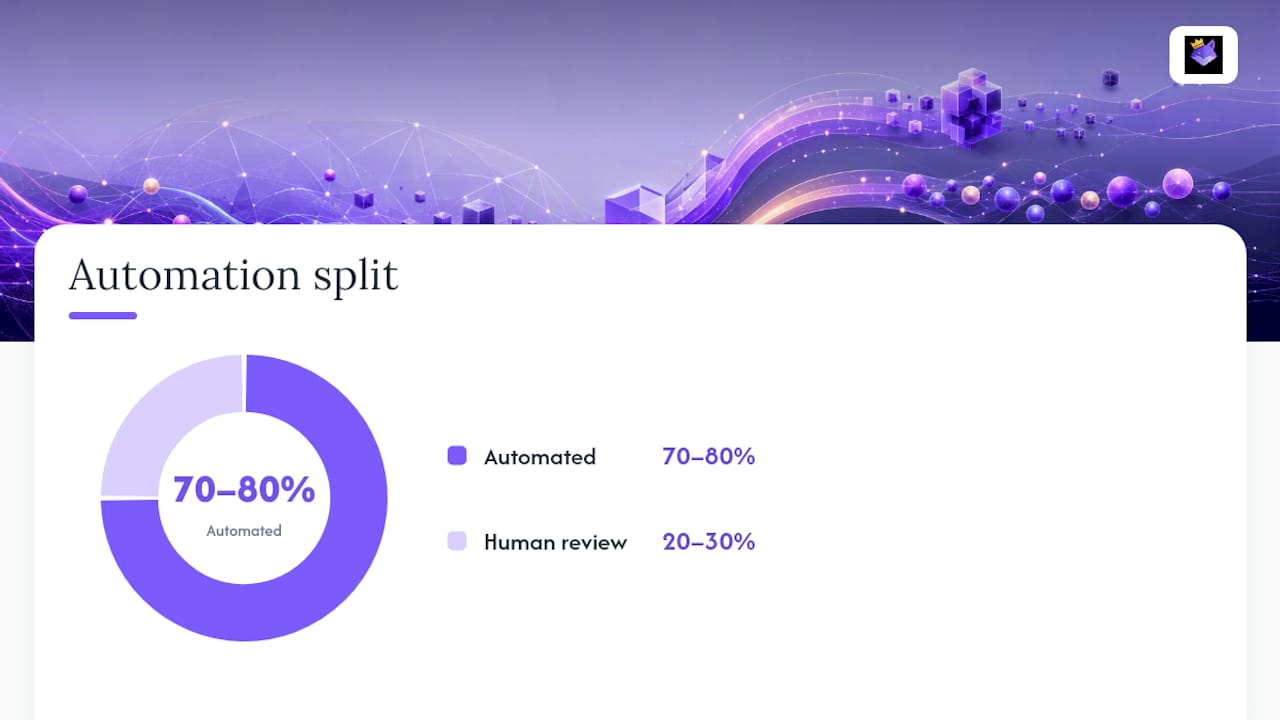
Most mature teams land on a hybrid split rather than an all-or-nothing build: automate the structured 70 to 80 percent and route the remaining 20 to 30 percent to human review for edge cases the model handles poorly.
Pro Tip: Build the manual version first and run it by hand for two weeks. If you can't describe the decision rules you used, the task isn't ready for automation yet.
What Are the Minimum Viable Components of a Workflow?
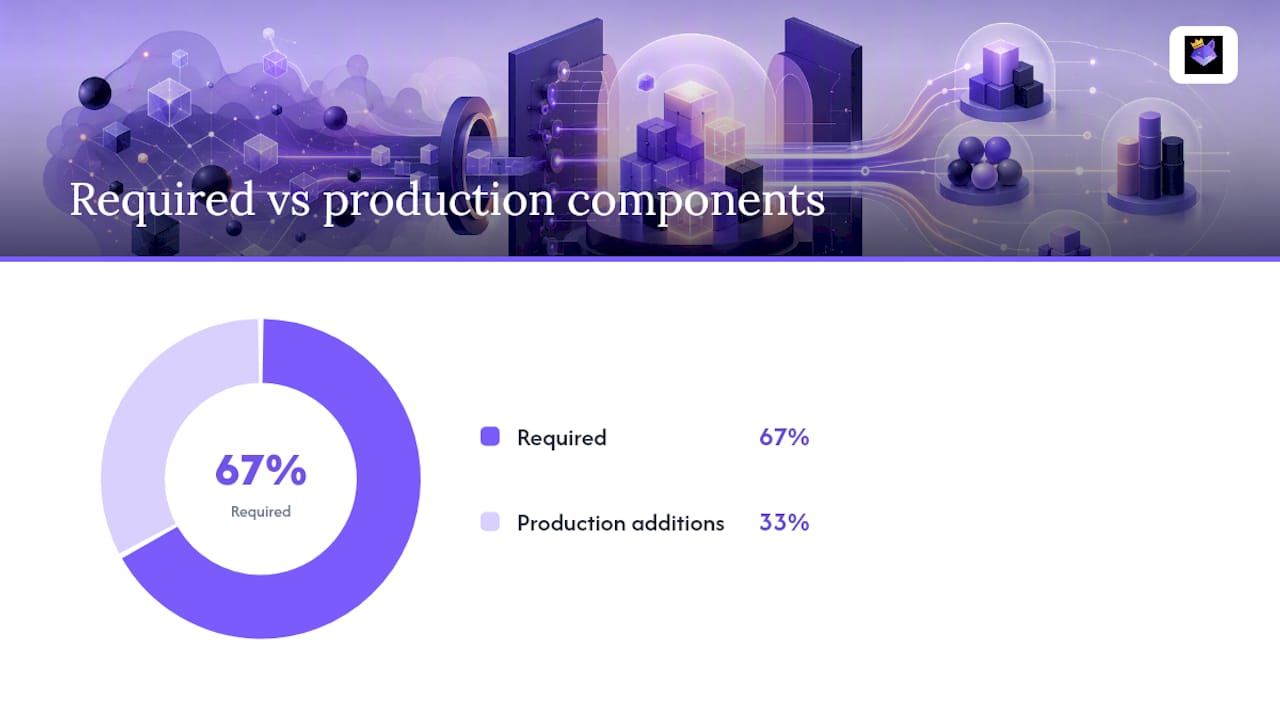
A minimum viable workflow needs four components to function, plus two more once you're running it in production rather than testing it locally. Skip any of the first four and you don't have a workflow, you have a prompt with a cron job attached.
- Trigger: an event, schedule, or threshold that starts the run automatically.
- Prompt execution node: the model call itself, ideally with permanent system instructions that never change between runs.
- Output validation: a check, typically a JSON schema, that confirms the response is structurally usable before anything downstream touches it.
- Routing: logic that sends validated output to its correct destination based on content, classification, or confidence score.
Promptquorum describes the minimum viable workflow as exactly these four pieces, with state management and error handling layered on as complexity grows. Once you move past a prototype, add a state store to hold intermediate results between steps, and a fallback path for when validation fails.
The quality gate matters more than teams expect early on. A workflow with no validation step doesn't fail loudly. It succeeds silently with bad data, which is worse, because nobody notices until a customer or a downstream system does. Enforcing a JSON schema at every step boundary is the single highest-leverage fix for that problem, and it costs almost nothing to add compared to the debugging time it saves.
Four Production Templates You Can Build Today
These four shapes cover most of what developers automate first. Each one follows the same trigger, execution, validation, routing structure, just with different steps in the middle.
Document processing: a file upload triggers extraction (OCR or parsing), a classification prompt tags the document type, and a router sends it to the matching downstream handler (invoice queue, contract review, general archive).
Research pipeline: a topic list feeds a summarization step per source, a synthesis prompt merges the summaries, and the final step formats a structured report. This is the template where prompt chaining pays off most, since each source gets summarized independently before synthesis runs.
Code review loop: a pull request triggers a diff analysis prompt, which generates inline comments, followed by a verification step that checks whether suggested fixes actually compile or pass tests before posting. AWS's own approach to prompt chaining breaks exactly this kind of complex task into smaller subtasks, using Step Functions to orchestrate them with human callbacks where judgment is needed.
Customer triage: an incoming ticket gets classified by intent and urgency, a draft response is generated, and the pair (classification plus draft) routes to the correct support queue for a human to approve or send.
| Template | Trigger | Key validation step |
|---|---|---|
| Document processing | File upload | Document type classification confidence |
| Research pipeline | Topic list submission | Source summary completeness |
| Code review loop | Pull request opened | Fix passes tests before posting |
| Customer triage | Ticket created | Intent/urgency classification confidence |
Every one of these can start as a saved, reusable instance rather than a rebuilt prompt each time. Persistent workflow patterns, whether that's a Custom GPT, a Claude Project, or a saved chain in a prompt manager, remove the fatigue of re-explaining context on every run.
Which Tools and Orchestration Patterns Actually Scale?
The right tool depends on how much you need to observe, version, and debug the workflow later, not just how fast you can build it today.
- No-code platforms (Make, n8n) win for quick wins: a small team automating a triage or document flow without writing custom infrastructure. They're fast to ship and easy to modify, but observability and version control tend to be shallow.
- Orchestration frameworks (LangChain, AWS Step Functions, or a custom runtime) fit workflows that need real state management, retries, and human callback steps at scale. Step Functions in particular handles prompt-chaining with human-in-the-loop review natively, which matters once a workflow touches production data.
- Multi-model dispatch belongs in the routing layer, not buried inside a single prompt. Decide model selection (a cheap model for classification, a stronger one for synthesis) as an explicit routing decision, so you can swap models without rewriting the whole chain.
- State stores can be as simple as a JSON blob in a database row for low-volume workflows, or a dedicated key-value store once you're running dozens of workflows in parallel and need to track intermediate results without collisions.
Teams moving from prototype scripts to production infrastructure often hit a point where custom orchestration code becomes necessary simply because no-code tools can't express the branching logic anymore. That's a normal scaling point, not a sign the original tool choice was wrong.
What Best Practices Reduce Workflow Failures?
Most workflow failures trace back to the same handful of causes: unvalidated handoffs between steps, prompts doing too much at once, and no record of what changed when something broke.
- Validate JSON schemas at every boundary. Passing raw, unstructured text between steps is one of the most common causes of silent failure, since a malformed response can pass through three steps before anything notices.
- Avoid prompt-stuffing. Decomposing a task into small, focused prompts instead of one giant instruction lets you rerun and debug individual steps without touching the rest of the chain.
- Keep golden examples and a changelog. A small set of known-good input/output pairs per workflow, paired with a changelog of what changed and why, turns "it broke after an update" into a two-minute diagnosis instead of a half-day investigation.
- Categorize errors, don't just log them. A validation failure, a timeout, and a model refusal are three different problems that need three different retry strategies.
| Failure type | Typical cause | Fix |
|---|---|---|
| Silent bad output | No schema validation between steps | Enforce JSON schema at every boundary |
| Inconsistent results | One oversized prompt doing multiple jobs | Split into smaller, chained prompts |
| Hard-to-debug regressions | No golden examples or changelog | Version the workflow, log every change |
Pro Tip: Store your golden examples in the same repository as the workflow definition, not in a separate document. When the workflow changes, the test cases should be sitting right next to the diff.
How Do You Test and Monitor a Prompt Workflow?
Testing a workflow means deliberately trying to break it before a real user does. Feed it missing fields, malformed JSON, empty strings, and inputs in the wrong format, and confirm it fails into a queue rather than crashing or returning nonsense.
- Test edge cases on purpose. Missing inputs, malformed data, and unexpected formats should route to a fallback, not a crash.
- Track four core metrics. Pass rate, error rate, latency, and drift (whether output quality is quietly degrading over time) tell you if the workflow is still doing its job weeks after launch.
- Build in human-in-the-loop checkpoints. Wait-for-callback steps, review queues, and random sampling of "successful" runs catch problems that pass validation but are still wrong.
- Roll out changes as canaries. Version each workflow and route a small percentage of traffic to the new version before switching everyone over.
Security and governance guidance from groups like NIST and the OWASP LLM Top 10 is worth building into this testing layer, particularly for workflows that touch customer data or make routing decisions with real consequences.
Why Treating Prompts as System Components Changes How Teams Ship
Most teams treat a good prompt as the finish line. It isn't. The real gain shows up once you stop thinking of a prompt as a clever piece of text and start treating it as a versioned, testable component with a defined input shape and a defined output contract, the same way you'd treat a function in a codebase.
That shift changes daily behavior more than people expect. Teams that adopt workflow-first thinking stop rewriting the same instructions from memory and start pulling a saved, cloud-synced version that's already been tested. A repo-first approach to prompt management fits naturally here, because a prompt that lives in version control gets the same scrutiny as any other production code: diffs, changelogs, and rollback when something breaks.
The teams that struggle are the ones still treating prompt updates as a Slack message ("try adding this line") instead of a tracked change with a before-and-after comparison. Systemizing that process is what actually reduces variability, not a better prompt.
— John
Run Your Repeatable Prompt Workflows Without Losing Track of Them
Building the workflow is half the job. Keeping every version, system instruction, and prompt chain organized across a team is the part that quietly falls apart without a system built for it. Promptchief gives developers and teams a place to save, version, and cloud-sync every step of a workflow, so your document-processing chain or triage prompt is one search away instead of buried in a Slack thread or a local file nobody else can find.

Multi-step prompt chains, fuzzy search across saved prompts, and team workspace access mean the whole group is running the same tested version, not five slightly different copies. That matters most for exactly the templates covered above: a code-review loop or customer-triage flow only stays reliable if everyone on the team is pulling from the same source of truth. Start with the prompt management platform to organize your first workflow, or browse ready-to-use prompt chains if you'd rather adapt a working template than build one from scratch.
Sources
- From Prompts to Repeatable Workflows: Automation Templates for Production Teams
- Building generative AI prompt-chaining workflows with human in the loop
- Production AI playbook: deterministic steps & AI steps
- Prompts vs. Workflows vs. Agents: Key Differences | Confluent
- How to Build an AI Workflow: A Reusable 4-Step Method
FAQ
How Do I Automate a Repetitive Prompt Task?
Map the task's trigger, steps, and output shape first, then build the four minimum viable workflow components: trigger, prompt execution, output validation, and routing, before adding state management or error handling.
What Repetitive Tasks Can AI Handle in a Workflow?
Structured, high-frequency tasks with predictable inputs fit best: document classification, research summarization, code-review comments, and support-ticket triage all work well once inputs are consistent.
How Do I Duplicate an Existing Workflow?
Save the workflow's system instructions, schema, and routing logic as a reusable template rather than rebuilding it, so duplicating it for a similar task means changing the input source, not rewriting the prompt chain. Tools like Promptchief's prompt organizer are built specifically to store and reuse chains this way.
What Does It Mean to Automate a Repetitive Task With AI?
It means replacing a manually run prompt with a triggered system that executes the same steps, validates its own output, and routes the result without a person repeating the same copy-paste actions each time.
How Many Times a Week Should a Task Run Before I Automate It?
A common threshold is more than five runs per week with structured inputs and a clear next step for the output; below that, manual execution is usually cheaper than building and maintaining a workflow.