
Prompt macros are parameterized prompt templates with placeholders you fill at runtime, letting you save one structure and reuse it across dozens of tasks instead of retyping variations by hand. The win is speed and consistency: the same validated skeleton produces reliable output whether you are drafting ad copy or debugging code. Some platforms build this into cloud sync, magic placeholders, and prompt chains, so the macro logic lives in the tool instead of your notes app.
TL;DR:
- Using prompt macros with validation, caching, and version control reduces errors, latency, and regression risks in production environments.
- Keep template variable count between two and five to minimize errors and ensure clear, maintainable prompts.
- Escaping user input and confining it to dedicated slots are essential to prevent prompt injection and maintain prompt integrity.
- Implement a pre-send token check and maintain a "known bad inputs" testing file to catch regressions and unexpected tokenization issues early.
- Use platforms like PromptChief to manage, version, and reuse macros seamlessly across multiple AI models and workflows.
Table of Contents
- What Are Prompt Macros, Exactly?
- How Do You Design and Implement Prompt Macros?
- Best Practices and Pitfalls to Avoid
- Prompt Macro Examples You Can Reuse
- What I've Learned Building Macros for Production Use
- What Most Advice on Prompt Macros Gets Wrong
- Run Your Macros Through PromptChief Instead of a Spreadsheet
- Sources
- FAQ
What Are Prompt Macros, Exactly?
A static prompt is a fixed block of text. A prompt macro is that same block with slots cut into it, ready to be filled with different values every time you run it. The distinction matters because static prompts break the moment your use case shifts even slightly, while a macro survives dozens of variations without a rewrite.
Three formats dominate how developers build these templates. F-string substitution (Python's {variable} syntax) is fast and simple, good for one-off scripts where you just need basic swaps. Mustache templating adds logic-light flexibility, useful when a non-technical teammate needs to edit the template without touching code. Jinja2 goes further with conditionals and loops, which is why it's the format most production teams settle on for anything beyond trivial substitution.
Chat-based prompts add another layer: message placeholders. Instead of one big text blob, you insert a list of chat messages (each with a role and content) at a specific point in the prompt, then resolve it at runtime through SDK methods like compile and resolve. This pattern lets you inject chat history without breaking the underlying chat structure, which matters a lot once you're chaining multi-turn conversations.
Not every prompt needs this treatment. Use macros when:
- You reuse the same structure across multiple tasks, clients, or campaigns
- Inputs vary predictably (a name, a topic, a tone, a target audience)
- You need version control because the prompt will change over time
- Multiple people or tools need to fill in the same template consistently
If you're writing something once and throwing it away, skip the machinery. Macros earn their complexity through repetition.
How Do You Design and Implement Prompt Macros?
Building a macro that survives contact with real users takes more than dropping curly braces into a prompt. Here's the workflow that holds up in production.
1. Start with a canonical skeleton. Break the template into named sections: system instructions, task instructions, examples, context, and user input. Keeping these separate means you can update one block without disturbing the others, and it makes the eventual JSON schema or Pydantic model far easier to write.
2. Name variables clearly and keep the count low. {product} and {target_audience} read cleanly; {x1} does not. Semantic naming and a variable count in the 2 to 5 range keeps templates usable for whoever fills them in later, including future you. Past ten variables, error rates climb and nobody remembers what half the slots mean.
3. Validate before you render. Check required variables against a Pydantic model or JSON Schema before the template ever touches the model call. This catches a missing {topic} at the source instead of letting it produce a confused, generic response downstream.
4. Escape user input. Wrap anything a person typed into an "e" (escape) filter or a raw block so template syntax in their text doesn't get interpreted as logic. A user pasting curly braces into a feedback field shouldn't be able to reshape your prompt's structure.
5. Cache the compiled template, not the rendered string. Reuse a Jinja2 Environment object across requests instead of recompiling the template every call. Caching the Environment rather than the output cut token preprocessing latency significantly in one reported benchmark, which is the difference between a snappy tool and one that stalls under load.
6. Version everything in a registry. Treat templates as code: store them in a versioned object store, attach eval suites, and gate any change through CI before it reaches production. A/B roll out new versions and watch for regressions before a full switch.
7. Add a pre-send hook. Log the filled prompt's length and flag anything that spikes unexpectedly. A template that suddenly balloons in token count usually means a variable got the wrong value, not that the model needs more context.
Pro Tip: Keep a "known bad inputs" test file next to every macro, a handful of edge cases like empty strings, emoji, and extremely long text. Run it whenever you touch the template. It catches more regressions than manual spot checks ever will.
Best Practices and Pitfalls to Avoid
The fastest way to break a prompt macro is to let user text bleed into the wrong slot. Never interpolate unescaped user input directly into system or instruction sections; keep it confined to a clearly marked user-input slot. This isn't a style preference. It's how prompt injection happens: a user types something that looks like an instruction, and if it lands in the system block unescaped, the model may treat it as one.
Avoid reaching for a "safe" or "trusted" filter on user input just because it's convenient. Strict, escaped rendering should be the default, not an opt-in you remember only after something breaks.
Output discipline matters just as much as input discipline. Enforce a schema on what comes back, structured JSON when the use case allows it, and validate the response before you act on it. Skipping output validation is one of the most common failure points production teams report, showing up as malformed JSON or a model quietly ignoring formatting instructions altogether.
Token usage deserves its own watch list. Cap expected token counts per template and log any change that pushes context size up, since a small edit to an example block can quietly double your per-call cost across thousands of runs.
The pitfalls that keep showing up in real deployments:
- No variable validation, so a missing input produces a vague, unhelpful answer instead of a clear error
- No version history, making it impossible to tell why output quality shifted last Tuesday
- No compiled-template caching, adding latency that compounds at scale
- No output schema, leaving you to parse free text and hope for consistency
Each of these is cheap to fix early and expensive to untangle once a macro is running in ten different places.
Prompt Macro Examples You Can Reuse
Seeing the structure helps more than describing it. Here are three patterns worth stealing.
A chat placeholder example: define a template with a {history} placeholder positioned before the current user turn. At runtime, compile the template, resolve {history} with the actual list of prior messages (role and content pairs), and the SDK assembles a complete, correctly ordered chat prompt without you manually splicing strings together.
A Jinja2 skeleton with a conditional:
You are helping {user_name if user_name else "a user"} with {task}.
{% if extra_context %}Additional context: {{ extra_context | e }}{% endif %}
Respond in {tone} tone.
The | e filter escapes anything in extra_context so pasted text can't inject stray template logic.
A two-step chain: retrieve relevant documents, then summarize and format them into a client-ready brief. The variables are {query}, {doc_limit}, and {output_format}, with the retrieval step's output feeding directly into the summarization step's {context} slot. Tools built around multi-step prompt chains handle this handoff automatically instead of requiring manual copy-paste between steps.
| Test case | Input state | Expected result |
|---|---|---|
| Missing required variable | {task} omitted | Render fails before send |
| Empty optional variable | {extra_context} blank | Renders cleanly, section skipped |
| Injected template syntax | User text contains {{ | Escaped, treated as literal text |
| Oversized history list | messages in placeholder | Flagged by pre-send token check |
Run these before trusting any macro with live traffic. A template that only works with clean, ideal input isn't finished.
What I've Learned Building Macros for Production Use
The lesson that took longest to sink in: a macro isn't done when it renders correctly once. It's done when it survives a bad input, a missing variable, and six months of edits by people who didn't write the original version. Version it, validate it, cache the compiled form, and monitor what actually gets sent, in that order.
Teams that skip validation almost always find out the hard way, usually through a support ticket about a nonsensical AI response that traces back to one silently empty variable. Teams that skip caching notice it as a vague, persistent slowness nobody investigates until traffic doubles. Structuring templates this way is exactly what platforms like PromptChief's variable-driven templates are built to enforce by default, so the discipline isn't optional. It's built into the workflow.
What Most Advice on Prompt Macros Gets Wrong
Most guides treat prompt macros as a formatting trick: swap in a variable, ship it. That framing undersells the actual risk. The real failure mode isn't clumsy phrasing, it's an unvalidated variable slipping through, an uncached template quietly doubling your latency, or user input landing somewhere it can be misread as an instruction.
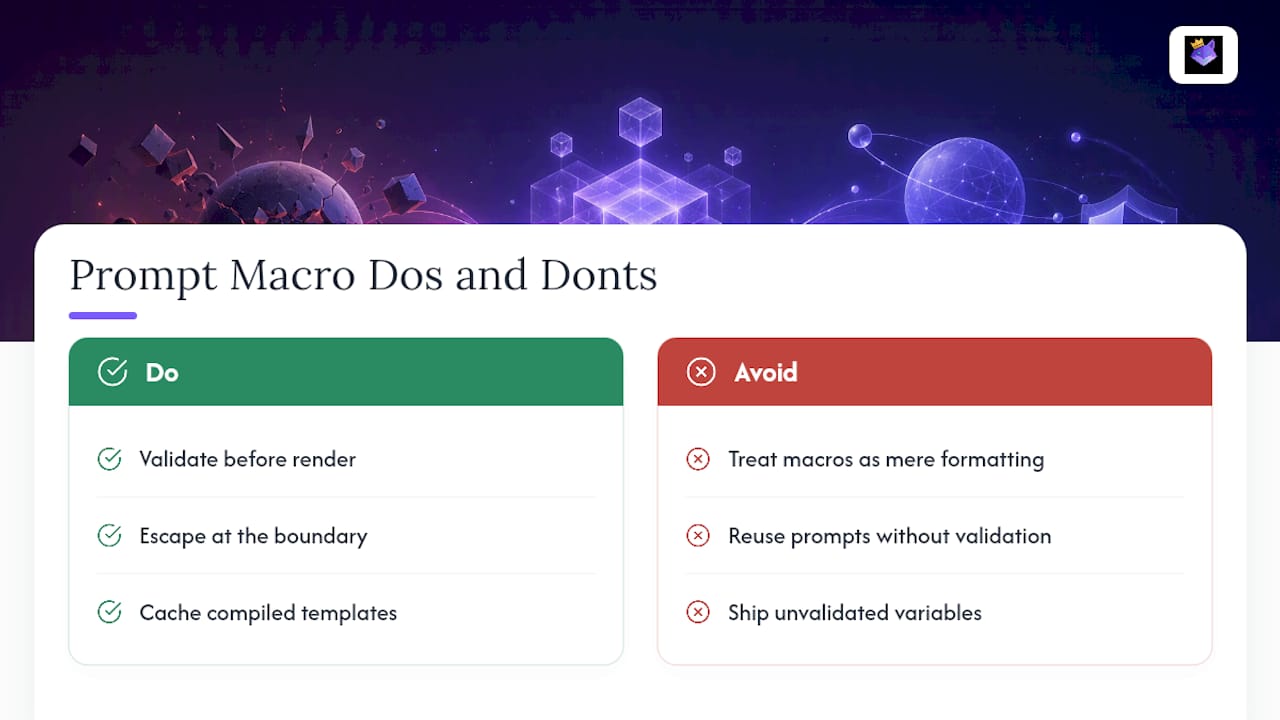
The conventional advice to "just add placeholders and reuse the prompt" skips the part that actually determines whether a macro survives production: validation before render, escaping at the boundary, and caching the compiled template rather than the output string. Those three habits solve more real incidents than any amount of clever variable naming.
If you're prioritizing anything first, prioritize validation. A macro that fails loudly on a bad input is far easier to fix than one that fails quietly with a confident, wrong answer. Version control and caching matter enormously too, but they're optimizations. Validation is the difference between a tool people trust and one they quietly stop using after the third weird output.
— John
Run Your Macros Through PromptChief Instead of a Spreadsheet
Building the validation, versioning, and caching discipline above from scratch means wiring up a schema library, a template registry, and your own escaping rules before you've written a single real prompt. Some platforms skip that setup entirely: they provide magic placeholders, multi-step prompt chains, and cloud sync out of the box, so the macro structure this article walks through is already built into the platform rather than something you assemble yourself.
You save a macro once, and it's searchable and injectable across ChatGPT, Claude, Gemini, and two dozen other platforms from any device, no separate versioning system required. Teams get shared workspaces so a validated template doesn't live in one person's notes. If you're building anything with variable-heavy prompts, start with the prompt management platform, import an existing template, and run it through a real conversation to see how the placeholders resolve before you commit to a workflow.
Sources
- Prompt Templates and Best Practices: Prompt Templates — How | TheCodeForge
- Prompt templates: parameterized, versioned LLM prompts
- Message Placeholders in Chat Prompts
- Prompt Templates and Variables: Build Reusable AI Prompts
FAQ
What is a prompt macro?
A prompt macro is a reusable prompt template with placeholders or variables you fill in at runtime, letting one structure generate consistent output across many different inputs.
How is a prompt macro different from a regular prompt template?
The terms overlap, but "macro" usually implies the template includes logic, like conditionals, loops, or chained steps, rather than just static text with blanks to fill.
Which templating format should I use, f-string, Mustache, or Jinja2?
Use f-strings for simple one-off substitution, Mustache when non-technical people need to edit templates, and Jinja2 when you need conditionals, loops, or production-grade caching.
How many variables should a prompt macro have?
Keep it between two and five for usability; going past ten variables tends to increase errors and confuse whoever fills in the template.
Can prompt macros prevent prompt injection?
Escaping user input and keeping it confined to a dedicated user-input slot, rather than the system or instruction sections, significantly reduces injection risk, though no single technique eliminates it entirely.
Do prompt management platforms support prompt macros?
Yes. PromptChief offers magic placeholders and multi-step prompt chains with cloud sync, letting you build, save, and inject macro-style templates across ChatGPT, Claude, Gemini, and other platforms.