
Move your prompt text and metadata into a versioned repo or a dedicated prompt store, and gate every promotion with evaluations before it reaches production. That single decision protects you from vendor deprecations, keeps a full history of what changed and why, and stops a bad prompt edit from reaching customers. Keep model settings, placeholders, and tags attached to each version, and use labels like staging and production so rollbacks take seconds, not hours.
TL;DR:
- OpenAI will shut down API Prompt Objects on November 30, 2026, so export raw originals now and archive them before normalizing or deleting anything.
- Keep the source of truth in Git for pull request review, use a database when hundreds of prompts need search or direct editing, or combine both.
- Attach model settings, variables, tags, ownership, and changelog entries to each version; staging and production labels support rollback without a code deployment.
- Block promotion unless accuracy, latency, and cost thresholds pass, and require a second reviewer for customer facing or high risk prompts.
- A 2% accuracy shift can require 3,000 labeled samples at 95% confidence, while a 5% shift may need about 500.
Table of Contents
- Why migrate now: the technical and business case
- Decide your migration goals and pick a strategy
- How to export prompts from documents and platforms
- Metadata and version labels you should adopt
- Build an eval harness before you promote anything
- Tooling, portable formats, and automation patterns
- A step-by-step checklist and rollback plan
- What migration taught me about moving too fast
- How PromptChief fits once your prompts have a home
- FAQ
- Sources
Why migrate now: the technical and business case
Vendor-hosted prompt objects can disappear on someone else's schedule. OpenAI's own migration guidance recommends moving prompt content out of managed prompt objects and into your application code or versioned files, specifically so you retain control over review, testing, and deployment. That recommendation exists because platforms do deprecate things: a community notice confirms that Prompt Objects in the OpenAI API will be shut down on November 30th, 2026, which means anyone still relying on them has a hard deadline.
Ownership of your own prompt library removes that kind of surprise outage from your roadmap. It also unlocks capabilities that managed prompt objects rarely offer on their own.
- Reproducibility: every prompt version is tied to a commit, a timestamp, and the exact settings used to run it.
- Audit trails: changes to customer-facing prompts get the same scrutiny as code changes, through pull requests and reviewers.
- IP safety: your prompt library lives in infrastructure you control, not a third party's product catalog.
- Multi-model portability: a well-structured prompt can move between providers without a rewrite.
Teams that treat prompts as throwaway text in a chat window tend to lose this history the moment someone leaves or a platform changes its interface.
Decide your migration goals and pick a strategy
Before you export a single prompt, decide where it will live when you are done. Three end states cover most teams: a single git repository, a prompt database with an API layer, or a hybrid that keeps source-of-truth text in a repo while serving it through a lightweight API for runtime lookups.
Repo-first setups fit teams with tight continuous integration habits already, where prompt changes should go through the same pull-request review as code; to decide whether to build or buy AI workflows, see the guidance at Build or buy AI? Start with the workflow. A managed store or database fits better once you need fast full-text search across hundreds of prompts, non-developers editing prompts directly, or a UI for browsing versions without touching a terminal.
Set measurable goals before you start moving files:
- Test coverage: what percentage of your production prompts have an associated eval set before go-live.
- Rollback capability: how quickly you can revert a bad promotion, measured in minutes, not deploys.
- Latency budget: whether your chosen runtime lookup (API call versus local file read) adds acceptable overhead.
Pick the simplest option that meets those three criteria. A five-person team rarely needs a database when a git repo and a cron job will do.
How to export prompts from documents and platforms
Start by cataloging what you have before you touch the export button. Give every prompt a consistent name, a category, and a tag set. A prompt called "email draft v2 FINAL final" is a migration problem waiting to happen; a prompt called email/cold-outreach/v2 is not.
Once the catalog exists, work through extraction in a predictable order:
- Export documents: convert Google Docs or Word files to plain markdown, one file per prompt, stripping formatting artifacts like smart quotes or embedded comments.
- Export spreadsheets: convert Sheets or CSV exports into JSONL, one JSON object per line, so each row becomes a structured record with fields for prompt text, variables, and tags.
- Export platform objects: pull managed prompt objects out through the platform's API, saving the raw response as CSV or JSON before any transformation.
- Normalize placeholders: pick one placeholder syntax across the entire library (curly braces or double brackets, not a mix of both) and rewrite every prompt to match.
- Archive the raw exports: keep an untouched copy of every original file in a separate folder, timestamped, in case a normalization step introduces an error you need to trace back.
This is also the point where you decide how portable each prompt needs to be. If you expect to reuse the same prompts across different AI tools, normalize placeholder syntax and model-specific instructions separately, so the core prompt text stays provider-agnostic.
Pro Tip: Run a diff between your raw export and your normalized version before deleting anything; a single missed placeholder can break every prompt that depends on it.
Metadata and version labels you should adopt
A prompt without its metadata is half a prompt. At minimum, track the model it was built for, temperature and token settings, the list of variables it expects, tags for search, an owner, a creation or edit date, and a changelog entry explaining what changed.
A pragmatic repo layout, drawn from patterns used in production prompt-management projects, pairs each prompt with a small set of files. A prompt-version-control monorepo on GitHub demonstrates this structure directly: a prompt.md file holding the current golden version, a metadata.yaml file holding model settings, variables, tags, and ownership, a versions/ folder archiving every prior revision, and an eval/ folder holding the test set and results tied to that prompt.
- prompt.md: the current production-ready prompt text, nothing else.
- metadata.yaml: model, temperature, token limits, variable names, tags, owner, last edited date.
- versions/: every prior revision, named by version number or commit hash.
- eval/: the labeled test set and the results of the most recent evaluation run.
Labels matter as much as the files themselves. Using labels such as draft, staging, and production to point at specific version IDs lets you decouple what your application calls at runtime from which exact version is live. Repointing a label takes seconds and requires no code deploy, which is what makes instant rollback possible. StackPractices' version control template follows the same pattern, pairing prompt text with metadata and versioned history for exactly this reason.
Build an eval harness before you promote anything
A migration without evaluation gates just moves the risk from one platform to another. Start by building a labeled test set for each prompt that matters, meaning a set of inputs paired with expected or acceptable outputs that a human has reviewed.
Resist the urge to lean on a single accuracy number. Per-class precision, recall, and F1 scores are preferred over aggregate accuracy because accuracy can hide severe failures on minority classes while still looking healthy overall.
A 2% accuracy delta at 95% confidence can require roughly 3,000 labeled samples to detect reliably, while a 5% delta can be caught with around 500 samples. The smaller the change you need to catch, the larger your test set needs to be, so size your evaluation effort to the risk tolerance of the prompt, not a fixed rule.
Build your gating logic into the pull request process itself:
- Block promotion unless accuracy, latency, and cost thresholds are all met.
- Run evals automatically on every pull request that touches a prompt file.
- Require a second reviewer for prompts tagged as customer-facing or high-risk.
A prompt that fails any threshold stays at the draft or staging label until it passes, never reaching production by default.
Tooling, portable formats, and automation patterns
Pick formats that outlive any single vendor. The most durable options are plain markdown paired with a YAML metadata file, JSONL records that bundle prompt text with structured metadata in one line, or migration-style YAML files that describe a change as a discrete, reversible step.

Several open tools demonstrate working patterns rather than theory. PromptMigrate treats prompt changes like database migrations, with commands to create and apply versioned updates, which suits teams already comfortable with migration-based schema tools. The prompt-version-control repository covers the fuller lifecycle: versions, labels, eval gates, and an API to serve prompts at runtime. For individuals and small teams who want something lighter, a CLI-first prompt library tool manages prompts locally and git-backed, with optional syncing.
A reasonable automation pipeline chains these steps together:
- Export: pull prompts from their current source into raw files.
- Normalize: apply consistent placeholder syntax and metadata schema.
- Evaluate: run the test set against the new or changed prompt.
- Label: move the version to staging once evals pass.
- Deploy: repoint the production label after a monitoring window.
Wiring these into a continuous integration job means every prompt change gets the same rigor as a code change, with no manual step skipped under deadline pressure.
A step-by-step checklist and rollback plan
Before moving a single prompt, confirm three things are in place: a full inventory of existing prompts, a backup of the raw originals, and at least a starter test set for anything customer-facing.
- Inventory: list every prompt, its current location, and its owner.
- Backup: archive raw exports untouched, separate from your working files.
- Export and normalize: pull prompts out of their source and apply a single placeholder syntax.
- Commit versions: check normalized prompts and metadata into your repo or database.
- Run evals in CI: block any promotion that fails accuracy, latency, or cost thresholds.
- Promote to staging: repoint the staging label once evals pass.
- Monitor: watch real outputs for a defined window before going further.
- Promote to production: repoint the production label only after staging looks stable.
Keep a rollback plan ready at every stage, not just written down after something breaks. If production misbehaves, repoint the production label back to the last known-good version, revert the prompt.md file in your repo if needed, and log a changelog entry describing the root cause.
Pro Tip: Treat every rollback as a learning event: the changelog entry you write during a rollback often becomes the test case that prevents the same regression next time.
What migration taught me about moving too fast
Teams that try to migrate every prompt at once usually stall. Start with the handful of prompts that touch customers or revenue directly, build real test coverage for those first, and let the rest follow once the pattern is proven.
The audit trail matters more than people expect going in. Months later, when someone asks why a prompt changed, a changelog entry with a reason beats a vague memory every time. Prioritize test coverage for anything customer-facing before spending time polishing internal or experimental prompts, since that is where a regression actually costs you something.
— John
How PromptChief fits once your prompts have a home
Once your prompt library lives in a repo or database you control, the next problem is practical: getting the right version in front of the right tool, on the right device, without digging through folders. That is where a synced layer on top of your source of truth earns its place.
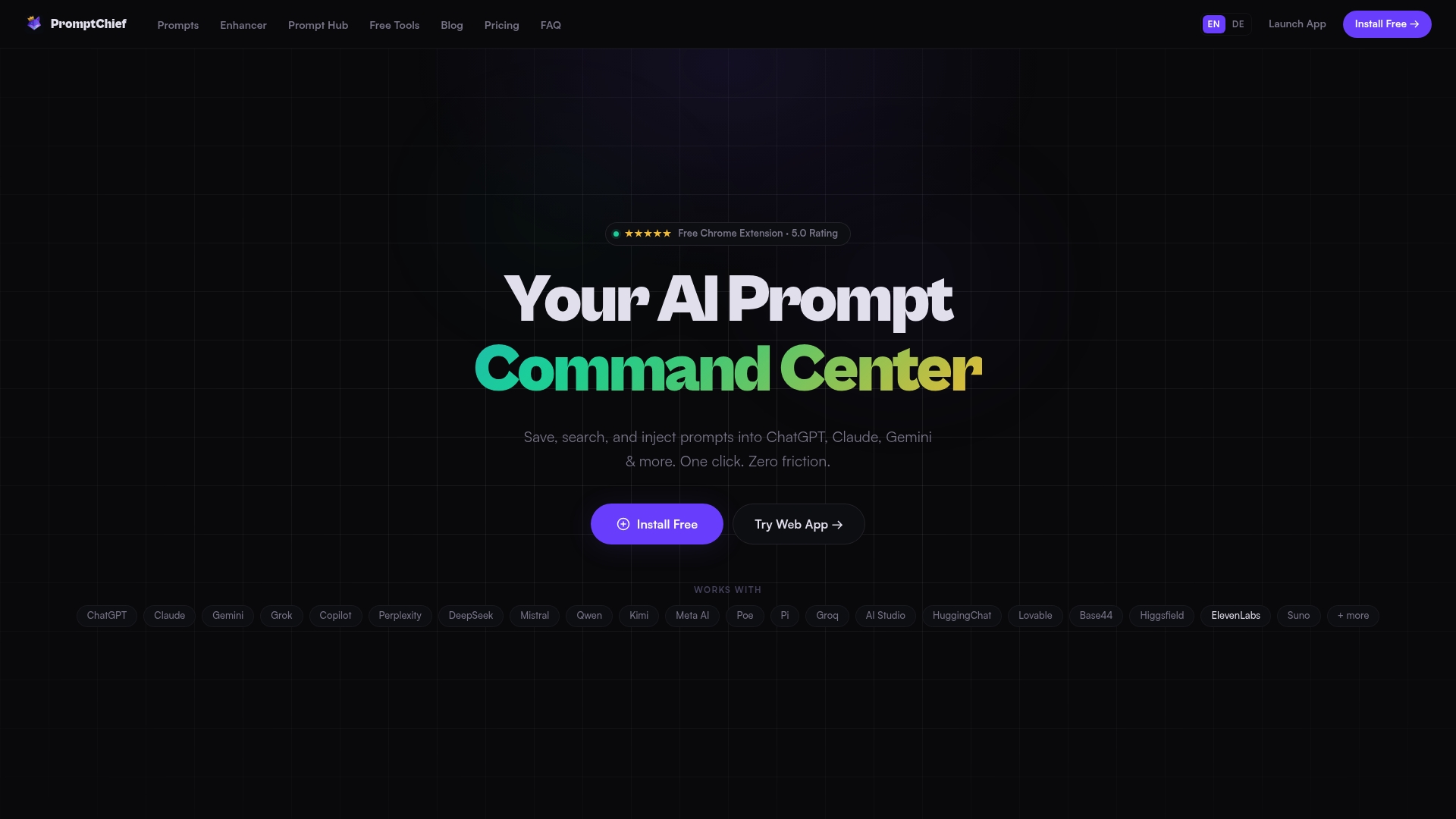
We built PromptChief to sit on top of whatever migration path you chose, not replace it. Our platform adds cloud sync so the prompts you have organized are available across devices the moment you save them, fuzzy search so you can find a prompt by a rough description instead of its exact file name, and one-click injection into ChatGPT, Claude, and other tools through our browser extension and web app. Team workspace features let a group share a working set of prompts without passing files back and forth.
If you want a hands-on feel for syncing and search before committing, our prompt management page walks through the features directly, and our Plus and Pro plans are available once you are ready to move past the free tier.
FAQ
What is the safest way to migrate prompts from a managed platform?
Export the raw prompt objects first and archive them untouched, then normalize the text and metadata into a versioned repo or database before deleting anything from the original platform. OpenAI's migration guidance recommends this code-first approach specifically to preserve review and testing workflows during the move.
How much test data do I need before promoting a prompt?
The amount depends on how small a quality change you need to detect: catching a 2% accuracy difference at 95% confidence can require around 3,000 labeled samples, while a 5% difference is detectable with roughly 500 samples. Start smaller for low-risk prompts and scale up test coverage for anything customer-facing.
Should I store prompts in a git repo or a database?
A git repo fits teams with existing continuous integration habits who want prompt changes reviewed like code changes, while a database with an API suits teams that need fast search or non-developer editing. Many teams land on a hybrid, keeping source-of-truth text in a repo while serving it through a lightweight API at runtime.
What metadata should travel with every migrated prompt?
At minimum, keep the model it targets, temperature and token settings, its expected variables, tags for search, an owner, and a changelog entry for each edit. A layout pairing a prompt.md file with a metadata.yaml file, as shown in open prompt-version-control projects, keeps this information attached to the prompt rather than scattered across documents.
Can I keep using a cloud tool after migrating my prompts to a repo?
Yes, a repo or database as your source of truth and a synced tool for daily use are not mutually exclusive. Many teams keep ownership in their own infrastructure while using a tool like PromptChief to search, sync across devices, and inject prompts into AI tools without extra copy-pasting.
Sources
- Migrate from prompt objects | OpenAI API
- Deprecation notice: Prompt Objects in the API will be shut down on November 30th, 2026
- reaatech/prompt-version-control
- AI Prompt Version Control Template | StackPractices