
A copilot prompt library is a searchable, cross-platform store for your reusable AI prompts, ideally synced to the cloud so the same templates are available whether you're on ChatGPT, Claude, or Gemini. For anyone working across more than one device or model, a cloud-synced browser extension is the right architecture. If your prompts involve sensitive data, pair it with a local-only vault instead.
TL;DR:
- Cloud-synced prompt libraries save time by eliminating context switches and reducing version drift across multiple devices and AI models.
- For teams with over 50 prompts or multiple users, dedicated tools like PromptChief provide governance features such as role-based access and review workflows better than shared documents.
- Sensitive data must be kept out of cloud libraries, using variables and local vaults to protect customer PII, API keys, and other confidential information.
- Organizing prompts with a structured schema and versioning process ensures consistent quality and traceability when prompts are shared or updated.
- Built-in features like global variables, prompt chains, and effective search significantly improve day-to-day prompt management and output quality.
Table of Contents
- What Counts as a Copilot Prompt Library?
- Is a Cloud-Synced Prompt Library Worth It?
- Which Prompt Library Architecture Fits Your Team?
- How Do You Organize and Version Prompts Properly?
- What Should Never Be Synced to the Cloud?
- Which Prompt Library Features Actually Change Your Workflow?
- How Do You Set Up Your First Prompt Library?
- Why Teams Underestimate the Governance Part
- Get a Cloud-Synced Prompt Library Without Building One
- Sources
- FAQ
What Counts as a Copilot Prompt Library?
A working prompt library stores templates centrally, then injects them into whatever AI tool you're using instead of forcing you to retype or copy from a document. The good ones sync across Chrome, your phone, and your teammates' laptops, and they hold more than raw text.
Expect a real library to include:
- Templates with variables so you swap in a client name or topic without rewriting the whole prompt.
- Metadata like target model, last-tested date, and category tags.
- Per-model settings, since a prompt tuned for Claude sometimes needs a tweak for Gemini.
- Example outputs attached to each template, so you know what "good" looks like before you run it.
There are three broad approaches: a cloud-synced extension (the most flexible for individuals and teams), a local browser extension with no sync (fine for solo use, useless across devices), or a code-repo based system (great for engineering teams already living in Git, but overkill for a marketer writing ad copy).
Is a Cloud-Synced Prompt Library Worth It?
Copy-pasting prompts from a Google Doc costs more than people admit. Every switch between your notes and the AI chat window is a context break, and multiply that by a dozen prompts a day and you lose real time. It also produces version drift. Someone tweaks a prompt in one place and never updates the other three copies floating around.
Cloud-synced extensions typically require a monthly subscription and can quickly pay for themselves for users running multiple AI sessions daily, with benefits similar to those highlighted in AI Automation services that enable practical integration of automated workflows.
Pro Tip: Track how many times a week you retype or hunt for the same prompt. If it's more than five, you're already paying the "manual tax," you just haven't priced it.
The team-level payoff is bigger:
- Less duplicated work when three people independently write the same onboarding prompt.
- A searchable history that makes prompt quality auditable instead of tribal knowledge.
- Faster onboarding for new hires who inherit a working library instead of a blank page.
If your library stays small and only one person uses it, a shared document is often enough, per the same Prompt Architects guide. Past that, or when a second person needs access, a dedicated tool becomes more useful.
Which Prompt Library Architecture Fits Your Team?
Pick the architecture based on scale and sensitivity, not preference. Each option trades off convenience against control.
- Manual (docs/spreadsheets): fine for solo users under roughly 50 prompts; zero setup cost, zero search, zero sync.
- Local browser extension: faster injection than copy-paste, but prompts are stuck on one machine and vanish if you clear browser data.
- Cloud-synced extension: the default recommendation for anyone working across devices or platforms. About 90% of well-structured prompts port cleanly between ChatGPT, Claude, and Gemini, which means one template genuinely works everywhere, according to Prompt Architects.
- Self-hosted vault or repo: best for engineering teams that already version-control everything and need to keep prompts entirely off third-party servers.
Mobile coverage matters more than most people plan for. If half your team drafts prompts on a phone during a commute, a browser-only extension leaves them stuck. Check that any tool you pick handles at least the major browsers plus a mobile-friendly web app, and ask specifically how it handles sync conflicts, since two people editing the same template at once is a matter of when, not if.
For most multi-platform power users, a cloud-synced extension covers the real need: one edit, everywhere, on every device.
How Do You Organize and Version Prompts Properly?
Treat prompts like code, not notes. A practical schema needs five fields at minimum: name, the prompt text itself, target model, an example output, and a last-tested date, a structure SurePrompts recommends for anyone managing more than a handful of templates.
For the prompt body itself, the STCO structure (System, Task, Context, Output) keeps things consistent: state the role the AI plays, the specific task, the context it needs, and the output format you expect.
Versioning matters once more than one person touches a prompt:
- Draft the prompt and tag it as a development version.
- Run it against a small test set of real inputs and log the output quality.
- Move it to staging once it passes, and have a second person review it.
- Promote to production only after review, using semantic versioning (v1.0, v1.1) so you can track what changed.
- Re-test quarterly, since model updates quietly change how old prompts behave.
AIPA's guide frames this as a dev/staging/production pipeline with review gates before anything goes live, and treating prompts this way is what actually bridges the gap between casual experimentation and something a team can rely on.
Pro Tip: Attach the model version to every evaluation score you log. A prompt that scored well on last quarter's Claude might behave differently on the current one.
What Should Never Be Synced to the Cloud?
Some rules here aren't optional. Never sync credentials, API keys, customer PII, or anything covered by a regulatory framework into a cloud library, no matter how convenient the search feature is. Prompt Architects recommends keeping a separate, local-only vault for anything sensitive and using placeholder variables in the synced templates instead of real data.
Practical hygiene rules to run by:
- Build sensitive prompts with variables like
{{client_name}}rather than hardcoding real details. - Give team libraries role-based access so junior staff can't edit or delete production prompts.
- Keep an audit log of who changed what and when, especially for anything customer-facing.
- Resolve sync conflicts by timestamp and always keep the older version as a backup, never overwrite silently.
The hybrid pattern of a cloud library for templates plus a local vault for anything regulated solves most of this without sacrificing convenience.
Which Prompt Library Features Actually Change Your Workflow?
Not every feature matters equally. A few genuinely change day-to-day output quality, and the rest are nice-to-haves.
Global variables let you set your brand voice, tone, or target audience once and have it apply across every prompt, instead of retyping "write like a friendly SaaS brand" fifty times.
Prompt chains matter for multi-step work like a code review pipeline (analyze, then flag issues, then suggest fixes) or a content pipeline (outline, draft, then edit pass). Chaining prompts means the output of one step feeds directly into the next.
Search that actually works means fuzzy search, not exact-match only, since nobody remembers the precise wording they used three months ago.
Beyond that, tagging by project or client, a community hub for browsing what other users built, and usage analytics that show which prompts your team actually reaches for versus which ones sit unused. That last one tells you what to prune.

How Do You Set Up Your First Prompt Library?
Getting a library running doesn't take a big rollout plan. Here's the order that avoids rework:
- Pick your architecture. Choose a cloud-synced extension if you're on multiple devices or working with a team.
- Sign up and install the browser extension plus any mobile or desktop companion app.
- Define your minimal schema (name, prompt, model, example output, last-tested date).
- Import or write 10 to 20 high-value templates you already use regularly.
- Set an owner for the library and a simple review rule before anything goes to "production" status.
- Move anything sensitive into a local-only vault instead of the synced library.
- Run each template once against a real task and note whether the output matched expectations.
Seven steps, and most of the time cost is in step four, not the setup itself.
Why Teams Underestimate the Governance Part
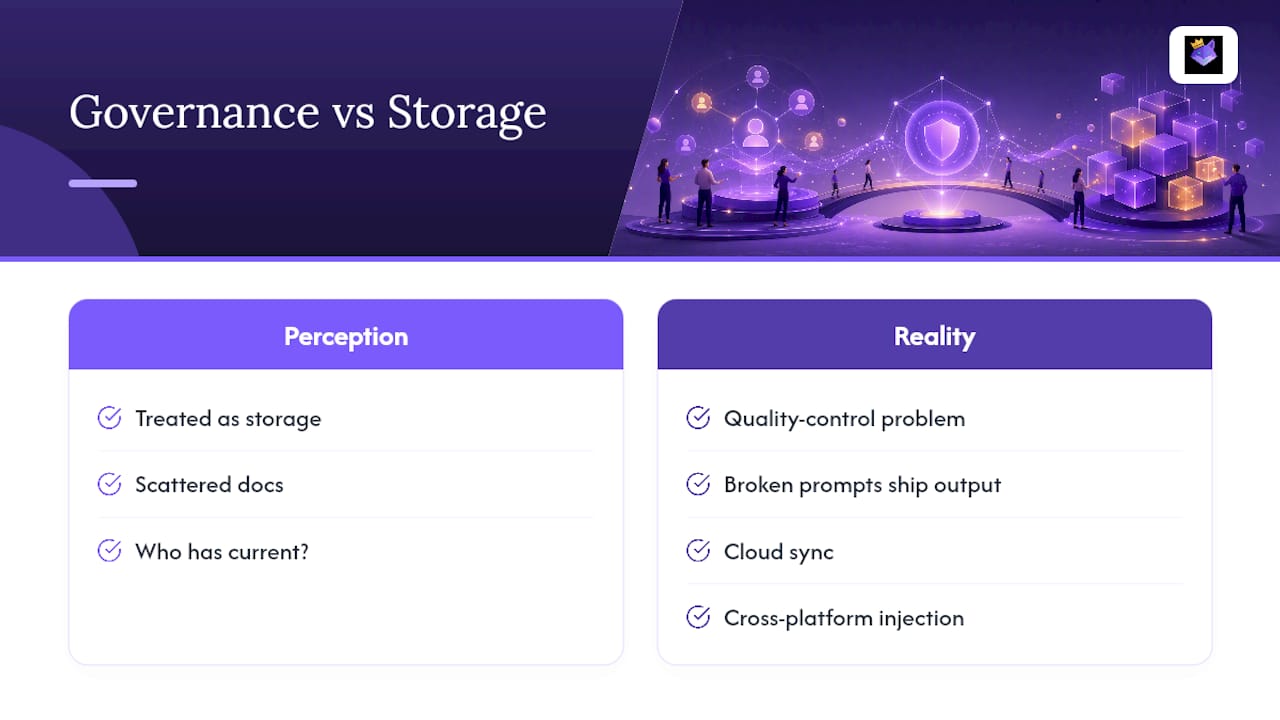
Most teams treat prompt libraries as a storage problem. It's really a quality-control problem, and that's the part that gets skipped. The productivity math is straightforward once you've watched a team switch from scattered docs to a shared library, but the harder win is catching a broken prompt before it ships bad output to a client.
PromptChief was built around that gap: cloud sync, cross-platform injection, and team workspaces exist so the "who has the current version" question stops coming up in Slack. If you want the practical version of everything above without building it yourself, the product section below covers what that looks like.
— John
Get a Cloud-Synced Prompt Library Without Building One
If everything above sounds like the right approach but not something you want to assemble from a spreadsheet and a browser extension, that's exactly what PromptChief's prompt management platform does out of the box.

It covers the architecture this guide recommends for most multi-platform users:
- Cloud sync across devices with a Chrome extension and browser injection for ChatGPT, Claude, Gemini, and 27+ other AI platforms.
- Global variables and magic placeholders so brand voice stays consistent across every prompt.
- Multi-step prompt chains for workflows like code review or content production.
- Team workspaces with shared libraries, plus a community prompt hub for browsing ready-made templates.
- Productivity analytics that show which prompts your team actually uses.
It suits marketers running campaign prompts across models, developers who want a coding assistant prompt library that doesn't live in scattered snippets, and writers or content teams juggling drafts across multiple AI tools. Check the pricing plans and start with the free tier to see if it fits before committing to a team seat.
Sources
For deeper technical detail beyond this guide, these sources cover the architecture, schema, and governance points discussed above:
- Sync Your Prompts Across ChatGPT, Claude, and Gemini (2026 Guide) | Prompt Architects
- How to Build a Prompt Library: Organize, Tag, and Reuse Your Best AI Prompts | SurePrompts
- How to Build a Prompt Library for Your Team | AIPA
FAQ
What Is a Copilot Prompt Library?
It's a searchable, often cloud-synced collection of reusable AI prompts that can be injected directly into tools like ChatGPT, Claude, or Gemini instead of copy-pasted from a separate document.
Should I Use a Cloud-Synced Extension or a Local One?
Choose cloud-synced if you work across multiple devices or with a team; a local-only extension works fine for a single person on a single machine but won't follow you anywhere else.
How Many Prompts Justify a Dedicated Tool?
Once your library passes roughly 50 prompts or gets a second user, a dedicated synced tool starts saving more time than a shared document, according to Prompt Architects.
What Should Never Go Into a Synced Prompt Library?
Credentials, API keys, and customer PII should stay out of any cloud-synced library; keep those in a local-only vault and use variables instead of real data in shared templates.
Does PromptChief Support Team Workspaces?
Yes, PromptChief includes team workspaces alongside cloud sync, multi-model support, and prompt chains for shared, cross-platform libraries.