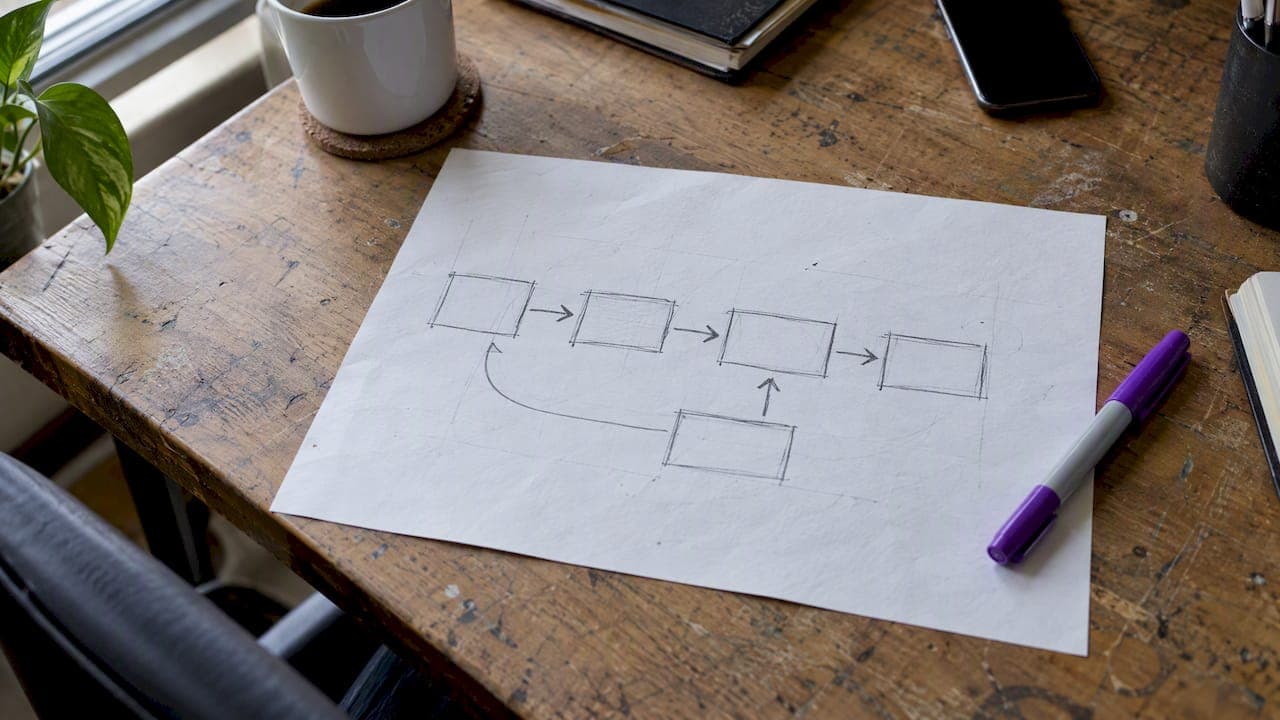
To visualize a prompt chain, draw each prompt as a node and each handoff of data as an arrow. Label every node with its one job, its input and its expected output. Once the chain is on a page, you can see which step fails, which step is redundant and which step could be merged with its neighbor.
This guide shows how to draw a chain by hand, how to generate a diagram from code, what to inspect at each node, and when a chain is the wrong tool.
TL;DR
- A prompt chain is easiest to debug as a diagram: nodes are single LLM tasks, edges are the data passed between them.
- Write down each node's input, output format and pass/fail check before you draw anything fancy. A box with no stated output is a guess.
- Start with a whiteboard or a Mermaid text diagram. Move to code-generated graphs or a visual editor only when the chain has branches.
- Keep chains short. Add a step only when a single prompt demonstrably fails at the job.
- Save each node as its own reusable prompt so the diagram and the library stay in sync.
Table of Contents
- What a prompt chain looks like on paper
- Why drawing the chain beats reading it
- Step 1: Define each node before you draw it
- Step 2: Sketch it by hand first
- Step 3: Turn the sketch into a text diagram
- Step 4: Generate diagrams from code when the chain has branches
- Step 5: Inspect every node, not just the last one
- Common diagram shapes and what they tell you
- Where PromptChief fits: our perspective
- A worked example: from idea to diagram to library
- Treat the chain like a program
- When not to chain
- Keep your chains in one place
- FAQ
- Sources
What a prompt chain looks like on paper
Google's documentation defines prompt chaining as splitting a complex task into simpler steps, where each step has its own prompt and the output of one becomes the input of the next. The same page notes this assigns a single, narrow responsibility to each model call, which helps with latency and accuracy.
That definition maps directly to a graph. The research paper on PromptChainer, a visual programming interface for chaining language model prompts, frames the problem the same way: many real tasks cannot be handled in one run of a model, so you connect several runs. Nodes are the runs. Edges are the data flowing between them.
A minimal chain for turning a messy meeting transcript into a client email has four nodes:
- Extract: pull decisions, owners and dates from the transcript.
- Structure: arrange them into a short JSON list.
- Draft: write the email from the JSON only.
- Check: compare the draft against the JSON and flag anything the email adds or omits.
Seen as text, that is a paragraph. Seen as a diagram, you immediately notice that the Draft node never sees the raw transcript. That is a design decision you can now question: is it a feature (less noise) or a bug (lost tone)?
Why drawing the chain beats reading it
The main payoff is debugging. In a node-and-edge view you can open the intermediate output at each step and see where the chain went wrong. Without that, a bad final answer gives you no clue whether step one misread the input or step four mangled a good draft. A small mistake early on quietly corrupts everything after it.
There is a second payoff: you see waste. A diagram with six nodes in a straight line, each doing a trivial rewrite, is a prompt that should have been one or two. Our guide on avoiding overchaining with multi-step prompting covers input/output patterns that help you decide where a split earns its keep.
And there is evidence that structure pays when the task is genuinely complex. A 2026 case study on automated scholarly report generation reports that the chained method succeeded in every run, while the single-shot baseline failed in half of them. It also scored slightly higher on ROUGE-L F1 (0.507 versus 0.486). This is one study on one task type, so treat it as a sign that decomposition can help, not a promise it will on your task.

Step 1: Define each node before you draw it
Before you open any tool, fill in a small card for every step. Four fields are enough:
| Field | Question it answers | Example (Draft node) |
|---|---|---|
| Job | What is the one thing this prompt does? | Write a 150-word client email |
| Input | What exactly does it receive? | JSON list of decisions, owners, dates |
| Output | What shape must the result take? | Plain text, greeting and sign-off included |
| Check | How do you know it passed? | Every JSON item appears once; no new facts |
The check column is the one most people skip. A pattern write-up on prompt chaining describes the structure as a fixed pipeline where each step has its own system prompt, expected output shape and validation. If a step fails, it retries or aborts, and downstream steps run only on success. Your diagram should show that rule: a small diamond or a labeled edge for "valid" and "invalid".
The same write-up recommends passing a structured state, such as JSON, between nodes instead of free-form text. This is why the Structure node above exists. It turns loose prose into something the next prompt cannot misread, and a format drift in one step is caught at the edge rather than three steps later.
Step 2: Sketch it by hand first
Use a whiteboard, a sheet of paper or a plain document. Draw boxes left to right. Write the card's "Job" inside each box and the "Output" on the arrow leaving it. Mark with a star any node whose output a human must approve.
Two habits make the sketch useful rather than decorative:
- Name arrows, not just boxes. "Transcript" and "JSON list" tell you more than "step 1 to step 2".
- Draw the failure path. Where does a failed check go? Back to the same node, to a human, or out of the chain entirely? If you cannot answer, the chain is not designed yet.
Step 3: Turn the sketch into a text diagram
A text-based diagram lives next to your prompts, can be versioned and pastes into most documentation tools. Mermaid is a common choice. The meeting-email chain looks like this:
flowchart LR
  A[Transcript] --> B[Extract decisions]
  B --> C[Structure as JSON]
  C --> D[Draft email]
  D --> E{Check against JSON}
  E -- pass --> F[Final email]
  E -- fail --> D
That is eight lines, and it already shows a retry loop on the Draft node. Notice that the diagram carries no prompt text. Keep the prompts themselves in your prompt library and reference them by name. When a prompt changes, the diagram stays valid, and when the structure changes, you edit one file.
Step 4: Generate diagrams from code when the chain has branches
Straight lines are easy to draw by hand. Branching chains are not. They suit routers, classifiers and pipelines where the next step depends on what the previous step found, and the branching condition is often a simple string match or a JSON field in the previous output.
If you build chains in code, let the framework draw them. LangGraph's documentation shows built-in utilities for visualizing a graph, including exporting a Mermaid-based PNG, so the diagram always matches what actually runs. That matters because a hand-drawn diagram goes stale the first time someone adds a step in code.
For tracing real runs, rather than just drawing the design, LangSmith Studio is described in its docs as an agent IDE for visualizing, interacting with and debugging agentic systems. Developers who move from prompt chains into full agent pipelines that fetch live web data may also want to read about agent web data primitives, since the shape of each tool call becomes a node in the same kind of diagram.
Step 5: Inspect every node, not just the last one
A diagram is only a map. The value comes from walking it with real data. Run the chain on one realistic input and record the output at each node. Then ask three questions:
- Is the output in the promised shape? If the Structure node returns prose once in ten runs, the chain is brittle.
- Did information get lost at an edge? Compare what entered a node with what the next node needed.
- Does this node earn its place? Remove it, rerun, and compare the final result.
OpenAI's cookbook describes AI applications as often feeling brittle because prompts react to small input changes, and recommends replacing guesswork with an evaluation flywheel: analyze failure modes, measure with automated graders, then improve in targeted steps. On a chain diagram, that means attaching a test to each node rather than only to the finish line.
When a node fails, the cause is usually one of a handful of familiar patterns. Our write-up on prompt debugging and eight failure patterns walks through them with fixes.
Common diagram shapes and what they tell you
| Shape | What it looks like | Use it when | Watch for |
|---|---|---|---|
| Linear | A to B to C to D | Each step needs the previous result | Errors compounding silently |
| Gated linear | Linear with a check after a step | A bad intermediate result is costly | Gates that never fail (too loose) |
| Branching | One node routes to several paths | Inputs differ in type | Unlabeled routes, missing default path |
| Loop | Output returns to an earlier node | Drafts need revision against a rubric | No exit condition or retry cap |
Anthropic's engineering team describes prompt chaining as a workflow where each call processes the previous output and programmatic checks can sit on any intermediate step. That is the gated linear shape. The same article advises starting with the simplest solution and adding multi-step systems only when simpler ones fall short, because extra layers of abstraction can obscure the underlying prompts and make them harder to debug. Your diagram is a good place to enforce that: if you cannot justify an arrow, delete it.
Where PromptChief fits: our perspective
We build a prompt manager, so we see how people actually keep chains. The pattern is almost always the same: a diagram in one tool, prompts scattered across notes, and a lot of copy-pasting between a chat window and a document. The diagram drifts from the prompts, and nobody can tell which version of the Extract step produced last week's good result.

Our view is that a chain is only as good as its weakest saved prompt, so each node should be a named, searchable, versioned-by-habit prompt that you can inject into ChatGPT, Claude, Gemini or any of the 27+ platforms we support. In PromptChief you can build multi-step prompt chains, fill placeholders at run time and keep everything synced to the cloud, so the same library is there on your laptop and your second machine. We would rather you draw a clear three-node chain and run it reliably than own a sprawling twelve-node diagram nobody maintains.
If you want to see how we think about chains in practice, our page on AI prompt chains for multi-step workflows walks through code review and other examples, and there is a ready-made prompt chain and multi-step workflow template to start from.
— John
A worked example: from idea to diagram to library
Say you are a marketer who turns a webinar recording into a blog post, three social posts and a newsletter blurb. Here is how the five steps play out.
- Cards. Four jobs: summarize the transcript into key claims, pick the three strongest, draft the blog post from those, then derive social and newsletter copy from the post.
- Sketch. A linear chain until the blog post, then a fork into two parallel branches (social and newsletter). The fork is the first thing the diagram teaches you: the two branches never need each other, so they can be run in either order.
- Mermaid. Ten lines of text, saved with the project notes.
- Walk it. On a real webinar, you find the claim-picking step returns a numbered list one time and a paragraph the next. You tighten the output instruction and add a format check on the edge.
- Library. Each node becomes a saved prompt with a clear name, such as "Webinar: extract claims" or "Webinar: newsletter blurb". Now the diagram is a table of contents for your library.
The planning mindset here is the same one behind a structured AI content planning workflow: decide the stages and handoffs first, then fill in the tooling.
Treat the chain like a program
The PromptChainer research suggests a useful shift in thinking. Rather than seeing a chain as strings of text, see it as a small program whose parts can be validated and rerun. Separating what you want done from how a specific model does it makes a workflow easier to reproduce. In practice that means three habits:
- Pin the prompt text for each node and change one thing at a time.
- Keep a small set of test inputs and rerun them after every edit.
- Write down the model and settings used when a result was good.
A diagram without those habits is a nice poster. With them, it is a working spec.
When not to chain
A chain adds moving parts. Skip it when a single, well-written prompt already passes your check, when the steps are so tightly coupled that splitting loses context, or when you are still figuring out what you want. In that last case, explore in one conversation first, then split the parts that worked into nodes.
Chain-of-thought prompting is a different tool. It asks the model to reason step by step inside one call, and one industry guide reports it can improve accuracy by 10 to 30 points on complex reasoning tasks such as math and logic. If your problem is reasoning quality rather than a multi-stage workflow, try that before building a diagram of five nodes. If you are weighing options, our practical guide to AI prompt engineering covers both.
Keep your chains in one place
Once a diagram works, the next problem is storage. Prompts for each node need to be findable in seconds, not buried in a chat history. PromptChief has a free plan at 0 € per month, so you can save your node prompts and try chains without paying. Plus is 8.11 USD per month (or 69.90 € per year), Pro is 17.39 USD per month (or 149.88 € per year), and Teams is 12-15 € per month per seat if a group shares the same chain library. See the current details on the pricing page, or read how we suggest you store your AI prompts.
FAQ
What is the easiest way to visualize a prompt chain?
Start with boxes and arrows on paper, one box per prompt, with the output format written on each arrow. When you want something that lives alongside your work, write it as a Mermaid flowchart in a text file. Both take minutes and need no special software.
Can I visualize a chain without writing code?
Yes. A hand sketch, a whiteboard or a plain-text diagram works for any chain you run manually in a chat window. Visual programming interfaces such as the one in the PromptChainer research exist for people who want to connect and run nodes without code, but a manual diagram is enough for most writers and marketers.
How many steps should a prompt chain have?
As few as pass your checks. Many useful chains have three to five nodes. If you are adding a step just because it feels thorough, remove it and compare the output. Anthropic's guidance is to start simple and add steps only when simpler approaches fall short.
How do I find which node broke a chain?
Run a real input and read the output of every node in order, not just the last one. The first node whose output is wrong, misformatted or missing information is your culprit. Then fix that prompt and rerun the same input before touching anything downstream.
Is a prompt chain the same as chain-of-thought prompting?
No. Chain-of-thought asks a model to reason step by step within one response. A prompt chain uses separate calls, where each output feeds the next prompt. You can combine them, for example by using step-by-step reasoning inside one node.
Sources
- Break down prompts, Google Cloud Vertex AI documentation
- PromptChainer: Chaining Large Language Model Prompts through Visual Programming
- Prompt Chaining in Practice: A Case Study in Automated Scholarly Report Generation
- Prompt chaining pattern, Agent Patterns Catalog
- Prompt Chaining: A Developer's Practical Guide
- Use the graph API, LangChain docs
- LangSmith Studio, LangChain docs
- Building resilient prompts using an evaluation flywheel, OpenAI Cookbook
- Building Effective AI Agents, Anthropic
- What is prompt engineering: anatomy and patterns, Teacher and Task