
A prompt variable is a placeholder in a prompt template, like {{topic}} or {customer_name}, that gets swapped for real data at runtime. That's what turns a one-off prompt into a reusable template you can run across thousands of inputs without rewriting a word of instruction text. Once you're substituting values programmatically, you're no longer prompting by hand, you're building software.
TL;DR:
- Prompt variables serve as placeholders like {{topic}} or {customer_name} that are dynamically replaced with real data at runtime, enabling reuse across multiple inputs.
- Most prompt management tools favor the {{variable}} syntax from Handlebars or Mustache, and consistent use of one style prevents silent substitution errors.
- Creating variables involves selecting text, naming it, and declaring it in a schema with optional default values, often validated as strings, numbers, booleans, arrays, or objects.
- Values are injected into templates either through server-side compilation with validation or client-side substitution, with the former being safer for production environments.
- Managing numerous variable-based templates benefits from cloud-synced tools like Promptchief, which facilitate organization, version control, and team collaboration at scale.
Table of Contents
- What Are Prompt Variables and When Should You Use Them?
- Common Syntax Patterns for Prompt Variables
- How to Create and Manage Prompt Variables
- Variable Types, Validation, and Structured Inputs
- Naming, Defaults, and Modifiers: Variable Best Practices
- Runtime Substitution vs. Template Compilation
- Managing Variable-Based Templates at Scale With Promptchief
- Try Cloud-Synced Prompt Templates With Promptchief
- How Teams Actually Adopt Variables
- Sources
- FAQ
What Are Prompt Variables and When Should You Use Them?
Once you name a piece of a prompt and treat it as an input, you stop editing prose and start writing software. A prompt variable is exactly that: a placeholder keyword inside a prompt template that gets replaced with a specific value at runtime, according to IBM watsonx's documentation on reusable prompts. The prompt stays fixed. The inputs change.
This matters most in a handful of recurring scenarios:
- Templating: one support-ticket summarizer prompt handles every ticket by swapping in
{ticket_text}and{customer_tier}. - Few-shot reuse: the same instruction scaffold gets recycled across dozens of examples just by changing the sample data injected into it.
- Role swapping: a single "act as X" prompt becomes ten different assistants by changing one
{persona}variable instead of maintaining ten separate prompt files. - Mail-merge style generation: personalized emails, product descriptions, or reports get generated in bulk from one template plus a spreadsheet of values.
Editing the raw prompt text works fine for a single run. It breaks down the moment you need the same logic applied to more than a handful of inputs, or the moment someone other than you needs to run it.
Common Syntax Patterns for Prompt Variables
Most tools converge on one of three placeholder styles, and knowing which one your target platform expects will save you a debugging session. The double-curly-brace format, {{variable_name}}, comes from the Handlebars and Mustache templating world and shows up constantly in prompt management tools and LLM SDKs. Single braces, {variable_name}, are common in Python-based pipelines using .format() or f-strings. Angle brackets, <variable_name>, appear in some instruction-tuned model formats and legacy templating systems.
A basic text prompt using double braces looks like this:
Summarize the following {{document_type}} in {{word_count}} words or fewer: {{content}}
The same idea in a chat-style prompt, where variables often live inside a structured message array, might look like:
{"role": "user", "content": "Draft a {{tone}} reply to this email: {{email_body}}"}
| Syntax | Common tools/contexts | Note |
|---|---|---|
{{variable}} | Handlebars, Mustache, most prompt managers | Most portable across templating engines |
{variable} | Python f-strings, .format() pipelines | Watch for collisions with literal curly braces in JSON |
<variable> | Some fine-tuned model formats, XML-style prompts | Less common, but readable in instruction blocks |
Pick one convention per project and stick with it. Mixing syntaxes inside the same template is one of the fastest ways to introduce silent substitution bugs.
How to Create and Manage Prompt Variables
Turning static text into a variable is a short, repeatable process whether you're working in a UI, a config file, or code.
- Select the text you want to generalize. Highlight the phrase or value in your prompt editor that changes between runs, such as a product name or a tone descriptor.
- Create the variable and name it. Most prompt UIs offer a dedicated variables panel where you define the name and, optionally, a default value that fills in when no override is provided, a workflow. IBM's watsonx documentation walks through step by step.
- Declare it in frontmatter, if your tool supports it. A YAML input schema might look like:
input: schema: topic: string tone: string max_words?: integer - Pass values at runtime. In code, this usually means compiling the template and injecting a key-value object, or calling something like
prompt(input, { variables: { topic: "market trends", tone: "formal" } }).
Variable Types, Validation, and Structured Inputs
Not every variable is a plain string, and treating them all as one risks silent errors in production. Well-designed schemas support several distinct shapes:
- Strings for free text like names, topics, or tone descriptors.
- Numbers for counts, limits, or scores (word counts, temperature-adjacent settings, ratings).
- Booleans for feature toggles inside a template, like whether to include a disclaimer.
- Arrays for lists of examples, tags, or multi-item inputs.
- Objects for structured data like a customer record with nested fields.
A field can be required or optional, and optional fields typically carry a fallback default. Enum-style fields restrict input to a fixed set of choices, which cuts down on malformed requests. A frontmatter schema enforcing this might read:
input:
  schema:
    tone: {type: string, enum: [formal, casual, playful]}
    max_words: {type: integer, optional: true}
Frontmatter-based input schemas like this handle parsing, type validation, and help-text generation automatically, which matters once a template is shared beyond the person who wrote it.
Naming, Defaults, and Modifiers: Variable Best Practices
Consistency is what makes a prompt library usable by more than one person. A few conventions pay off disproportionately:
- Use predictable, lowercase snake_case names (
customer_name, notCustomerNameorcn), and never start a variable name with a digit. - Set sensible defaults on every variable that can reasonably have one, and document what each default does.
- Scope variables deliberately. Local, prompt-only variables work for one-off templates, while project or global variables carry shared defaults across many prompts, a distinction Promptmetheus's documentation on variables covers in more depth.
- Use a narrow naming scheme like
feature_component_variablein larger shared libraries to prevent collisions and keep variables searchable, an approach borrowed from general software variable naming conventions. - Version your templates and tag changes, since a variable rename can silently break every downstream caller.
Pro Tip: Lean on built-in modifiers (pipe syntax like {{name | uppercase}} or {{data | json-stringify}}) instead of writing manual string formatting after the model call. It keeps transformation logic inside the template where the next person can actually see it, an approach Prompt Stash's feature notes highlight as a common power-user pattern.
Runtime Substitution vs. Template Compilation
Two patterns dominate how variables actually get injected into a running prompt. Compile-and-inject means the template is parsed server-side, values are substituted, and the finished prompt string gets sent to the model in one shot. Runtime or client-side substitution swaps values in on the fly, often useful for interactive tools where a user is filling in fields live.
For production systems, compiling server-side with typed validation is the safer default. It avoids malformed payloads reaching the model and makes it easier to test a template against many input permutations before shipping.
A typical SDK call combines a compiled prompt with model options:
prompt(input, options), whereinputis the compiled string or message array.options.responseConstraint, a JSON Schema you pass to force structured output back from the model rather than free-form text, a pattern documented in MDN's LanguageModel prompt() reference.- Separate
optionsfields for parameters like temperature or max tokens, which control model behavior rather than fill in template content.
Keep that distinction sharp: variables are template inputs, parameters are runtime dials. Confusing the two in your codebase makes debugging painful later.
Managing Variable-Based Templates at Scale With Promptchief
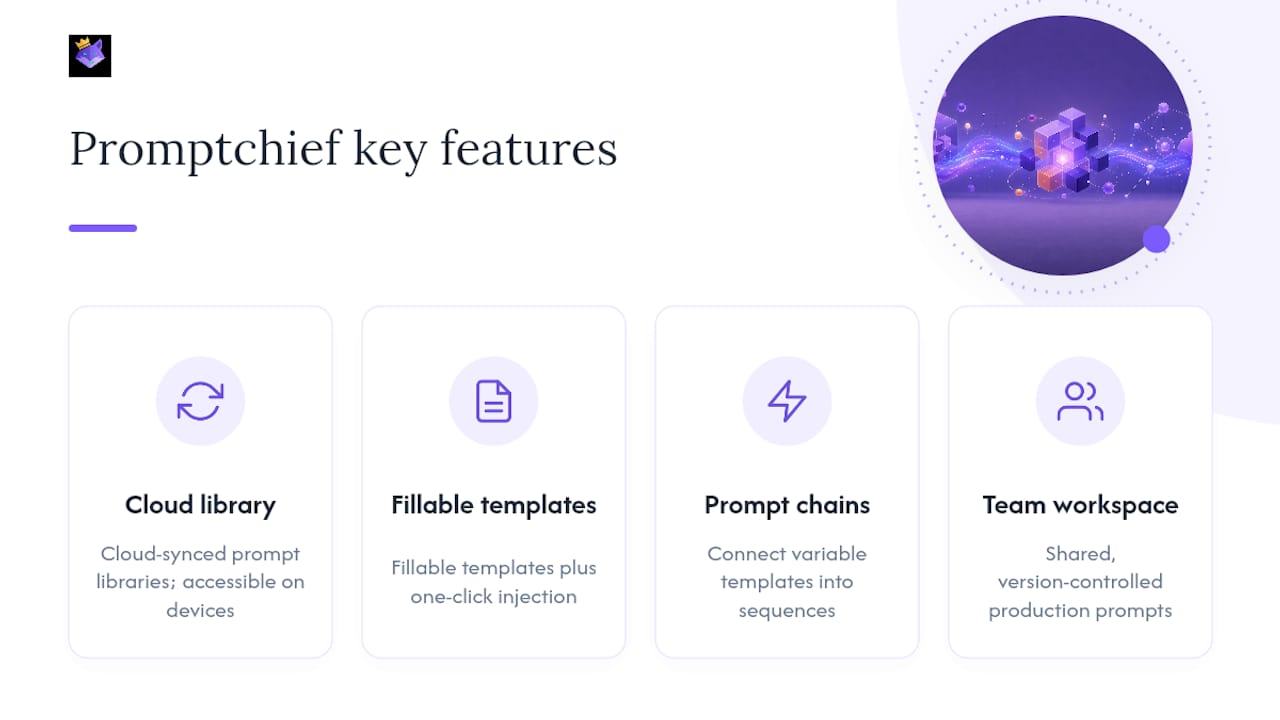
Once a team has more than a handful of variable-driven templates, the bottleneck stops being syntax and starts being organization with AI prompt tracking. Certain prompt management tools offer cloud-synced prompt libraries, so a template built on a laptop can be accessed on another device. Its fillable templates and one-click injection cut out the copy-paste step that normally happens between drafting a prompt and pasting it into ChatGPT, Claude, or another chat interface.
For teams running multi-step workflows, Promptchief's prompt chains and organizer features let variable-driven templates connect into sequences, while team workspace tools keep production-ready system prompts shared and version-controlled rather than scattered across individual notes apps.
Try Cloud-Synced Prompt Templates With Promptchief
When managing multiple variable-based templates across a team, spreadsheets and shared docs can become inefficient. Cloud-synced prompt management tools can keep templates synchronized across devices so team members access the latest versions.

Start by browsing ready-made prompt templates to see how fillable variables work in practice, or check the 30+ ready-to-use prompt examples for patterns you can adapt directly. The Free plan costs $0 and covers the basics, and if your team needs shared workspaces and higher limits, Plus and Pro pricing starts at $8.11 per month. Pick a template, fill in your variables, and see how much copy-pasting disappears from your week.
How Teams Actually Adopt Variables
Most rollouts fail not from bad syntax but from bad sequencing. Start with one or two high-value templates, not twenty. Add schema validation before you scale usage, not after someone ships a malformed input to production. Enforce naming conventions from day one, because retrofitting them across a shared library later is miserable.
Automate the injection step and back up your templates somewhere versioned, then audit usage every few months to prune what nobody touches. The most common mistake I see is over-templating: turning every sentence into a variable until the prompt is unreadable. Keep templates focused on what actually changes between runs, and leave the rest as fixed, well-written prose.
— John
Sources
- Building reusable prompts — IBM watsonx
- Frontmatter Configuration | promptcmd
- Prompt Stash (extension) feature notes
FAQ
What is a prompt variable?
A prompt variable is a placeholder inside a prompt template, commonly written as {{variable_name}} or {variable_name}, that gets replaced with a specific value when the prompt runs. This lets you write one prompt and reuse it across many different inputs instead of rewriting the prompt text each time.
What are the main types of prompt structures?
Prompts generally break down by purpose: instructional prompts that tell the model what to do, few-shot prompts that provide examples, role-based prompts that assign a persona, chain-of-thought prompts that ask for step-by-step reasoning, and templated prompts built around variables for reuse. Variables can appear inside any of these structures.
What kinds of variables can a prompt template support?
A typical schema supports strings, numbers, booleans, arrays, and objects, each declared with a type and marked required or optional. Enum fields restrict a variable to a fixed set of choices, which frontmatter-based schemas use to catch malformed input before it reaches the model.
What does a prompt variable example look like?
A simple example is Write a {{tone}} product description for {{product_name}} in under {{word_count}} words, where tone, product_name, and word_count are all variables filled in at runtime. Tools like Promptchief let you save this as a fillable template so anyone on a team can plug in new values without touching the underlying instructions.
Does Promptchief support variable-based prompt templates?
Yes. Promptchief's fillable templates use variable placeholders that sync across devices, so a template built once can be reused and filled in from any browser. Current plan pricing, including the Free tier and paid options, is listed on the Promptchief pricing page.