
Use a three-heading layout: Context, Instructions, Additional Information. Paste your request into those three blocks, run it, review what comes back, then refine with a follow-up rather than starting over. This mirrors OpenAI's own guidance on structuring prompts around clear goals, context, and boundaries, and it works because headings remove guesswork about what each sentence is for.
TL;DR:
- The decision to upgrade depends heavily on specific user groups; those with organization-wide needs may benefit from the higher-tier plans.
- The free tier offers limited features that are suitable for individual or casual use, while paid plans unlock advanced tools and larger usage limits.
- Pricing varies depending on the plan, with enterprise options requiring custom quotes, and the cost may be justified by significant productivity gains for power users.
- Most users will find the basic or mid-tier plans sufficient unless they require extensive integrations or high-volume usage.
- Careful assessment of individual or organizational needs is necessary to determine if the benefits of higher-tier plans outweigh their costs.
Table of Contents
- The ChatGPT Prompt Format You Should Copy Right Now
- What Goes Into Goal, Context, Output, and Boundaries
- Copy-Ready ChatGPT Prompts for Common Tasks
- Delimiters, Structured Outputs, and Meta-Prompting
- What to Fix When ChatGPT Gives You the Wrong Answer
- Tips for Optimizing Prompt Clarity and Specificity
- Using System Messages Alongside Prompt Formats
- Controlling Response Style and Creativity in ChatGPT
- How PromptChief Fits Into This Workflow
- Get Your Prompt Templates Organized With PromptChief
- Sources
- FAQ
The ChatGPT Prompt Format You Should Copy Right Now
There are two versions of this template worth keeping on hand: a minimal one for quick tasks and an expanded one for anything with real stakes. Both use the same logic. Headings tell ChatGPT what kind of information follows, so the model stops guessing whether a sentence is background, an instruction, or a formatting rule.
The minimal template looks like this:
- Context: one or two sentences describing the situation
- Instructions: the specific task, written as a command
- Additional Information: constraints, examples, or format requirements
The expanded version adds fields under each heading. Under Context, you might list the audience, the deadline, and any prior attempts. Under Instructions, you break the task into numbered steps if it has more than one moving part. Under Additional Information, you specify tone, length, and anything that's off limits.
Here's the conversion in action. A vague request like "write me a product description" becomes:
### Context
I sell handmade ceramic mugs on Etsy. My customers are mostly buying gifts for coffee lovers.

### Instructions
Write a product description for a matte black mug with a hand painted gold rim.

### Additional Information
Keep it brief. Warm, conversational tone. No exclamation points. End with one sentence about durability.
The heading structure does the heavy lifting here. It's the same reason Coursera's prompt writing guide recommends separating project description, role, context, and output specs. Each labeled block prevents the model from blending your background details with your actual ask, which is where most vague or off-target answers come from.
What Goes Into Goal, Context, Output, and Boundaries
OpenAI's guidance names four components worth including for anything that matters: Goal, Context, Output, and Boundaries. Here's what actually belongs in each one.
- Goal. State what success looks like, not just the task. Instead of "summarize this report," write "summarize this report so a non technical executive can decide whether to approve the budget in under two minutes."
- Context. Include the data that matters: dates, links, prior decisions, sample text, or the audience reading the output. If the task involves a document, paste the relevant excerpt rather than describing it.
- Output. Specify format, length, and structure directly. Say "return a markdown table with three columns" or "respond in under 150 words, no headers." If you need JSON, show a one-line example of the shape you expect.
- Boundaries. Name what to avoid: no invented statistics, no personal data, keep certain fields fixed, don't change the tone mid-response. Boundaries catch the errors that Goal and Output alone won't.
Skipping Boundaries is the most common gap. Without it, ChatGPT will happily fill silence with plausible sounding details you never asked for.
Copy-Ready ChatGPT Prompts for Common Tasks
These are short enough to paste as-is and adjust in seconds. Each one uses the heading format above, trimmed down for speed.
- Email reply: "### Instructions Write a two paragraph reply declining this meeting request but offering next Tuesday instead.
Additional Information
Professional, brief, no apologies."
- Code function: "### Instructions Write a Python function that removes duplicate rows from a CSV based on the email column.
Additional Information
Include type hints. No external libraries beyond pandas."
- Data table: "### Instructions Convert this list of expenses into a markdown table with columns: Date, Category, Amount.
Additional Information
Sort by date ascending."
- Few-shot tone match: "### Additional Information Here are two examples of my writing style: [example 1] [example 2]
Instructions
Write a third example about [topic] matching that tone exactly."
- JSON output: "### Instructions Extract name, date, and total from this receipt text.
Additional Information
Return only valid JSON in this shape: {"name": "", "date": "", "total": 0}. If a field is missing, use null."
- Meeting summary: "### Context [paste transcript]
Instructions
Summarize decisions made and who owns each action item."
Few-shot examples, where you show one or two input/output pairs before the real request, tend to outperform plain instructions when tone or formatting consistency matters. For quick single-step tasks on newer models, an outcome-first line ("I need X result") often works better than a heavily structured prompt, since modern models are better at inferring an efficient path once they know the target.
Delimiters, Structured Outputs, and Meta-Prompting
Long prompts fail most often because the model can't tell where your instructions end and your data begins. OpenAI's API documentation recommends using delimiters like triple quotes or ### to mark that boundary clearly, especially when you're pasting a document, transcript, or email thread into the same message as your instructions.
- Wrap pasted data in triple quotes:
"""[pasted text here]""" - Use
###before each heading to make the structure visually scannable - For structured output, give one minimal example of the exact schema you want
- Add an acceptance line like "return only valid JSON; if a field is missing, output an error field" to force the model to flag gaps instead of guessing
Meta-prompting takes this a step further: ask ChatGPT to critique your draft prompt before you run the real task. Something like "review this prompt and tell me what's ambiguous" catches problems you won't see yourself, particularly on multi-step tasks.
Pro Tip: Before running a complex prompt, paste it back to ChatGPT with the instruction "rewrite this prompt to remove ambiguity and add missing constraints." The rewritten version usually reveals gaps you didn't know were there.
What to Fix When ChatGPT Gives You the Wrong Answer
Most bad outputs fall into one of three buckets, and each has a specific fix.
- Hallucinated details. The model invented facts because you didn't supply them. Add the missing data directly into Context instead of assuming the model has it.
- Format mismatch. You got a paragraph when you wanted a table, or vague prose when you needed JSON. Add an explicit Output line with a one-line example of the exact shape.
- Missing facts or scope creep. The response ignored a requirement. Move that requirement into Boundaries and phrase it as a hard rule, not a suggestion.
For anything with more than two or three steps, split the task into sequential prompts and carry only the variables that change between them, rather than repeating the full context each time. OpenAI recommends this kind of iterative refinement loop: draft, review, refine, and repeat until the output matches your acceptance criteria. A tool built for prompt engineering workflows can help track which version of a chained prompt actually worked, so you're not rebuilding it from memory next time.
Tips for Optimizing Prompt Clarity and Specificity
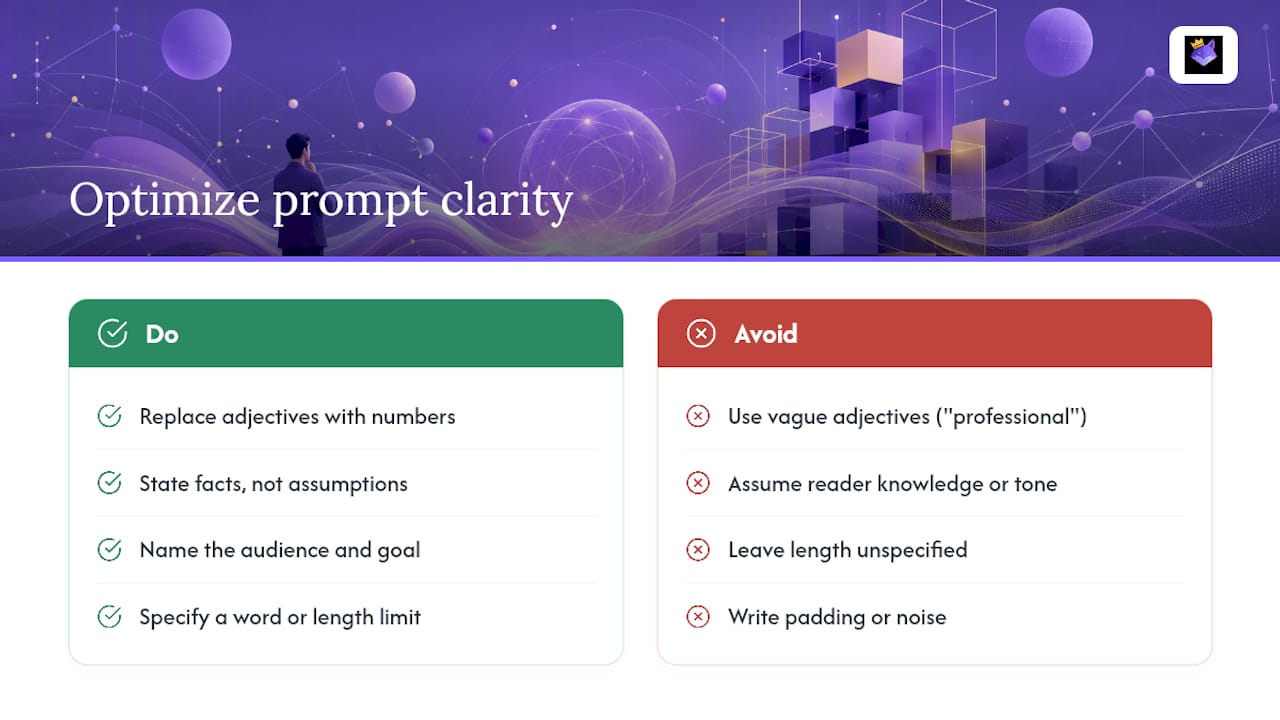
Vague prompts get vague answers, and the fix is almost always the same: replace adjectives with numbers and replace assumptions with facts. "Make it professional" means something different to every reader. "Use formal language, no contractions, third person" doesn't.
Specificity also means naming the audience. "Explain this contract clause" produces a different answer than "explain this contract clause to someone with no legal background who needs to decide whether to sign by Friday." The second version gives ChatGPT a target to aim for instead of a generic explanation it has to guess the right depth for.
Length constraints matter more than people expect. If you don't specify a word count, ChatGPT will often default to a length that feels safe rather than useful, sometimes padding a simple answer into six paragraphs when three sentences would have done the job.
One habit worth building: write your first draft of a prompt, then delete every word that isn't doing work. If a sentence could apply to any task, it's not adding clarity, it's adding noise. A well-organized library of tested prompts makes this easier over time, since you can see which phrasing actually produced tighter, more specific answers and reuse that wording instead of reinventing it each session.
Using System Messages Alongside Prompt Formats
A system message sets the model's persistent behavior for the whole conversation, while your heading-based prompt handles the specific task. Think of the system message as the role ("You are a technical editor who flags ambiguous requirements") and the Context/Instructions/Additional Information format as the individual request within that role.
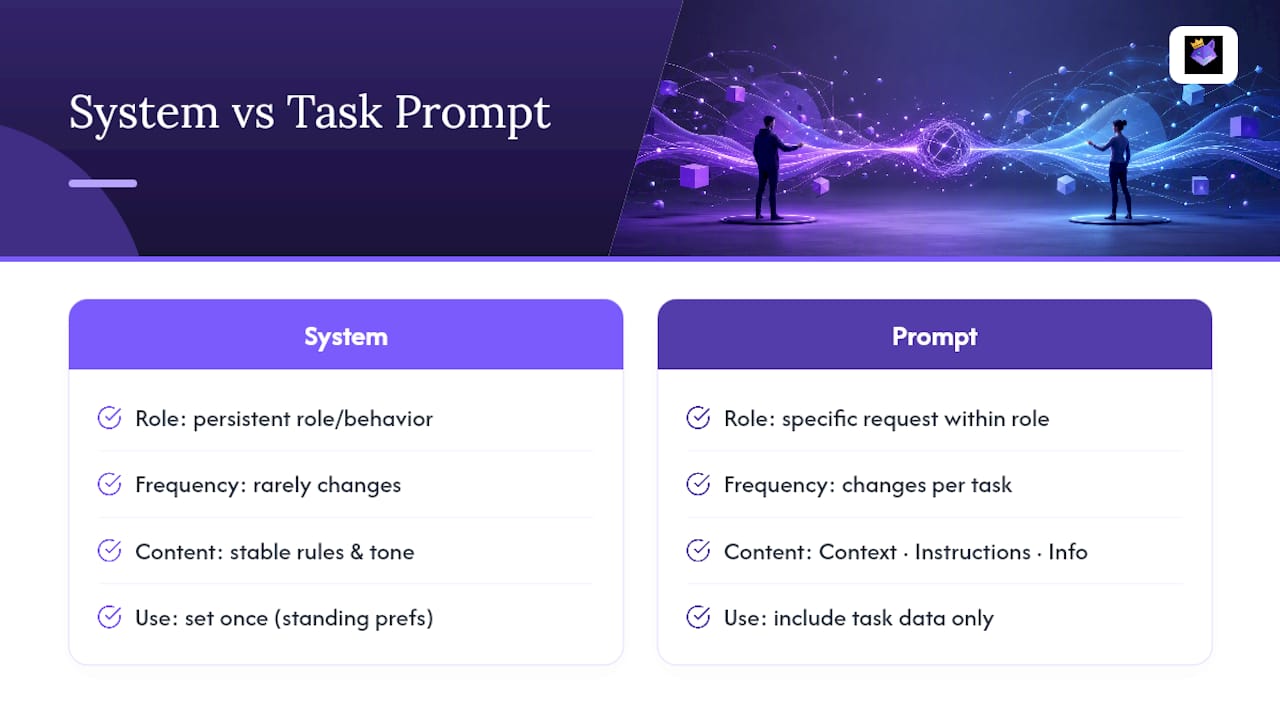
This separation matters because it keeps your task prompts shorter. If every response needs a certain tone or a fixed set of rules, that belongs in the system message, not repeated at the top of every single prompt. In the ChatGPT interface, custom instructions function similarly, letting you set standing preferences once so your per-task prompts can stay focused purely on Context, Instructions, and Additional Information.
Where people get this wrong is putting task-specific details into the system message and leaving the actual prompt empty. System messages work best for stable, rarely changing rules. Anything that shifts from request to request, like the specific data you're working with, belongs in the prompt itself, wrapped in delimiters so it stays clearly separated from the standing instructions.
Controlling Response Style and Creativity in ChatGPT
Temperature controls how predictable or varied the model's word choices are. A low temperature produces tighter, more literal answers, useful for factual summaries, code, or anything where consistency matters more than variety. A higher temperature produces more varied phrasing and unexpected angles, better suited to brainstorming or creative writing where you want options rather than the single most likely answer.
In the standard ChatGPT interface, you can't set temperature directly the way you can through the API, but you can approximate the effect through instructions: ask for "the most direct, literal answer" to push toward low-temperature behavior, or ask for "several unconventional options" to push toward higher variety.
Max tokens, meanwhile, caps how long a response can run. Pairing a token limit with an explicit word or sentence count in your Additional Information section prevents the common failure where a simple question gets buried in an overlong answer. If you're working through the API rather than the chat interface, setting both temperature and max tokens explicitly gives you far more consistent control than prompt wording alone, particularly for production workflows where output length needs to be predictable.
How PromptChief Fits Into This Workflow
Templates only help if you actually reuse them, and copy-pasting the same heading structure from a notes app gets old fast. PromptChief saves your Context, Instructions, and Additional Information templates with placeholders built in, so you inject a ready-made structure into ChatGPT instead of retyping it.
The workflow is simple: draft a prompt, test it, save the version that worked, then reuse or share it with a team. That loop is where most of the iteration gains from this article actually compound, since a saved template with proven phrasing beats rebuilding one from memory every time.
— John
Get Your Prompt Templates Organized With PromptChief
Most people lose their best prompts in scattered notes apps, old chat threads, or a document nobody remembers to update. PromptChief keeps every Context, Instructions, and Additional Information template you build in one searchable place, synced across devices through a Chrome extension and web app.
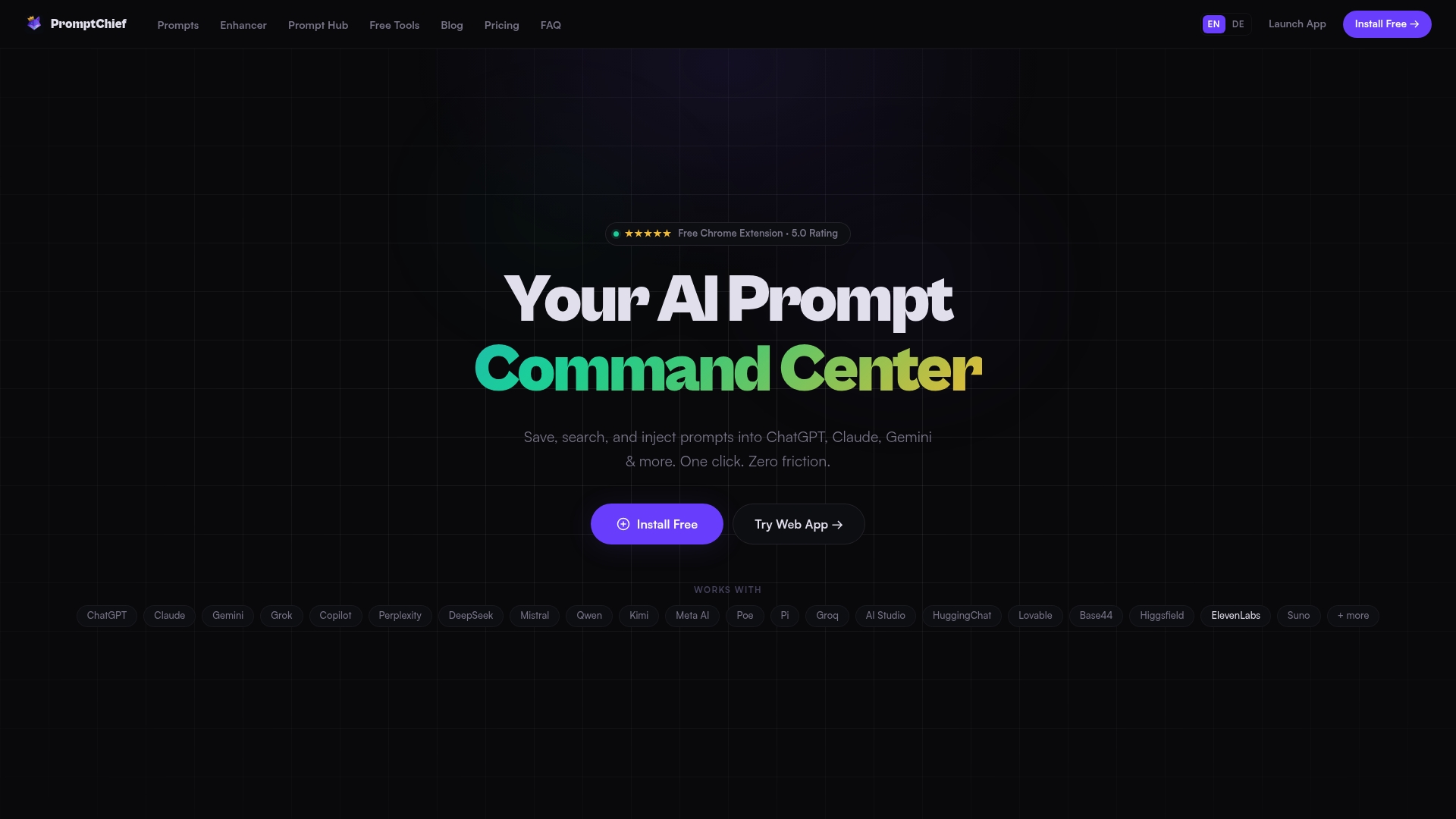
Instead of retyping the same heading structure every time you open ChatGPT, you save it once with placeholders for the parts that change, then inject it in seconds. That shortens the draft, test, refine loop this article walks through, and it means a template that worked well for a client email or a code review doesn't disappear into your chat history. If you want a running start, browse the ready-to-use prompt library for templates built around exactly this format, or check the free prompt templates to see how the heading structure looks in practice before you build your own.
Sources
- Prompting | ChatGPT Learn
- Prompt engineering best practices for ChatGPT
- How to Write ChatGPT Prompts: Your 2026 Guide
FAQ
What Is the ChatGPT Prompt Formula?
The most reliable formula covers four parts: Goal (what success looks like), Context (the background and data the model needs), Output (format and length), and Boundaries (what to avoid). OpenAI's own guidance frames it this way for any task with real stakes.
What Makes a Good ChatGPT Prompt?
A good prompt names a specific goal, supplies the relevant context instead of assuming the model knows it, and states the exact output format you want. Vague requests like "make it better" produce vague results because there's nothing concrete to aim for.
How Do I Type a Prompt in ChatGPT?
Type your request directly into the chat box using the heading format: ### Context, ### Instructions, and ### Additional Information, each followed by a line or two of detail, then press enter to send it.
Are There Advanced or Lesser-Known ChatGPT Prompt Techniques?
Meta-prompting, where you ask ChatGPT to critique and improve your draft prompt before running the real task, is one of the most effective techniques people overlook. Pairing it with delimiters like triple quotes to separate pasted data from instructions catches most formatting errors before they happen, and saving the versions that work in a prompt manager means you're not rebuilding a working prompt from scratch every session.