
Prompt tagging is the practice of attaching consistent, searchable metadata to saved prompts inside a prompt-management platform so anyone on your team can find, verify, and safely reuse them. It has nothing to do with inline formatting tokens like [FORMAL] or <tone> inside a prompt itself. It's a filing system for the prompts you've already written.
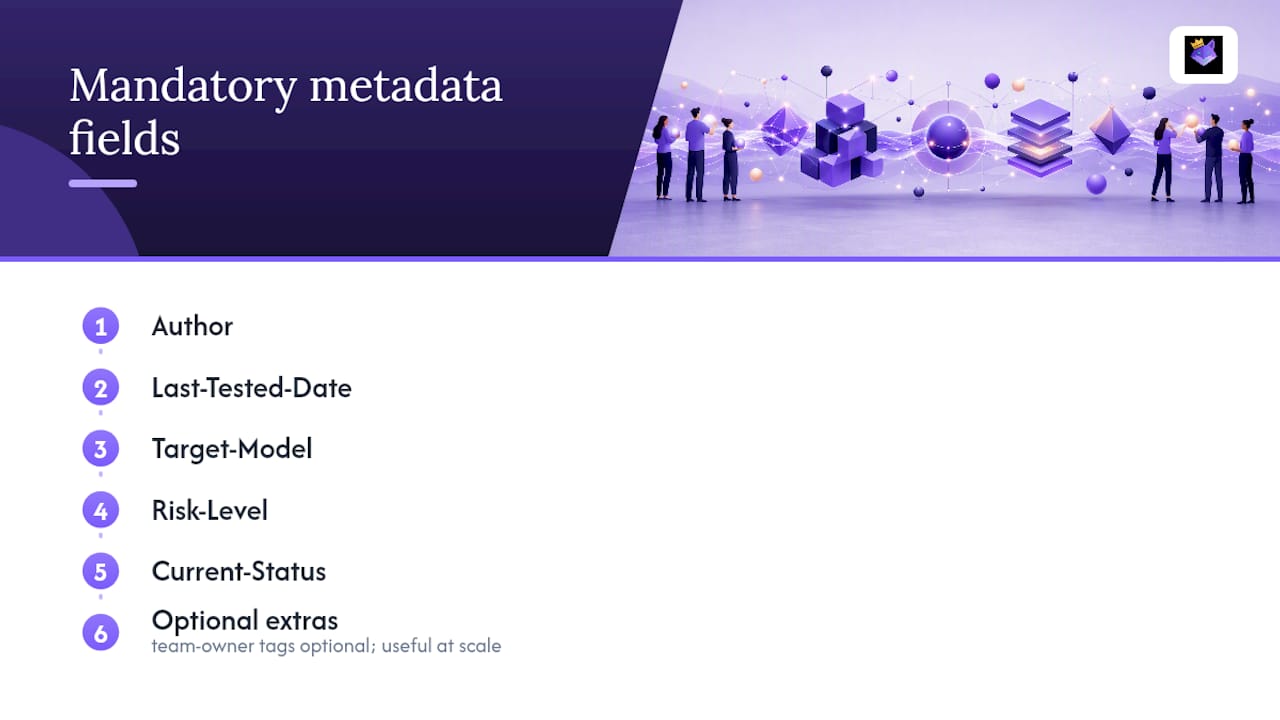
Two moves get you most of the benefit immediately. First, assign one owner to your prompt library, even if that's just you. Second, add five metadata fields to every saved prompt before it counts as "real": Author, Last-Tested-Date, Target-Model, Risk-Level, and Current-Status. That's it. That's the gate.
Tagging done right solves three specific headaches:
- Discoverability — you stop rewriting a prompt you already built three weeks ago
- Safe injection — you know which prompts are cleared for production use with a specific model like GPT-4
- Governance — someone can tell, at a glance, what's tested, what's stale, and what's still experimental
Mandatory fields checklist: Author · Last-Tested-Date · Target-Model · Risk-Level · Current-Status
Open your prompt manager right now and tag your five most-used prompts with those fields. That's the whole first step.
Key Takeaways
Prompt tagging works when a lean, five-field metadata gate and one accountable owner per team turn a pile of saved prompts into a searchable, governable system.
| Point | Details |
|---|---|
| Start with two actions | Assign an owner and add the five mandatory fields before anything else. |
| Tag by task first | Use-case tags beat team or model tags as your primary organizing layer. |
| Keep tag sets compact | If a prompt takes more than three clicks or one search to find, prune the taxonomy. |
| Review on a fixed cadence | A quarterly, two to three hour review per team prevents silent decay. |
| Promptchief handles the gate automatically | Cloud sync, fuzzy search, and team ownership map directly to the tagging system this guide describes. |
Table of Contents
- Why Tagging Prompts Actually Pays Off for Teams
- What Metadata Should Every Saved Prompt Have?
- How Should You Structure a Prompt Tagging Taxonomy?
- Who Should Own Prompt Governance on a Team?
- How Do Tags Power Search, Injection, and Sync?
- How Do You Keep a Tagged Prompt Library Healthy?
- Copyable Tag Templates for Common Teams
- What I've Learned Watching Teams Get This Wrong
- Put Tagging to Work Without Building It From Scratch
- Sources
- FAQ
Why Tagging Prompts Actually Pays Off for Teams
The payoff isn't organizational tidiness. It's speed and risk reduction. A marketer who tags by use case stops rebuilding the same campaign brief prompt every quarter. A developer who tags by target model stops accidentally running a prompt tuned for one model against a different one and getting garbage output.
Tagging also makes automation possible. A well-tagged library lets you or an app pull a prompt by name, status, and model in one request instead of scrolling through a doc.
- Cuts duplicate work: fewer people rebuilding prompts that already exist
- Adds a risk gate: high-risk prompts get flagged before they reach a live workflow
- Makes retrieval predictable: tags, not memory, drive what gets pulled at runtime
- Speeds onboarding: new hires inherit a labeled system instead of a graveyard of loose text files
What Metadata Should Every Saved Prompt Have?
A faceted metadata schema beats a pile of freeform notes because it forces consistency across every contributor, not just the person who wrote the prompt originally. Before a prompt leaves experimental status, it should carry five required fields and, optionally, two more for larger teams.
Each field maps directly to a governance rule. A prompt marked Risk-Level: High shouldn't be editable by just anyone. It should require a second sign-off before its Current-Status can move from Draft to Approved. A Last-Tested-Date older than your review cadence is your signal to retest before anyone touches it again.
- Author answers "who do I ask?"
- Last-Tested-Date answers "is this still good?"
- Target-Model answers "will this work here?"
- Risk-Level answers "who needs to approve this?"
- Current-Status answers "can I use this yet?"
How Should You Structure a Prompt Tagging Taxonomy?
Organize by task first, not by team or model. A task-first taxonomy puts the job the prompt does at the top of the hierarchy, then lets team and risk level act as secondary filters underneath. This mirrors how people actually search: nobody thinks "I need an engineering prompt," they think "I need to summarize a pull request."
A two-dimensional system works well in practice: one dimension for use case, a second for output type, and an optional third for audience. Enterprise prompt architectures that scale well keep these dimensions compact rather than exploding into dozens of micro-tags.

For naming, a simple pattern removes ambiguity: [Verb] + [Object] + [Context] — "Summarize PR Diff," "Draft Cold Email," "Rewrite Product Description."
Sample tag sets by team:
- Marketing:
use-case:ad-copy,output:short-form,risk:low - Engineering:
use-case:code-review,output:markdown,target-model:claude - Research:
use-case:literature-summary,output:structured-notes,risk:medium
Pro Tip: If a teammate can't find a prompt within three clicks or one search, your tag set has grown too complicated. Prune it back instead of adding another layer.
Who Should Own Prompt Governance on a Team?
Governance doesn't need a committee. One owner per functional team, checking in on a quarterly cadence, prevents a prompt library from turning into a graveyard of half-finished drafts nobody trusts.
Two roles cover almost every team's needs:
- Library Steward — owns the overall taxonomy, mandatory fields, and naming conventions across teams
- Team-Level Owner — owns their team's prompts specifically: testing, tagging, and retiring what's gone stale
A quarterly review, running two to three hours, should follow a short checklist: audit the twenty most-used prompts, verify owner and status fields are current, merge obvious duplicates, and archive anything nobody has touched in months.
Status should move in one direction under normal conditions: Experimental → Tested → Approved → Deprecated/Archived. A prompt only skips backward if a test fails or the target model changes. High-risk prompts need locked versions and an approval step before promotion; low-risk prompts can move faster with lighter checks.
- Draft: anyone can create, nobody should rely on it yet
- Tested: passed at least one real run against its Target-Model
- Approved: cleared for production injection
- Archived: kept for history, never deleted outright
How Do Tags Power Search, Injection, and Sync?
Tags are what make fuzzy search useful instead of frustrating. A well-built search should weight tag fields (use case, status, model) at least as heavily as the raw prompt text, since two prompts with similar wording often serve completely different jobs.
At runtime, the cleanest retrieval pattern requests a prompt by three things at once: use case, approval status, and target model. That combination is what keeps an automated workflow from accidentally injecting a Draft prompt into a live customer interaction.
- Filter by tag first, then let fuzzy search rank within that filtered set
- Require Current-Status: Approved before any prompt is eligible for automated injection
- Sync tag edits across devices in real time so a change on desktop shows up instantly on mobile
- Resolve edit conflicts by timestamp, with the most recent tag update winning by default
A simple example: a support agent's app requests any prompt tagged use-case:refund-response, output:email, and status:approved. It gets exactly one candidate back instead of twelve loosely related drafts. That's the entire point of tagging done well, and it's the same logic behind cross-device prompt sync built into modern prompt managers.
How Do You Keep a Tagged Prompt Library Healthy?
A tagging system decays without maintenance. Track a small set of signals: last-accessed date, usage count, error rate, approval age, and test-pass rate. Any prompt untouched for six months is a candidate for archiving, not deletion, so you keep a record of what was tried.
- Auto-flag prompts with no access in 6+ months for review
- Send scheduled reminders tied to your quarterly cadence, not ad hoc nagging
- Suggest tags automatically based on similar existing prompts, then let a human confirm
- Tie telemetry (accuracy, latency, cost) to each prompt's Risk-Level so high-risk entries get watched more closely
Pro Tip: Archive prompts with a date and a one-line reason instead of deleting them outright. That short audit trail saves you from relearning the same lesson twice.
Copyable Tag Templates for Common Teams
Steal these directly. Each template pairs a use-case tag with the mandatory metadata your library needs before promotion.
- Marketing: "Draft Ad Copy" —
use-case:ad-copy,output:short-form, Risk-Level: Low, Status: Approved - Engineering: "Review PR Diff" —
use-case:code-review, Target-Model: Claude, Risk-Level: Medium - Support: "Answer Refund Query" —
use-case:refund-response,output:email, Risk-Level: Medium - Legal/Comms: "Draft Public Statement" —
use-case:public-comms, Risk-Level: High, Current-Status: requires approval - Research: "Summarize Literature" —
use-case:lit-summary,output:structured-notes, Risk-Level: Low - Ops: "Generate Weekly Report" —
use-case:reporting,output:markdown, Risk-Level: Low
Combine use-case, output-type, and audience tags together for precise retrieval, not any single tag alone. Watch for two anti-patterns: tags so granular that no two prompts ever share one, and inconsistent casing (Ad-Copy versus ad copy) that silently splits your search results in two. Modular prompt components with clear version numbers fix both problems at once.
What I've Learned Watching Teams Get This Wrong
The failure pattern is almost always the same: no owner gets assigned at launch, metadata gets treated as optional, and within a few months someone's tagging by model while someone else tags by team, and the two systems don't talk to each other. Mixing model-level tags with use-case tags in the same field is the single most common mess I see, and it's the hardest one to untangle later.
The fix is boring and that's exactly why it works. Name an owner on day one. Enforce the five mandatory fields with no exceptions, even for quick experiments. Seed the library with twenty vetted prompts so people have something real to copy instead of starting from nothing, and put the first quarterly review on the calendar before you launch, not after things already feel messy. I've built and tagged production prompts this way inside PromptChief's public library, and the pattern holds regardless of team size.
Put Tagging to Work Without Building It From Scratch
Most teams that try to build this metadata schema in a spreadsheet abandon it within a month because nobody enforces the fields consistently. Promptchief bakes the mandatory-fields gate, tagging, and cloud sync directly into the platform, so tagging isn't a side project, it's just how saving a prompt works.

Save a prompt in the Promptchief Chrome extension or web app, tag it with your use case and risk level, and it syncs instantly across every device you use. Fuzzy search weighs those tags against 27+ connected AI platforms, so pulling an Approved prompt tagged for GPT-4 into ChatGPT, or injecting one straight into an API flow, takes one search instead of a folder hunt. Team workspace features let you assign an owner per functional team the same way this guide recommends, with quarterly review reminders built in rather than left to memory.
If you're managing prompts solo or across a team, start by exploring Promptchief's prompt management software and tagging your first five prompts using the mandatory fields above.
Sources
- Prompt Library Taxonomy for Teams
- Best and Scalable Prompt Library Architecture for Enterprise Teams (2026 Guide) - GPTNest
- How to Organize AI Prompts: The Full Guide | PromptCreek
- Best practices to manage an AI prompt library - Cosmo Edge
FAQ
What Is Prompt Tagging?
Prompt tagging means adding consistent metadata, like use case, risk level, and status, to saved prompts inside a prompt-management platform so they stay searchable and safe to reuse.
What Metadata Fields Are Mandatory for Prompt Tagging?
Five fields: Author, Last-Tested-Date, Target-Model, Risk-Level, and Current-Status. Anything beyond that, like team-owner tags, is optional but useful at scale.
How Often Should a Team Review Its Tagged Prompts?
Quarterly, in a two to three hour session per team, covering the top-used prompts, owner and status checks, duplicate merges, and archiving anything unused.
Should Tags Be Flat or Hierarchical?
Flat, two-dimensional tags (use case plus output type) generally outperform deep folder hierarchies, since they let fuzzy search retrieve the right prompt in one query instead of several clicks.
Can Prompt Tagging Be Automated?
Partially. Tools like Promptchief can suggest tags based on similar existing prompts and flag prompts unused for six months, though a human should still confirm final tag assignments and approval status.