
Prompt hygiene is the practice of managing, cleaning, standardizing, versioning, and reusing prompts inside a cloud-synced library instead of scattering them across documents, Slack threads, and browser tabs. The single action that moves you closest to a clean library today: pick one recurring workflow and document five production-ready prompts, each with a named owner and a tag. That's the same starting move recommended in most team prompt library rollouts, and it works because momentum beats a perfect taxonomy on day one.
A few markers separate a hygienic library from a pile of text files:
- A quarterly review cadence, not an occasional cleanup sprint
- A three-way merge system that resolves sync conflicts without silently overwriting anyone's work
- A 30-day soft-delete window so a fat-fingered deletion never becomes a disaster
Key Takeaways
Prompt hygiene works when a library has a named owner, a documented metadata schema, and a sync system that resolves conflicts instead of overwriting work silently.
| Point | Details |
|---|---|
| Start with one workflow | Document five production-ready prompts with owners and tags before expanding further. |
| Require minimal metadata | Owner, status, version, last-reviewed date, risk tier, and model compatibility before promotion. |
| Trust three-way merge | Local, cloud, and last-synced states get compared so conflicts get flagged, not silently overwritten. |
| Set a review cadence | Monthly triage for new prompts, quarterly retesting of top prompts, ad hoc reviews after model changes. |
| Use a tool built for this | Promptchief pairs cloud sync, workspace scoping, and soft-delete recovery with the governance fields this checklist requires. |
Table of Contents
- What Is Prompt Hygiene, Exactly?
- Why Prompt Hygiene Matters for Teams With Large Libraries
- What Should a Prompt Hygiene Checklist Include?
- How Does Cloud Sync Keep a Prompt Library Reliable?
- What Commands and Workflows Keep a Synced Library Running?
- Who Should Own Prompt Hygiene on Your Team?
- Keep Your Prompt Library Clean With Promptchief
- Sources
- FAQ
What Is Prompt Hygiene, Exactly?
Prompt hygiene is not the same conversation as prompt safety or compliance. If you searched this phrase expecting redaction rules or content-moderation guidance, that's a different subject with a different audience. This is about the operational discipline of running a prompt library the way you'd run any other shared asset: with structure, ownership, and a lifecycle.
Think of your prompt collection the way a product team thinks about a component library. Enterprise prompt architects increasingly describe a well-run library as a product in its own right, with a named owner and scheduled reviews rather than an informal folder someone maintains when they remember to. That framing matters because it changes the questions you ask. Instead of "do we have a prompt for this," you start asking "who owns this prompt, when was it last tested, and does it still work with the model we're using now."
The standard industry term for the underlying discipline is prompt library management or prompt lifecycle management. "Prompt hygiene" is the more casual shorthand power users use for the same set of practices: cleaning, tagging, deprecating, and syncing prompts so the library stays trustworthy at scale.
Why Prompt Hygiene Matters for Teams With Large Libraries
A messy prompt library costs you in ways that don't show up until it's too late. Duplicate prompts drift out of sync with each other. Nobody remembers which version actually shipped. A marketer reuses a prompt from three months ago, gets a broken output because the underlying model changed, and quietly stops trusting the library altogether. Unused prompts pile up and become a liability, not just clutter, because someone eventually runs one without knowing it's stale.
The upside runs the other direction. Teams that treat their prompt library as a product asset, complete with layered staging from experimental to team to foundation tier, cut onboarding time because new hires search a real system instead of asking around. Cloudflare's documentation team frames its own prompt libraries around categorization, templates, and examples specifically because that structure scales writing work while keeping brand voice consistent.
Here's how the trade-off breaks down in practice:
- Consistency: standardized prompts produce predictable outputs, which means fewer support tickets when something "used to work."
- Speed: a searchable, tagged library turns a five-minute prompt hunt into a ten-second lookup.
- Cost: fewer duplicate prompts means less wasted AI credit spend on redundant experimentation.
- Trust: an owned, reviewed prompt is one a teammate will actually reuse instead of rewriting from scratch.
What Should a Prompt Hygiene Checklist Include?
Cleaning an existing library is not a one-afternoon project, but it is a finite one if you work it in order.
- Inventory everything. Pull every prompt out of documents, chat logs, and personal notes into one place before you organize anything.
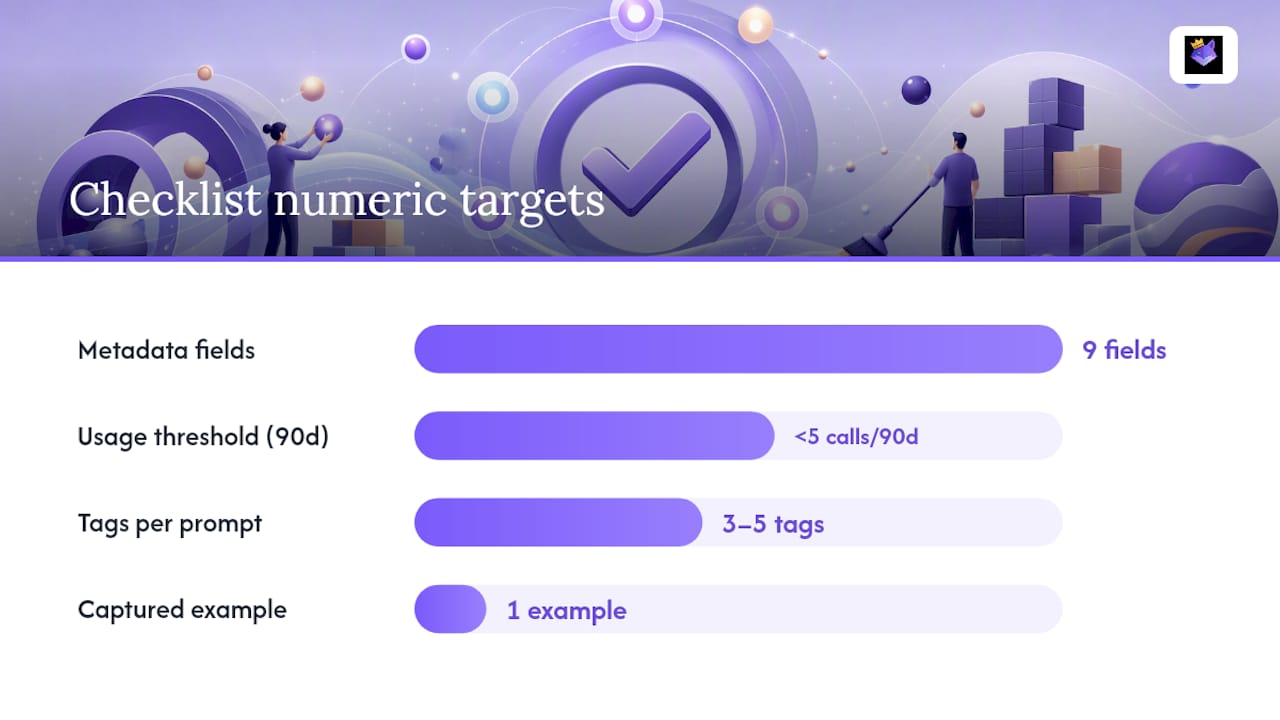
- Tag at creation, not after the fact. Apply a small, controlled vocabulary of three to five tags per prompt covering task and output type, since retroactive tagging almost never gets finished.
- Assign an owner to every prompt. No owner means no accountability when a prompt breaks.
- Test before promotion. Run each candidate prompt against real inputs before it leaves the experimental tier.
- Promote to team or foundation tier. Move tested, owned prompts into shared space; leave unproven ones in a sandbox.
- Archive on a schedule. Deprecate anything that hasn't been called in 90 days unless it's a documented seasonal asset.
Naming needs a pattern, not vibes. A workable convention combines a descriptive slug with a version number: email-followup-cold-lead_v2.1 works whether you're storing prompts as files in a Git repository or as entries in a database-backed tool. The slug tells a human what the prompt does; the version tells them whether they're looking at the current one.
Before anything gets promoted out of the experimental tier, require a minimal metadata schema. Governance research on engineering teams points to a compact set of fields that does most of the work: owner, status, version, last-reviewed date, risk tier, model compatibility, expected input variables, and expected output format. Nine fields sounds like a lot until you realize it's the difference between a prompt anyone can trust and one nobody can verify.
Deprecation and versioning both need explicit rules, not judgment calls. A usage threshold, say fewer than five calls in 90 days, triggers a migration review rather than an automatic delete. Version numbers should follow a simple major.minor pattern: bump the minor version for wording tweaks, bump the major version when the input variables or output format change, since that's the difference that actually breaks someone's workflow downstream.
Pro Tip: Capture one real example input and output for every prompt you promote, and note at least one edge case where it fails. That single artifact does more for team trust than a paragraph of description ever will.
How Does Cloud Sync Keep a Prompt Library Reliable?
Cloud sync only earns its keep if it protects your work during the moment that matters: when two people, or two devices, touch the same prompt at once.
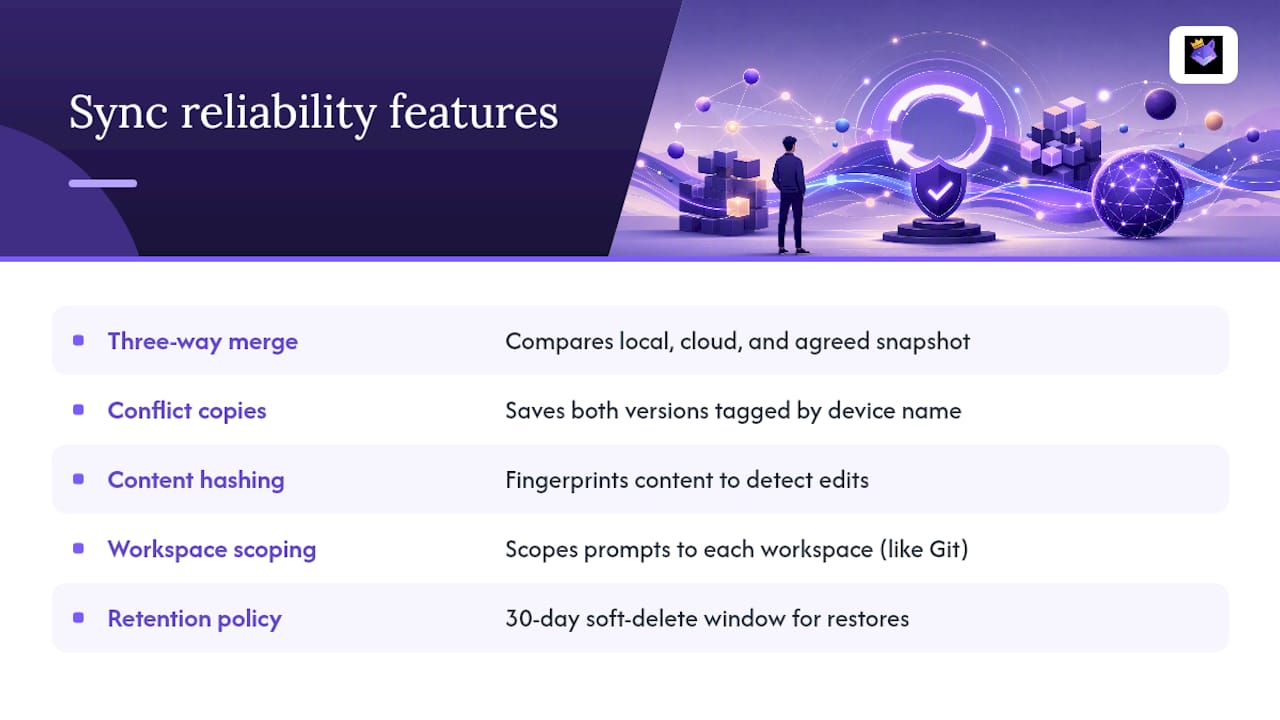
A three-way merge is the mechanism that makes this survivable. The system compares three states: what's on your local device, what's in the cloud, and the last snapshot both sides agreed on. When the diffs between local and cloud both build on that shared snapshot without contradicting each other, the merge happens automatically. When they genuinely conflict, the system doesn't guess. It flags it.
That's where device-labeled conflict copies come in. Instead of silently keeping whichever edit synced last, and quietly discarding the other, a well-built system saves both versions, each tagged with the device name where the edit happened, like "MacBook Pro" and "Work Desktop." You open both, decide which change actually wins, and merge manually. Nobody loses work without knowing it happened.
Underneath that, content hashing does the quiet work of change detection. The system fingerprints each prompt's content so it can tell instantly whether anything actually changed, rather than re-syncing every prompt in the library on every save. That cuts sync traffic and makes it easy to spot which prompts were actually edited between sessions.
Workspace scoping keeps libraries from bleeding into each other. A prompt set built for one coding project stays out of an unrelated client's workspace, whether you're switching workspace context inside an editor or picking a workspace from a selector in a web app. It's the same logic as keeping separate Git branches for separate features.
Retention policy is the safety net underneath all of it. A 30-day soft-delete window means a deleted prompt isn't actually gone. Run a restore command inside that window and it's back, metadata intact.
Pro Tip: Before any bulk cleanup or migration, run a manual sync and confirm your cloud state matches local. Cleanup mistakes compound fast when they sync to every device before anyone notices.
What Commands and Workflows Keep a Synced Library Running?
A synced library needs a small set of commands you can run without thinking, especially when something looks off.
| Command | What it does | When to run it |
|---|---|---|
| Manual sync | Forces an immediate sync instead of waiting for the background cycle | Before a big edit session or after switching devices |
| View sync status | Shows what's synced, pending, or conflicted | Anytime a prompt looks stale or missing |
| Toggle auto-sync | Turns background syncing on or off | When working offline or in a low-bandwidth environment |
| Clear sync state | Resets local sync metadata without deleting prompts | When sync gets stuck in a bad loop |
| Restore deleted prompts | Recovers anything inside the soft-delete window | After an accidental deletion |
Three workflows cover most of what you'll actually do. First: you write a prompt in your editor, auto-sync pushes it to the cloud, and you inject it directly into your code by referencing its ID, the same pattern Google Cloud's Vertex AI Prompt Management uses to keep UI edits and running code in sync. Second: two people edit the same prompt on different devices, the system flags the conflict, and one of you resolves it by comparing the device-labeled copies. Third: someone deletes a prompt they needed, and a restore command brings it back inside the retention window.
Treat prompts as templates with variables stored separately from the prompt body. That single habit is what makes a prompt safely reusable across a dozen different contexts instead of breaking the moment someone changes a client name.
- Batch large libraries into smaller sync groups by workspace to avoid slow full-library syncs.
- Store input variables outside the prompt body so injection stays predictable.
Who Should Own Prompt Hygiene on Your Team?
Governance doesn't need a committee. It needs clear roles and a rhythm.
- Library steward: owns the system itself, sets taxonomy rules, and runs the quarterly review.
- Prompt owner: responsible for one or more individual prompts and whether they still work.
- Contributor: submits new prompts or edits for review.
- Reviewer/approver: checks metadata completeness and test coverage before promotion.
- Admin: manages access, workspace scoping, and sync configuration.
A workable cadence looks like this:
- Monthly: triage new submissions and confirm metadata is complete before anything reaches the team tier.
- Quarterly: retest your top 20 most-used prompts against current models and log pass or fail.
- Ad hoc: re-review anything affected by a model update or tool migration, immediately, not at the next scheduled cycle.
Track a handful of numbers to know if the system is actually healthy: usage per prompt over 30 and 90 days, test pass rate, how many conflicts show up per month, average time to resolve a conflict, and the percentage of prompts that have both an owner and a documented example. Require a passing test example before any prompt reaches the team tier, and give your steward a one-week response window on new submissions so review never becomes the bottleneck people route around.
A Platform Team's Take on Running a Healthy Library
Teams that survive a model migration without losing work almost always treated prompts as product components first: owned, versioned, reviewed on a cadence, not just saved. The clearest proof point is unglamorous. When two people edited the same prompt around a provider's model update, a three-way merge caught the conflict and saved both device-labeled copies instead of quietly picking a winner. Nobody lost a week of tuning work. Nobody even noticed until they looked.
Keep Your Prompt Library Clean With Promptchief
Everything in the checklist above, ownership fields, quarterly reviews, conflict-safe syncing, only works if the tool underneath actually enforces it instead of leaving hygiene to willpower. Promptchief is built around exactly that structure, not as an afterthought bolted onto a note-taking app.

Every prompt you save gets fuzzy search instead of scrolling, workspace scoping so your client projects never bleed into each other, and cloud sync backed by three-way merge with device-labeled conflict copies, so a laptop-and-desktop edit collision never costs you a version. Deleted something by mistake? Soft-delete recovery brings it back. Need the same prompt across ChatGPT, Claude, Gemini, and two dozen other platforms? Injection works across 27-plus AI tools without re-copying anything. Magic placeholders handle the variable-externalization habit this guide recommends, and team workspaces give you the owner and status fields a real governance schema needs.
Start with the five-prompt checklist from earlier in this guide: pick one workflow, document five prompts with owners, and set up your prompt management workspace to hold them from day one.
Sources
- How Cloudflare uses prompt libraries - Cloudflare Developers
- Best and Scalable Prompt Library Architecture for Enterprise Teams (2026 Guide) - GPTNest
- Accelerating AI development: effortless prompt sync with Vertex AI Prompt Management - Google Cloud (Medium)
FAQ
What Does Prompt Hygiene Mean?
Prompt hygiene means managing, cleaning, standardizing, versioning, and reusing prompts in an organized, ideally cloud-synced library, not safety or compliance review of prompt content.
Why Do Unused Prompts Become a Liability?
Stale prompts break silently when models update, and if someone reuses one without checking, it produces unreliable output and erodes trust in the whole library.
How Often Should a Prompt Library Be Reviewed?
A quarterly deep review of top-used prompts, paired with monthly triage of new submissions, catches most drift before it becomes a real problem.
What Happens When Two People Edit the Same Prompt at Once?
A three-way merge compares local, cloud, and last-synced versions; if it finds a genuine conflict, it saves both edits as device-labeled copies for manual review instead of overwriting either one.
Can a Deleted Prompt Be Recovered?
Yes, within a 30-day soft-delete window, a restore command brings back a deleted prompt with its metadata intact, which is the retention model Promptchief uses.