
TL;DR:
- Prompt optimizers restructure vague prompts into model-ready questions by manipulating role, constraints, output format, and context. Using tools like Promptchief enhances prompt quality and manages prompts as reusable, versioned assets across multiple AI platforms. Combining optimization with prompt management improves consistency, saves time, and boosts output effectiveness in team and solo workflows.
If you want better outputs from ChatGPT, Claude, or Gemini without rewriting every prompt by hand, the fastest path is a prompt optimizer paired with a prompt manager. Promptchief covers both: it rewrites prompts in 9 styles, injects them across 27+ AI platforms via a Chrome extension, and keeps your best prompts searchable and versioned in one cloud-synced library. Install the extension, paste a prompt, and you'll see the difference in under a minute.
Table of Contents
- What are the best prompt optimizer tools, and what do they actually do?
- How do prompt optimizers actually work?
- What features should you look for in a prompt optimizer?
- A quick before-and-after example
- Why saving and versioning prompts matters as much as optimization
- Why Promptchief is the recommended pick
- How to get started with a prompt optimizer in under 90 minutes
- Key Takeaways
- The part most guides skip
- Promptchief puts optimization and management in one place
- Useful sources
- FAQ
What are the best prompt optimizer tools, and what do they actually do?
A prompt optimizer takes a vague or underspecified request and restructures it into a model-ready prompt. The core idea is simple: LLMs respond to structure, and most people don't write structured prompts naturally.
Every optimizer works by pulling on four levers: role (who the model should act as), constraints (word count, tone, format rules), output format (JSON, Markdown, bullet list), and context (background the model needs to answer well). Structured prompts built around these four elements consistently outperform vague requests on clarity, schema adherence, and follow-up reduction.
Two frameworks show up most often under the hood:
- APE (Automatic Prompt Engineer): generates and scores candidate prompts automatically, then selects the best-performing variant.
- RACE (Role, Action, Context, Expectation): a human-readable template that maps directly to the four levers above.
Typical optimizer capabilities include auto-role assignment, constraint enforcement, model-specific formatting presets, template libraries, and multi-model output tuning. One-click tools adjust framing slightly by model, since Claude responds differently to the same instruction than GPT-4o does.

How do prompt optimizers actually work?
The optimization process follows a consistent pattern regardless of tool type:
- Ingest the raw prompt.
- Inject role, constraints, and context.
- Format the output for the target model.
- Test with graders or evals.
- Iterate based on results.
Where tools diverge is in how they fit into your workflow. A browser extension optimizer runs in-chat and takes one click. An API-based optimizer sits between your app and the LLM, rewriting prompts programmatically. A CLI library like leo-prompt-optimizer runs an optimize→execute→evaluate loop with built-in judges, producing G-Eval scores and schema adherence metrics suited for CI/CD pipelines. Developer-focused flow tools like Microsoft PromptFlow go further, linking LLMs, prompts, and code into traceable, deployable pipelines.
Multi-model support matters here. The same optimized prompt often needs minor reformatting for OpenAI, Claude, Gemini, or Mistral. Tools that handle this automatically save real time.
One caveat worth stating plainly: optimizers amplify input quality, they don't fix unclear intent. If you don't know what you want, no optimizer will figure it out for you. OpenAI's own guidance stresses building narrow graders and annotated test cases before running optimization, because an optimized prompt can sometimes perform worse on specific inputs without proper evaluation.
What features should you look for in a prompt optimizer?
The right tool depends on whether you're a solo experimenter or part of a team shipping LLM-powered products. Here's how the key feature categories map to those two contexts:
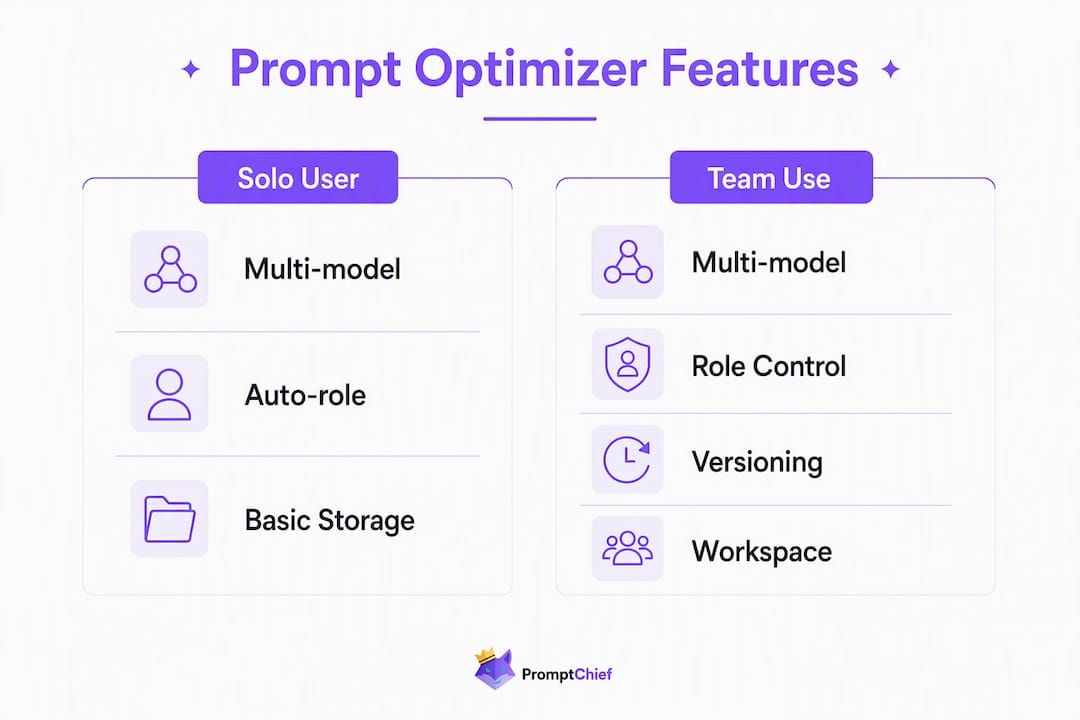
| Feature | Solo / Experimenter | Team / Production |
|---|---|---|
| Multi-model support | Nice to have | Required |
| In-chat optimization | Primary use | Supplementary |
| Prompt library & versioning | Helpful | Critical |
| Templates & chaining | Optional | High value |
| Analytics & evals | Basic | Grader-based |
| Team workspace | Not needed | Required |
| Privacy / private keys | Personal preference | Security requirement |
Pricing shapes follow three patterns: a free tier for light use, per-optimization credits for occasional users, and seat-based plans for teams. Industry buyer guides consistently flag version control and observability as the top differentiators for team tools, while single users prioritize one-click speed.
For teams, workspace controls and data handling matter as much as features. Check whether the tool stores your prompts on its servers, whether you can use your own API keys, and whether workspace permissions let you separate team libraries from personal ones.
A quick before-and-after example
Here's what optimization looks like in practice. The task: summarize a research paper for a non-technical audience.

Before (vague):
| Prompt | |
|---|---|
| Raw | "Summarize this paper for me." |
After (optimized):
| Element | Optimized version |
|---|---|
| Role | "You are a science communicator writing for a general audience." |
| Constraint | "Use plain English. No jargon." |
| Format | "Return three bullet points: key finding, why it matters, one open question." |
| Context | "The reader has no background in machine learning." |
Why the second version works better:
- The model knows who it's writing as, so tone is consistent.
- Word count and jargon rules prevent bloat.
- The three-bullet schema means you can parse the output programmatically.
- Context prevents the model from assuming prior knowledge.
The result is fewer follow-up prompts, outputs that fit directly into a workflow, and schema adherence you can test with a grader. For improving AI prompt outputs, this four-lever structure is the single most reliable starting point.
Why saving and versioning prompts matters as much as optimization
A well-optimized prompt you can't find again is worth nothing. That's the gap most people hit after their first week with an optimizer.
Chat history fragments across sessions. There's no search. You can't roll back to the version that worked before you "improved" it. For content teams, customer support, and developer workflows, this fragmentation kills the compounding value that prompt optimization promises.
Teams that treat prompts as versioned assets see sustained gains because they can reuse, share, and iterate on what already works. A prompt library with fuzzy search means a customer support rep finds the right template in seconds instead of rewriting from memory. A developer can roll back a prompt that broke after a model update.
Pro Tip: Treat prompts like code. Keep them in a searchable library, version every meaningful change, and run small graders against your test cases before pushing updates. The prompt management workflow that works for one person scales directly to a team.
For marketing teams specifically, AI-driven workflows that include prompt libraries and reuse patterns produce more consistent brand voice across campaigns than ad-hoc prompting.
Why Promptchief is the recommended pick
Promptchief addresses the full workflow: optimization and management, not just one or the other.
On the optimization side, it rewrites prompts in 9 styles via one-click AI rewriting, supports multi-step prompt chains for complex workflows, and works across 27+ platforms including ChatGPT, Claude, Gemini, and more. The Chrome extension injects saved prompts directly into any AI chat interface, so there's no copy-pasting.
On the management side, Promptchief gives you cloud-synced storage, fuzzy search across your entire library, magic placeholders for variable fields, and version history. Team workspaces let you share prompt libraries with colleagues while keeping personal prompts separate. Productivity analytics show which prompts you actually use.
The pricing structure is freemium: a free tier for getting started, Plus and Pro plans for higher AI credit limits and advanced features, and additional team seat pricing. Full plan details are on the pricing page. There's no long-term commitment required to try it.
For teams evaluating options, the best AI prompt managers comparison covers how different tools stack up on the feature checklist above.
How to get started with a prompt optimizer in under 90 minutes
- Pick one use case. Don't try to optimize everything at once. Start with the prompt you use most often.
- Collect three test cases. Write down three real inputs and what a good output looks like for each.
- Run the optimizer. Use Promptchief's one-click rewrite or apply the four-lever structure manually.
- Build two graders. One for output format (does it match the schema?), one for quality (does it answer the question correctly?).
- Iterate. Run both the original and optimized prompt against your test cases. Keep the version that scores better on both graders.
First results typically appear in 30–90 minutes. Production-ready prompt sets, with graders and a shared library, usually take a few days to a couple of weeks depending on the complexity of your use case.
Pro Tip: Use model-specific formatting presets from the start. A prompt tuned for Claude's instruction-following style will often underperform on GPT-4o without minor adjustments. Promptchief's system prompt templates include model-specific variants so you don't have to figure this out manually.
Key Takeaways
Prompt optimization only delivers lasting value when paired with a management system that keeps your best prompts findable, versioned, and reusable.
| Point | Details |
|---|---|
| Optimizers work on four levers | Role, constraints, output format, and context are the core elements every optimizer manipulates. |
| Graders are non-negotiable | Without narrowly defined test cases and graders, you can't confirm an optimized prompt actually improved. |
| Management multiplies optimization | A searchable, versioned prompt library turns one-off wins into repeatable team assets. |
| Start small and iterate | Pick one use case, collect three test cases, and run graders before scaling to a full library. |
| Promptchief covers both sides | Promptchief combines one-click AI rewriting, multi-model support, and cloud-synced prompt management in one tool. |
The part most guides skip
The conversation around prompt optimization tends to focus on the before-and-after magic: paste a vague prompt, get a polished one, watch the model perform better. That framing isn't wrong, but it misses where most of the real value gets lost.
The actual bottleneck for most teams isn't writing a better prompt once. It's the fact that nobody can find the prompt that worked last month, nobody knows which version is current, and the person who wrote the best customer support template left the company. Optimization without organization is a leaky bucket.
The tools worth using are the ones that treat prompts as first-class assets, not throwaway text. That means search, versioning, and shared libraries, not just a rewrite button. The teams that get the most out of LLMs aren't necessarily the ones with the most sophisticated prompts. They're the ones who can find, reuse, and improve what they've already built.
Promptchief puts optimization and management in one place
Most prompt tools make you choose: either a one-click optimizer with no storage, or a library with no rewriting. Promptchief gives you both in a single Chrome extension and web app.

Install the extension, save your first prompt, and run a one-click rewrite in under two minutes. Your library syncs across devices, your team can share templates, and the prompt chain builder handles multi-step workflows without any setup overhead. The free plan gets you started immediately. Plus and Pro tiers unlock higher AI credit limits, advanced analytics, and full team workspace features. Check the pricing page to see which plan fits your usage, then sign up at promptchief.tech to get started today.
Useful sources
- OpenAI Prompt Optimizer Guide — Official documentation on building graders, annotating datasets, and running iterative optimization. Start here if you're building evaluation pipelines.
- leo-prompt-optimizer on PyPI — Open-source CLI library for optimize→execute→evaluate workflows with G-Eval scoring. Useful for CI/CD integration.
- Microsoft PromptFlow on GitHub — End-to-end toolkit for building, testing, and deploying LLM flows with traceability and evaluation built in.
- Promptchief guides and documentation — Covers automated optimization workflows, how to set up prompt chains, and how to integrate Promptchief into engineering pipelines.
- Prompt Engineering 101 — Foundational guide covering prompt design, testing methodologies, and practical techniques for novice-to-intermediate users.
FAQ
What does a prompt optimizer actually do?
A prompt optimizer restructures a vague request into a model-ready prompt by injecting a role, constraints, output format, and context. The result is fewer follow-up prompts and more consistent, usable outputs.
Do prompt optimizers work with Claude and Gemini, not just ChatGPT?
Yes. The best prompt engineering tools, including Promptchief, support multiple models and apply model-specific formatting adjustments since Claude and Gemini respond differently to the same instruction than GPT-4o does.
How do I know if an optimized prompt is actually better?
Build narrow graders: one for output format (does it match your schema?) and one for quality (does it answer correctly?). OpenAI's guidance recommends running both the original and optimized prompt against the same test cases before committing to a change.
Is there a free way to try prompt optimization?
Promptchief offers a free plan that includes the Chrome extension, prompt library, and one-click AI rewriting. You can install it and run your first optimized prompt in under two minutes with no credit card required.
What's the difference between a prompt optimizer and a prompt manager?
An optimizer rewrites a single prompt for better performance. A prompt manager stores, versions, and organizes your prompts so you can find and reuse them later. Promptchief combines both in one platform.