
TL;DR:
- Stop sequences are user-defined strings that halt output immediately when matched, providing deterministic control over response boundaries. They differ from
max_tokensby stopping at semantic points like paragraph ends, and you must pair them with a token cap for safety; Promptchief manages their storage and cross-provider synchronization for reliable workflows. However, they cannot prevent hallucinations or validate content, so combining stop sequences with schema validation and careful testing is essential for production use.
A stop sequence is a user-defined string you pass to an LLM API that forces generation to halt the instant that exact text appears in the output. The matched string is stripped from the response. That's the whole mechanism.
Why it matters for prompt workflows:
- Most API providers allow up to four stop sequences per request, and the first match during generation wins.
- Stop sequences give you a deterministic off-switch that works across OpenAI, Anthropic, and Google-style endpoints — something
max_tokensalone can't provide. - Promptchief can store stop sequences alongside your saved prompts and inject the correct provider-specific parameter name automatically when you switch endpoints.
Table of Contents
- What stop sequences are and how they work
- Concrete situations where stop sequences are the right tool
- Design patterns for reliable stop sequences
- Why stop sequences sometimes cut output early
- How to pass stop sequences in popular APIs
- How Promptchief stores and syncs stop sequences across platforms
- What stop sequences cannot do
- Key Takeaways
- The boundary problem most prompt engineers overlook
- Promptchief keeps your stop sequences in sync across every endpoint
- Useful sources
- FAQ
What stop sequences are and how they work
A stop sequence is a string checked by the serving layer after each generated token. The model keeps predicting tokens normally. The infrastructure watches the running output, and the moment it ends with one of your stop strings, generation halts and that string is trimmed before the response is returned to you.
That serving-layer detail matters. The model itself never "knows" your stop strings during prediction. They're applied to the decoded text after the fact, which is why they can't improve model correctness or prevent hallucinations.
How stop sequences differ from max_tokens:
max_tokens is a hard token budget. It cuts output at a count, regardless of where the model is in a sentence or structure. A stop sequence cuts at a semantic boundary you define. Unlike max_tokens, stop sequences give you semantic end-of-output boundaries — stopping at the first paragraph by using `
`, for example.
The finish_reason field in the response tells you which mechanism fired: end_turn means the model finished naturally, stop_sequence means your delimiter matched, and max_tokens means the token budget ran out.
Quick example: Pass `"
"as a stop sequence. The model generates the first paragraph, hits a double newline, and stops. The
` itself is removed from the returned text.
Concrete situations where stop sequences are the right tool
Stop sequences solve specific, recurring problems in prompt workflows:
- Truncating long responses. Stop on `
to return only the first paragraph, or on a numbered list marker like
2.` to capture just the first item.
- Preventing chat loops or role-play bleed. In a multi-turn simulation, stop on
"User:"or a custom speaker label so the model never generates the next turn on its own. - Delimiting structured output for parsing. Stop on
"</answer>"or"---"to isolate the section your application needs to parse, without trailing commentary. - Capturing a single code block. Stop on the closing triple backtick to grab exactly one code block. (Remember: the closing delimiter is stripped, so your application needs to re-add it.)
- Isolating tool outputs in agent chains. Each step in a multi-step workflow can stop on a sentinel like
"[[DONE]]", giving the orchestrator a clean handoff signal.
Design patterns for reliable stop sequences
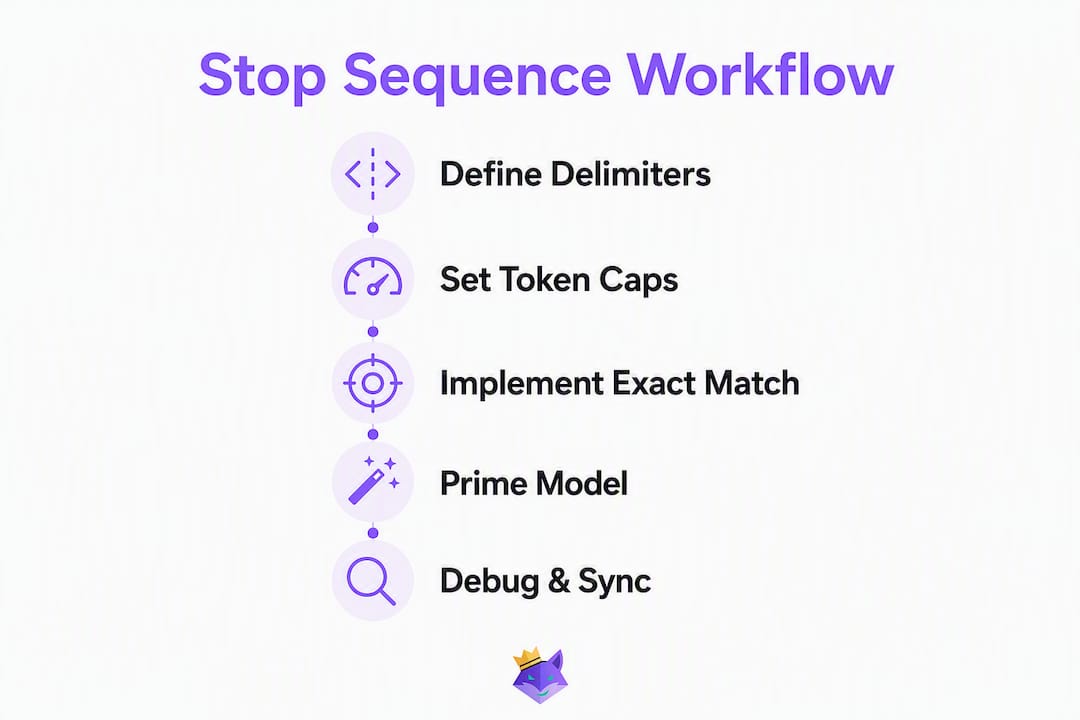
Choose unique delimiters. Practical guides recommend custom tags like </answer> or --- rather than generic separators to avoid accidental firing. A period or a single newline will match constantly. [[END]] or </result> almost never appears in natural model output.

Always pair with a max_tokens cap. Stop sequences are your semantic boundary; max_tokens is your cost and safety floor. If the model never produces your delimiter (because the prompt went sideways), max_tokens prevents a runaway generation.
Exact matching is unforgiving. Spaces, punctuation, and newline counts must match precisely what the model will emit. If you expect `
but the model outputs\r
\r
`, the sequence won't fire. Test against real model output before deploying.
Prime the model with explicit labels. Put your delimiter in the system or assistant message so the model is likely to produce it at the right boundary. If your stop string is </answer>, tell the model in the prompt: "Wrap your answer in <answer> tags."
Pro Tip: If you need the delimiter present in the final output (for example, the closing brace of a JSON object), stop on a sentinel that comes after it, not on the delimiter itself. That way the brace is included in the returned text and your JSON stays valid.
Why stop sequences sometimes cut output early
The most common failure mode is a stop string that fires too soon because it appears in normal model output. The second most common is a stop string that never fires because of a whitespace mismatch.
Debugging checklist:
- Check
finish_reasonorstop_reasonin the response. If it readsstop_sequence, your delimiter matched somewhere unexpected. - Inspect the raw returned text and the reported matched
stop_sequencefield (Anthropic's API surfaces this explicitly). - Confirm exact characters: spaces, punctuation, and newline counts. Print the string bytes if needed.
- Swap in a less common sentinel. Replace
}with[[JSON_END]]and stop on that instead. - Increase logging to capture the raw token stream if your infrastructure allows it.
Classic failure case: Stopping on } when generating JSON. The closing brace is trimmed from the response, producing invalid JSON. Your application must re-add the } after receiving the response, or better, stop on a sentinel that follows the closing brace.
How to pass stop sequences in popular APIs
Parameter names differ by provider. Using the wrong name silently fails — the parameter is ignored and generation runs to max_tokens.
OpenAI-style (Chat Completions):
response = client.chat.completions.create(
    model="gpt-4o",
    messages=[{"role": "user", "content": prompt}],
    stop=["</answer>", "[[END]]"],
    max_tokens=512
)
The parameter is stop. finish_reason will be "stop" when a sequence matches.
Anthropic (Claude Messages API):
response = client.messages.create(
    model="claude-opus-4-5",
    messages=[{"role": "user", "content": prompt}],
    stop_sequences=["</answer>", "[[END]]"],
    max_tokens=512
)
Anthropic's API exposes both stop_reason and the matched stop_sequence in the response, which makes debugging straightforward.
Google-style (Gemini):
response = model.generate_content(
    prompt,
    generation_config={"stop_sequences": ["</answer>", "[[END]]"], "max_output_tokens": 512}
)
The parameter lives inside generation_config rather than at the top level — a common copy-paste mistake when porting from OpenAI-style code.
| Provider | Parameter name | Typical max stop sequences | Matched sequence reported in |
|---|---|---|---|
| OpenAI | stop | 4 | finish_reason: "stop" |
| Anthropic (Claude) | stop_sequences | — | stop_reason + stop_sequence field |
| Google (Gemini) | generation_config.stop_sequences | 5 | finish_reason: STOP |
Key insight: Different vendors use different parameter names, and the first matched string in generation order wins. Copy-pasting an OpenAI request to an Anthropic SDK without renaming
stoptostop_sequencesmeans your boundaries silently disappear.
How Promptchief stores and syncs stop sequences across platforms
Saving a prompt without its stop sequences is like saving a recipe without the cooking time. The prompt runs, but the output boundary is undefined. A prompt management workflow that includes stop-sequence metadata solves this.
Practical workflow with Promptchief:
- Annotate each saved prompt with its stop sequence(s), the expected
finish_reason, and a re-add rule (for example, "append}after response when stopping on[[JSON_END]]"). - Store canonical delimiters using explicit escape sequences (`
` rather than a literal blank line) so the stored value is unambiguous across platforms.
- Tag sequences by use-case:
json,code,single-line,agent-step. This makes it easy to filter and reuse them. - Lock critical stop sequences on shared team templates so no one accidentally removes a boundary that downstream parsing depends on.
Promptchief maps your stored stop sequences to the correct provider parameter name at injection time — stop for OpenAI, stop_sequences for Anthropic, generation_config.stop_sequences for Gemini — so the same saved prompt works across endpoints without manual edits.
What stop sequences cannot do
Stop sequences are a cutting tool. They determine where output ends; they do not change what the model generates before that point.
They won't validate JSON structure, enforce schema compliance, prevent hallucinations, or guarantee that the model followed your instructions. A response that stops at </answer> can still contain factual errors, malformed data, or ignored constraints.
Complementary controls to apply alongside stop sequences:
- Schema validation on structured outputs (JSON Schema, Pydantic, Zod).
- Post-generation parsing with explicit error handling for malformed responses.
max_tokensas a cost and safety cap, not as the primary boundary mechanism.- Unit tests for critical prompts that assert on
finish_reasonand output structure.
Security note: Never use a stop string that could be influenced by user-supplied input without sanitization. If an attacker can inject your stop delimiter into their message, they can trigger premature termination and potentially manipulate your application's behavior.
Key Takeaways
Stop sequences are deterministic serving-layer controls that cut output at a defined string, not quality controls — pair them with schema validation and a max_tokens cap for production reliability.
| Point | Details |
|---|---|
| Use unique delimiters | Choose strings like </answer> or [[END]] that won't appear in normal model output. |
Always add a max_tokens cap | Stop sequences alone won't prevent runaway generation if the delimiter never appears. |
Check finish_reason every time | Tells you whether the model finished naturally, hit your stop string, or ran out of tokens. |
| Normalize per provider | Parameter names differ: stop for OpenAI, stop_sequences for Anthropic and Gemini's generation_config. |
| Use Promptchief for scale | Promptchief stores stop sequences with prompts and injects the correct parameter name per endpoint automatically. |
The boundary problem most prompt engineers overlook
Stop sequences get treated as a formatting trick. They're not. They're the only deterministic control you have over where a model stops generating, and most teams either skip them entirely or pick delimiters so generic they fire constantly.
The real discipline is treating stop sequences as part of the prompt's contract: the prompt defines what to generate, the stop sequence defines where to stop, and schema validation defines whether the result is usable. All three are required for production reliability. Skipping any one of them means you're relying on the model to behave consistently, which it won't.
The other thing teams underestimate is the operational cost of not normalizing stop sequences across providers. When you're running the same prompt against OpenAI, Claude, and Gemini, three different parameter names and slightly different matching behaviors mean three separate places where a boundary can silently disappear. A prompt manager that handles that mapping isn't a convenience — it's the difference between a workflow that's actually reproducible and one that works until it doesn't.
Promptchief keeps your stop sequences in sync across every endpoint
When you're running prompts across ChatGPT, Claude, and Gemini, maintaining consistent output boundaries manually is error-prone. Promptchief solves the normalization problem directly: every saved prompt can carry its stop sequences, expected finish_reason, and re-add rules as metadata, and Promptchief injects the right parameter name for whichever endpoint you're targeting.

Features that matter for stop-sequence workflows: cloud-synced prompt storage with per-prompt metadata fields, automatic provider mapping (stop → stop_sequences → generation_config.stop_sequences), versioning so boundary changes are tracked, and team locks for shared templates where a broken delimiter would break downstream parsing.
Try it with a saved prompt you already use: add a stop sequence in Promptchief's metadata, then run it against two different connectors. The prompt manager for ChatGPT and the prompt manager for Manus both support stop-sequence injection out of the box. Check Promptchief's pricing to see which plan fits your team's volume.
Useful sources
These are the primary references for the definitions, API behavior, and debugging guidance in this article:
- OpenAI API reference — chat completions: authoritative source for the
stopparameter, the four-sequence limit, andfinish_reasonvalues. - Anthropic — handling stop reasons: covers
stop_reason, the matchedstop_sequenceresponse field, and how to detect why generation halted. - AI/TLDR — What Are Stop Sequences in LLM APIs?: explains the serving-layer check and the delimiter-trimming behavior, including the JSON closing-brace failure case.
- LLM Best Practices — stop sequence: practical contrast between stop sequences and
max_tokens, with use-case examples. - HashBuilds — What is a stop sequence?: concrete delimiter recommendations and examples like
</answer>and triple backticks. - Anthropic certifications — stop_sequence glossary: parameter name differences across providers and the first-match-wins behavior.
For code examples and
finish_reasonhandling, the OpenAI and Anthropic docs are the ground truth. Use AI/TLDR and LLM Best Practices for conceptual grounding and debugging patterns. For production-ready deployment patterns, the partner resource covers stop sequences in the context of moving from prototype to production.
FAQ
What is a stop sequence in an LLM API?
A stop sequence is a user-defined string passed to an API that halts generation the moment that exact text appears in the output. The matched string is removed from the returned response.
How is a stop sequence different from max_tokens?
max_tokens cuts output at a token count regardless of content; a stop sequence cuts at a semantic boundary you define, like the end of a paragraph or a closing tag.
Why did my stop sequence cut the output too early?
The most likely cause is a delimiter that appears naturally in the model's output before the intended boundary. Switch to a unique sentinel like [[END]] and confirm exact whitespace matches.
How do I check whether a stop sequence fired?
Read the finish_reason field (OpenAI) or stop_reason field (Anthropic) in the response. A value of stop_sequence confirms your delimiter matched; max_tokens means the token budget ran out first.
Can Promptchief store stop sequences with my prompts?
Yes. Promptchief lets you attach stop sequences and provider-mapping metadata to each saved prompt, then injects the correct parameter name automatically when you run that prompt against different model endpoints.