
Role prompting tells a language model who to be so it responds with a predictable register, framing, and decision lens. Assign a role and you shift which part of the model's training distribution activates. The result is not new knowledge — it is a different lens on the same knowledge. Use it when you need consistent professional framing, a specific evaluative stance, or a structured output format. Skip it for short factual lookups, raw calculations, or open brainstorming where breadth matters more than voice. The RTCF template (Role, Task, Context, Format), described at Promptchief, gives you a repeatable structure to build on, and Promptchief's prompt library lets you version and test those roles at scale.
- Use role prompting when: you need advisory framing, a specific evaluative lens, or a consistent output register across sessions.
- Skip it when: the task is a factual lookup, a calculation, or a brainstorm where you want maximum breadth.
- Watch for: the expertise-depth vs. clarity tradeoff documented in a 2026 arXiv controlled study across 1,140 questions and 38 roles.
Key Takeaways
| Point | Details |
|---|---|
| Use the RTCF template | Fill Role, Task, Context, and Format before deploying any persona prompt. |
| Trim irrelevant traits | Extraneous persona attributes can cut performance by up to ~30 percentage points (EMNLP 2025). |
| Evaluate on multiple metrics | The 2026 arXiv study found small aggregate gains but consistent expertise-depth vs. clarity tradeoffs across 38 roles. |
| Place durable roles in system prompts | User-turn roles drift in multi-turn sessions; system prompt placement persists reliably. |
| Promptchief for scaling | Promptchief's cloud-synced library, placeholders, and analytics support versioning and A/B testing role prompts across 27+ AI platforms. |
Table of Contents
- How to craft an effective role prompt, step by step
- Copyable example role prompts across domains
- Best practices and the RTCF template
- Where role prompting helps — and where it usually doesn't
- Known limitations and tradeoffs you should plan for
- What the research actually says about role prompting
- How to test whether your role prompt actually works
- Common mistakes and quick fixes
- Production implementation: system prompts, variables, and chaining
- Roles are lenses, not sources of truth
- Promptchief makes role prompt management practical at scale
- Sources
- FAQ
How to craft an effective role prompt, step by step
A role prompt that actually changes model behavior follows a specific construction order. Jumping straight to "act as an expert" skips the steps that make the role do real work.
-
Choose a precise role. Name a job title plus a defining characteristic and a stance. "Senior security engineer who prioritizes threat modeling over feature velocity" beats "security expert." Specificity narrows the model's output distribution; vagueness adds noise. According to The Prompt Bench, roles work when they imply a real register or method the model has seen in training.
-
State the task and objective. One sentence. What should the model produce, and what does success look like? "Review the following Python function and identify vulnerabilities that could be exploited in a production API."
-
Provide context and constraints. Audience, scope, known limitations, and what to avoid. Keep only the persona traits that are relevant to the task. A 2025 EMNLP analysis found that adding irrelevant persona attributes can substantially reduce model performance. Every trait you add should earn its place.
-
Define output format and uncertainty handling. Specify structure (prose, JSON, bullet list), length, and what the model should do when it is uncertain ("flag assumptions explicitly rather than guessing").
-
Test and iterate. Run the role prompt and a control prompt (same task, no role) side by side. If removing the role line changes nothing, delete it. If the role produces more jargon but less clarity, either relax the seniority framing or add a readability constraint.
Validation checklist before you deploy:
- Does the role imply a specific method, not just a seniority level?
- Are all persona traits directly relevant to the task?
- Is the output format and uncertainty handling explicit?
- Does the role prompt outperform the control on your target metric?
Copyable example role prompts across domains
The examples below span four domains. Each shows the full prompt structure and notes what register shift to expect. For structured output patterns like JSON, the format constraint belongs inside the role prompt itself.
-
Ruthless copy editor (creative/editorial) Prompt: "You are a senior copy editor at a national magazine. You cut ruthlessly for clarity and brevity. You flag passive constructions, filler adverbs, and any sentence that could be shorter. Review the following paragraph and return a tracked-changes version with inline comments." Expect: Shorter sentences, aggressive cuts, specific editorial vocabulary. Watch for over-cutting that removes necessary nuance.
-
Security-paranoid engineer (code review) Prompt: "You are a senior application security engineer who has spent a decade doing penetration testing on production APIs. Your default assumption is that every input is adversarial. Review the following Python function and list every exploitable vulnerability, ordered by severity (CVSS score where applicable)." Expect: Threat-model framing, CVSS references, specific CVE patterns. See AI prompts for coding for more code-review templates.
-
Compassionate veterinary triage nurse (customer support) Prompt: "You are a compassionate veterinary triage nurse with 10 years of emergency clinic experience. A pet owner is describing symptoms. Ask clarifying questions calmly, prioritize urgency assessment, and recommend next steps without diagnosing. Always acknowledge the owner's concern before asking questions." Expect: Empathetic register, structured triage questions, explicit urgency framing. IBM's tutorial demonstrates this pattern in production customer-support deployments, showing how empathetic persona prompts change both tone and decision logic.
-
JSON-output API summarizer (structured pipeline) Prompt:
{
  "role": "You are a technical documentation writer who outputs only valid JSON. Never add prose outside the JSON object.",
  "task": "Summarize the following API endpoint description.",
  "context": "The audience is a developer integrating this API for the first time. Prioritize parameters, return types, and error codes.",
  "format": {
    "endpoint": "string",
    "summary": "string (max 2 sentences)",
    "parameters": ["array of {name, type, required, description}"],
    "returns": "string",
    "common_errors": ["array of {code, meaning}"]
  },
  "input": "{{api_description}}"
}
Expect: Clean JSON output, no conversational preamble. The {{api_description}} placeholder makes this prompt injectable across a pipeline. An analysis of 83 persona prompts found that over 50% requested structured outputs like JSON and 74% used dynamic variables, confirming this pattern is now standard in production workflows.
| Domain | Role type | Register shift | Watch for |
|---|---|---|---|
| Editorial | Ruthless copy editor | Terse, prescriptive | Over-cutting nuance |
| Code review | Security engineer | Threat-model framing | Jargon over clarity |
| Customer support | Veterinary triage nurse | Empathetic, structured | Scope creep into diagnosis |
| Pipeline / API | JSON documentation writer | Structured, no prose | Malformed JSON on edge cases |
Best practices and the RTCF template
The RTCF template gives you four fields that cover the minimum viable role prompt. Fill all four before you deploy.
| RTCF field | What to write | Short example |
|---|---|---|
| Role | Job title + defining characteristic + stance | "Senior UX researcher skeptical of self-reported user data" |
| Task | One-sentence objective with success criterion | "Identify usability gaps in the following onboarding flow" |
| Context | Audience, scope, constraints, relevant background | "B2B SaaS product, users are non-technical, 3-step flow" |
| Format | Output structure, length, uncertainty handling | "Bullet list, flag assumptions explicitly" |
Dos:
- Use specific job titles with a defining characteristic and a measurable priority.
- Keep persona traits to those that directly shape the task's decision criteria.
- Add an explicit uncertainty instruction ("say 'I'm not certain' rather than guessing").
- Test against a no-role control prompt before committing to a role.
Don'ts:
- Don't use flattery-type roles ("world-class genius," "best expert in the world"). They add noise and rarely shift outputs materially.
- Don't stack irrelevant attributes. A "senior data scientist who loves hiking and has two dogs" is worse than "senior data scientist focused on model interpretability."
- Don't treat a role as a substitute for context. The role sets the lens; context provides the material.
Pro Tip: Add a concrete "scar" to the persona to make it commit to a specific worldview. "A senior infrastructure engineer who lost a major customer to a 2022 outage caused by an unmonitored dependency" will produce more specific, risk-aware advice than "experienced infrastructure engineer." The past constraint anchors the model's framing to a real decision pattern.
You can build and store buyer persona prompts using Promptchief's persona builder, which maps directly to the RTCF structure.
Where role prompting helps — and where it usually doesn't
Role prompting is not a universal improvement. Matching the technique to the task type is what separates useful persona prompts from noise.
Tasks that benefit:
- Advisory and diagnostic framing: Medicine-style triage, psychological coaching, risk analysis, and design critique all benefit because the role signals which evaluation criteria to prioritize and how to handle uncertainty.
- Tone-sensitive communication: Customer support, executive summaries, and legal plain-language rewrites need a consistent register that a role can anchor reliably.
- Structured output generation: When the role includes a format constraint (JSON, markdown table, numbered rubric), it reduces the chance the model drifts into conversational prose.
- Multi-perspective synthesis: Running the same problem through a "skeptical VC," a "product manager," and a "compliance officer" and then synthesizing outputs covers multidisciplinary blind spots that a single overbroad persona misses.
Tasks that usually don't need a role:
- Short factual lookups ("What is the capital of France?"). The role adds tokens and no value.
- Raw calculations or code execution. Accuracy depends on the model's math capability, not its persona.
- Open brainstorming where you want maximum breadth. A role narrows the distribution; that is a cost when breadth is the goal.
- Simple format conversions (CSV to JSON, unit conversion). The task is deterministic; the role is irrelevant.
One caveat worth naming: in sensitive domains like medicine or law, a confident professional persona can inflate perceived authority. The model does not gain new knowledge from the role. Always flag that outputs require expert review when the stakes are high.
Known limitations and tradeoffs you should plan for
Role prompting shifts behavior, but not always in the direction you want. The tradeoffs are empirical, not theoretical.
Expertise depth vs. clarity. Raising the seniority or domain specificity of a role tends to increase professional framing and domain vocabulary while reducing plain-language clarity. That is a real cost when your audience is non-technical. Plan for it by adding a readability constraint to the Format field.

Role drift in multi-turn conversations. Over a long session, models can gradually drop the assigned persona, especially when the conversation moves away from the role's core domain. Reinforce the role in the system prompt (not just the first user turn) and re-inject it at key transition points.
Irrelevant persona attributes harm performance. The EMNLP 2025 analysis is direct: extraneous persona details can cut performance by up to 30 percentage points. Every attribute you add is a risk if it is not task-relevant.
Authority inflation. A confident expert persona can produce confident-sounding wrong answers. The role changes framing, not factual accuracy. Hallucination rate does not drop because you assigned a role.
Overconstraining outputs. A role that is too specific can prevent the model from flagging uncertainty or offering alternative framings. Build in an explicit escape hatch ("if you are uncertain, say so and explain why").
Mitigation approaches:
- A/B test every new role against a no-role control on a representative sample of inputs.
- Use constraint toggles: test the role with and without the seniority framing to isolate which element drives the behavior change.
- For complex decisions, run multi-role synthesis: three distinct roles, then a synthesis pass.
- Version your role prompts and track performance over model updates — a role that worked on one model version may behave differently after a fine-tune.
Statistic to keep in mind: A 2025 EMNLP analysis found that irrelevant persona attributes can reduce model performance by up to approximately 30 percentage points in controlled tests. Trim every trait that does not directly serve the task.
What the research actually says about role prompting
The empirical picture is more nuanced than most tutorials suggest. Role prompting does not uniformly improve performance. It shifts performance across dimensions in ways that depend heavily on the task type and role specificity.
The most rigorous recent evidence comes from a 2026 controlled study that tested 1,140 questions across 38 expert roles. Aggregate performance differences were small, but the study found consistent multidimensional behavioral changes: roles raised expertise depth and professional framing while often lowering clarity and conciseness. Hybrid retrieval (combining role prompting with retrieved context) produced a meaningful increase in expertise depth with a statistically significant effect size. That is a meaningful effect size for a prompting technique, but it came at a clarity cost.
A PHAnToM study published at ICWSM found measurable effects on theory-of-mind reasoning tasks when personas were applied, suggesting the mechanism goes deeper than vocabulary substitution.
Key finding: The 2026 arXiv study found that role prompting's aggregate score gains were modest, but expertise depth increased consistently — most strongly when combined with retrieval (Cohen's d ≈ 0.54). Clarity and conciseness often declined in parallel.
| Study | Finding | Practitioner implication |
|---|---|---|
| arXiv 2026 (1,140 Qs, 38 roles) | Small aggregate gains; expertise depth up, clarity down | Evaluate on multiple metrics, not a single score |
| EMNLP 2025 persona attributes | Irrelevant attributes reduce performance up to ~30 pp | Trim every non-task-relevant persona trait |
| arXiv 2025 (83 persona prompts) | 50%+ request structured output; 74% use dynamic variables | Design roles for pipeline injection from the start |
| PHAnToM / ICWSM | Personas affect theory-of-mind reasoning patterns | Roles change framing, not just vocabulary |
The practical takeaway: evaluate role prompts with a multi-metric rubric (expertise depth, clarity, accuracy, instruction-following) rather than a single aggregate score. A role that wins on depth but loses on clarity may still be the right choice for an expert audience — but not for a general one.
How to test whether your role prompt actually works
Intuition is not an evaluation. A role prompt that feels more authoritative may score worse on factual accuracy or readability. Here is a reproducible A/B evaluation process.
-
Define your target metrics before you run any tests. Choose from: expertise depth, clarity/readability, factual accuracy, conciseness, instruction-following, and hallucination rate. Pick two or three that matter for your specific task.
-
Build a representative test set. Minimum 20 inputs that cover the range of real queries the role will handle. Include edge cases and ambiguous inputs.
-
Run the control. Same task, same inputs, no role line. Record outputs.
-
Run the role prompt. Same inputs, same model, same temperature. Randomize the order across sessions to avoid position bias.
-
Score both sets using your rubric. Use blind scoring when possible (remove the role label before scoring).
-
Check statistical significance if your sample is large enough. For smaller sets, look for consistent directional differences across at least 70% of inputs before adopting the role.
-
Iterate. If the role wins on depth but loses on clarity, add a readability constraint and retest.
Evaluation rubric:
| Metric | How to score (1–5) | Adoption threshold |
|---|---|---|
| Expertise depth | 1 = generic; 5 = domain-specific vocabulary and reasoning | Role must score ≥ 1 point higher than control |
| Clarity / readability | 1 = jargon-heavy; 5 = plain and scannable | Role must not drop more than 1 point vs. control |
| Factual accuracy | 1 = multiple errors; 5 = fully verifiable | Role must match or exceed control |
| Instruction-following | 1 = ignores format; 5 = exact compliance | Role must match or exceed control |
| Hallucination rate | Count unsupported claims per output | Role must not increase vs. control |
For iterative prompt improvement beyond role testing, the same rubric applies to any prompt variable you want to isolate.
Common mistakes and quick fixes
Most role prompt failures fall into a small number of patterns. Here are the ones that come up most often, with direct fixes.
-
Vague role ("act as an expert"). Fix: add job title + defining characteristic + stance. "Act as a senior product manager who prioritizes retention metrics over acquisition" is testable; "act as an expert" is not.
-
Irrelevant persona traits. Fix: audit every trait. Ask "does this trait change how the model should approach this specific task?" If no, cut it. The EMNLP 2025 data shows the cost is real.
-
No format constraint. Fix: always specify output structure in the Format field. Without it, the model defaults to whatever register the role implies, which may be verbose prose when you needed a bullet list.
-
Role in user prompt only. Fix: for durable roles in multi-turn assistants, place the role in the system prompt. A role in the user turn is overwritten by subsequent turns.
-
No control comparison. Fix: always run the no-role version first. You cannot know whether the role helped without a baseline. See how to write AI prompts for baseline prompt construction.
-
Overconstraining the persona. Fix: if the model refuses to flag uncertainty or offer alternatives, relax the seniority framing or add "acknowledge uncertainty explicitly" to the constraints.
Pre-deploy checklist:
- Role includes job title + characteristic + stance.
- All persona traits are task-relevant.
- Format and uncertainty handling are explicit.
- Role is in the system prompt for multi-turn use.
- Control prompt exists and has been scored.
Diagnostic one-liners to paste into test prompts:
- "Before answering, state which aspect of your role is most relevant to this question."
- "If you are uncertain about any part of this answer, flag it explicitly."
- "Summarize the evaluative criteria your role uses to approach this task."
Production implementation: system prompts, variables, and chaining
Getting role prompting to work in a one-off chat is straightforward. Getting it to work reliably in a production pipeline takes a few more decisions.
-
System prompt vs. user prompt. Place durable roles in the system prompt. A role in the system prompt persists across the full conversation without re-injection. A role in the user prompt is useful for per-turn role switching (e.g., "for this message only, respond as a skeptical reviewer"). IBM's watsonx/Granite tutorial demonstrates this split clearly. See also Promptchief's system prompt templates for production-ready patterns.
-
Use placeholders for variable injection. Structure your role prompt with named placeholders (
{{role}},{{task}},{{context}},{{input}}). Sanitize all variable inputs before injection to prevent prompt injection attacks. The analysis of 83 persona prompts found 74% of production prompts already use dynamic variables. Promptchief's prompt management with variables handles placeholder injection across 27+ AI platforms. -
Version your role prompts. Treat role prompts as code. Tag versions, record the model and temperature used, and log performance scores. A role that works on one model version may behave differently after a fine-tune.
-
Monitor for role drift. In long sessions, check whether the model is still honoring the role at turn 10 vs. turn 2. Re-inject the system prompt at major topic transitions if drift is detected.
-
Multi-role chaining. For complex decisions, run the same input through three distinct roles sequentially, then pass all three outputs to a synthesis prompt. A "lawyer," a "marketer," and an "engineer" covering the same product decision will surface blind spots that a single "senior generalist" misses.
-
Token budget. A detailed role prompt costs tokens on every call. For high-volume pipelines, measure the token overhead and weigh it against the performance gain from your A/B test. Sometimes a shorter, well-scoped role outperforms a verbose one at lower cost.
Pro Tip: For automated prompt engineering workflows, store each role variant as a named template with its performance scores attached. When a model update ships, re-run your test set against the stored templates before pushing to production. You will catch regressions before your users do.
Roles are lenses, not sources of truth
The most common misuse of role prompting is treating the assigned persona as a source of new knowledge. It is not. A model assigned the role of "senior cardiologist" does not know more cardiology than the same model without that role. What changes is which part of its training distribution activates, which evaluation criteria it applies, and how it frames uncertainty.
That distinction matters practically. A confident expert persona can produce confident-sounding wrong answers. The role changes the register of the error, not its presence. Engineers who understand this use roles as deliberate lenses: "I want the model to evaluate this from a risk-first perspective" rather than "I want the model to be smarter about risk."
The other underrated move is multi-role synthesis. Running a hard decision through a "skeptical VC," a "product manager," and a "compliance officer" and then synthesizing the three outputs is more reliable than a single "senior strategist" persona. Each role surfaces a different set of concerns; the synthesis pass integrates them. It costs more tokens, but for high-stakes decisions, the coverage is worth it.

Iterate on your roles the same way you iterate on any other prompt variable: test, score, trim, retest. A small library of five well-tested roles for your core use cases beats a hundred ad-hoc personas invented on the fly.
Promptchief makes role prompt management practical at scale
You can write great role prompts in a text file. Scaling them across a team, versioning them across model updates, and A/B testing them systematically is where most engineers hit friction.
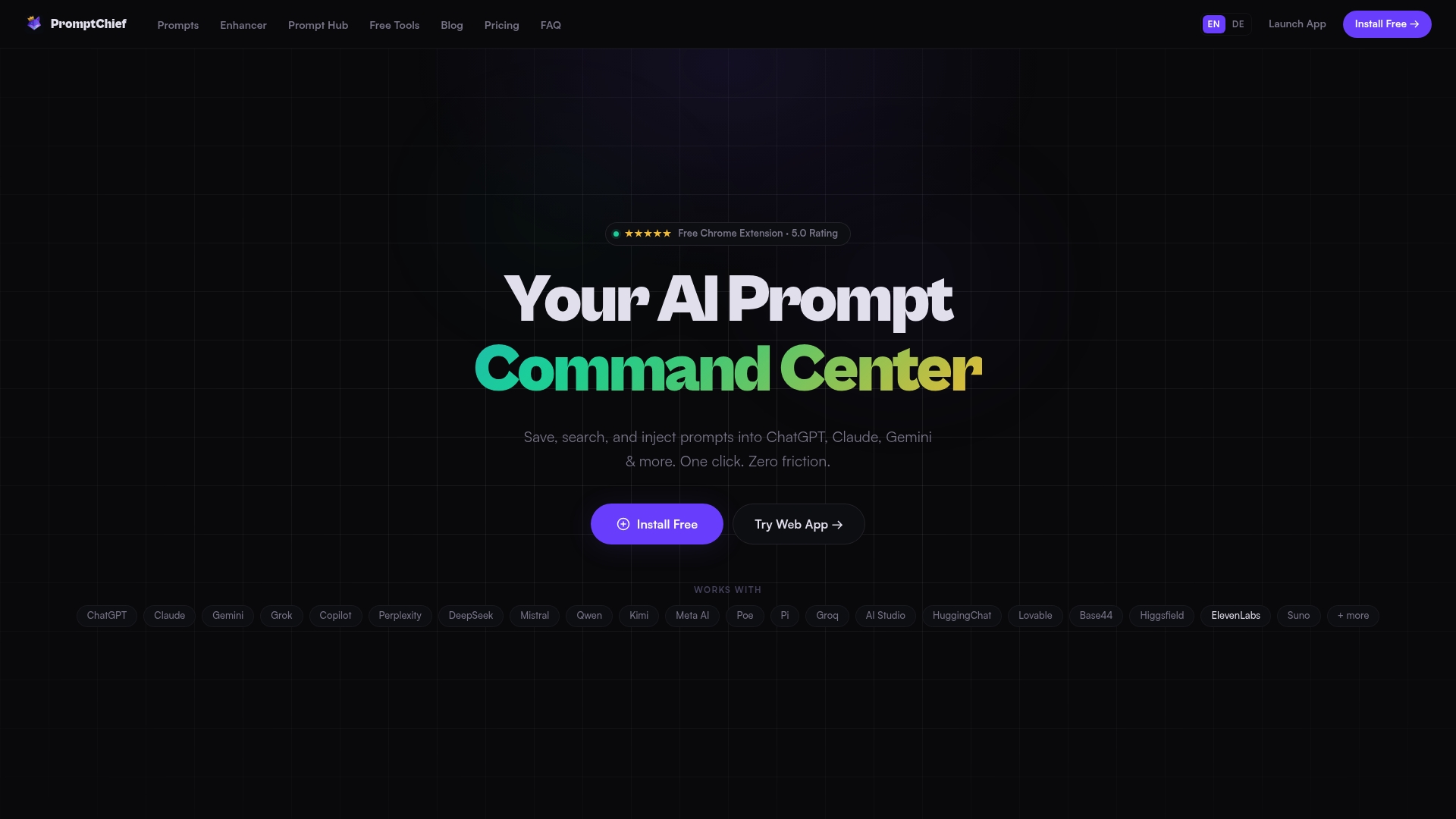
Promptchief's prompt management platform is built for exactly this workflow. Store your RTCF role templates in a searchable cloud library, inject them into ChatGPT, Claude, Gemini, and 24+ other platforms with one click, and use magic placeholders to swap variables without touching the core role structure. The built-in analytics track which role variants perform best across sessions, so your A/B testing has a permanent record rather than a spreadsheet you will lose. Team workspaces let you share tested role libraries across your organization, and the Chrome extension injects prompts directly into any AI interface without copy-pasting.
If you are ready to stop managing role prompts in scattered documents, start with Promptchief's prompt management software and centralize your library today.
Sources
- When Does Persona Prompting Actually Help? (arXiv:2605.29420)
- Analysis of persona prompt structure and automation (arXiv:2508.13047)
- Using role prompting with watsonx and Granite — IBM tutorial
- Role prompting explained — The Prompt Bench
FAQ
What is an example of a role prompt?
A role prompt assigns a specific persona before the task: "You are a senior application security engineer who prioritizes threat modeling. Review the following Python function and list every exploitable vulnerability by severity." The role sets the evaluative lens; the task provides the work.
What is role prompting in an LLM?
Role prompting instructs a large language model to adopt a specific persona or professional framing before generating a response, activating the portion of its training distribution associated with that role's register, vocabulary, and decision criteria. It changes how the model frames and evaluates a response, not what facts it knows.
Does role prompting still work?
Yes, but with documented tradeoffs. A 2026 controlled study across 1,140 questions and 38 roles found consistent behavioral changes, particularly in expertise depth, though clarity and conciseness often declined. Specific, method-implying roles outperform vague flattery-type personas.
What are the main types of prompting techniques?
The three broad categories are zero-shot prompting (no examples, just an instruction), few-shot prompting (examples included to guide format and style), and role-based prompting (a persona assigned to shape register and evaluative framing). Role prompting is most effective when combined with clear task and format constraints.
How do I prevent role drift in long conversations?
Place the role in the system prompt rather than the user turn, and re-inject the system prompt at major topic transitions. A role assigned only in the first user message tends to fade as the conversation moves away from the role's core domain.