
TL;DR:
- Promptchief offers a cloud-synced prompt management platform supporting multi-LLM injection and enterprise governance for teams and power users. It provides shared workspaces, role-based access, versioning, and multi-step prompt chains across 27+ platforms without requiring self-hosted solutions. Organizations should prioritize tools with strong governance features, cloud sync, and multi-model support to ensure prompt consistency and compliance.
Promptchief is the best alternative to PromptHero-style prompt management for teams and power users because it combines cloud sync, a Chrome extension, multi-LLM injection across 27+ platforms, and enterprise governance in a single freemium platform. If you need to stop copy-pasting prompts across ChatGPT, Claude, and Gemini and start managing them like the reusable assets they are, Promptchief is where to start.
Who should pick it:
- Solo power users who want fuzzy search, magic placeholders, and one-click injection without switching tabs
- Small teams that need shared workspaces, role-based access, and prompt versioning
- Enterprises requiring audit logs, multi-step prompt chains, and governance controls across regulated workflows
Table of Contents
- What do people actually mean by "PromptHero alternatives"?
- How does Promptchief compare to the category averages?
- How do you choose the right PromptHero alternative?
- What enterprise prompt governance actually requires
- How to migrate to a new cloud-synced prompt manager
- Key Takeaways
- The case for treating prompts as first-class assets
- Promptchief gives you the full prompt management stack
- FAQ
What do people actually mean by "PromptHero alternatives"?
When someone searches for sites like PromptHero in the context of prompt management, they are not looking for an AI art gallery. They want a cloud-synced library that saves, organizes, and injects prompts into real LLM workflows. The market breaks into five distinct categories, each with a different set of trade-offs.
Personal cloud-synced extensions are the fastest to adopt. You install a browser extension, your prompts sync across devices, and you inject them directly into ChatGPT or Claude with one click. The weakness: minimal governance, no team controls, and limited versioning.
Team prompt managers with shared workspaces add role-based access, shared libraries, and basic version history. They suit small-to-mid-size teams well. The gap is usually in enterprise controls: no immutable audit logs, no CI-style validation, and limited API surface for integration.
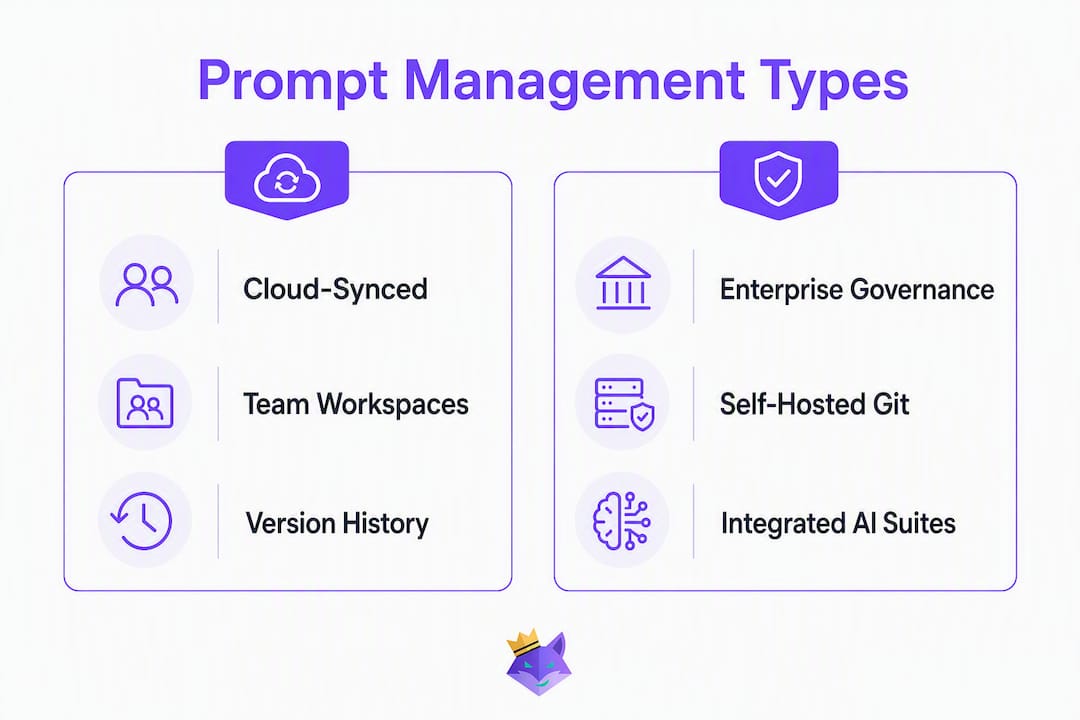
Enterprise registries with RBAC and audit logs are built for regulated environments. They offer multi-tier access, environment tagging (dev/staging/prod), and full change history. The cost: longer onboarding, higher price, and often a steeper learning curve for non-technical users.
Self-hosted Git-first solutions give engineering teams maximum control and zero vendor lock-in. Git workflows with branching, tagging, and PR reviews deliver engineering rigor, but non-developers rarely touch them without a catalog UI on top. Migration effort is high.
Integrated AI suites with built-in prompt libraries bundle prompt management inside a broader platform. Convenient if you are already in that ecosystem; limiting if you need to route prompts across multiple models.
How does Promptchief compare to the category averages?
| Dimension | Category average | Promptchief |
|---|---|---|
| Best for | Single model or single team | Teams and solo users across 27+ LLMs |
| Platform integrations | 3–5 LLMs | ChatGPT, Claude, Gemini, Copilot, Grok, DeepSeek, and 27+ more |
| Cloud sync and browser extension | Sync only; extension optional | Full cloud sync plus Chrome extension with one-click injection |
| Team and access control | Basic sharing | Team workspaces with role-based access |
| Versioning and governance | Manual or none | Built-in versioning; environment-tagged prompts |
| Prompt workflows and chains | Single prompts | Multi-step prompt chains for complex workflows |
| APIs and injection methods | API or extension, rarely both | Chrome extension, API, and SDK injection |
| Pricing | Paid-only or usage-capped free | Freemium (Free, Plus, Pro) plus team seat pricing |
| Security and compliance | Varies widely | Cloud-synced with access controls and audit support |
| Ease of migration | CSV import at best | Import tools, public prompt library, and onboarding resources |
Where Promptchief exceeds the category average: multi-LLM breadth, the combination of extension plus API injection, AI prompt rewriting in 9 styles, productivity analytics, and the community prompt hub. Where buyers should validate further: organizations with strict on-premises data residency requirements should confirm cloud storage terms before committing.

Industry research confirms that teams adopting centralized prompt libraries see measurable gains in task completion speed and output consistency compared to manual prompt storage.
How do you choose the right PromptHero alternative?
Work through this checklist before committing to any tool. Split it into must-haves and nice-to-haves based on your context.
Must-have for most buyers:
- Cloud sync that works across all your devices without manual export
- Browser extension that injects prompts directly into your LLM interfaces
- Coverage for every model you use today (and the ones you plan to add)
- Fuzzy or intent-based search so you can find prompts without remembering exact names
- Searchable metadata and tagging including use case, model compatibility, and sensitivity level
Must-have for teams:
- Role-based access with at least contributor, reviewer, and approver roles
- Explicit versioning with environment tags (dev/staging/prod)
- Audit logs that are immutable or at least tamper-evident
- Migration import from CSV, API, or Git
Nice-to-have:
- Multi-step prompt chains for complex, multi-model workflows
- AI-assisted prompt rewriting or linting
- Productivity analytics per prompt or per user
- SDK injection for programmatic use cases
Decision flow: If your team works in a regulated environment or handles sensitive data, start with governance. Require RBAC and audit logs before evaluating anything else. Enterprise frameworks consistently recommend multi-tier access models and registry-based management to control prompt sprawl. If you are a solo power user, prioritize the extension and cloud sync first. Governance can come later.
Pro Tip: Build a short benchmark before you commit: pick 10–15 representative prompts, define the expected output quality for each (your "golden outputs"), then replay that set in every candidate tool. Check for prompt regressions caused by tokenization differences or placeholder mismatches across models.
What enterprise prompt governance actually requires
Governance is where most PromptHero substitutes fall short. Here is the minimum bar for any team running prompts in production.
Technical controls to require:
- Multi-tier RBAC with at least three roles: contributor, reviewer, and approver
- Explicit versioning with semantic tags and environment promotion (dev → staging → prod)
- Immutable audit logs capturing who changed what and when
- CI-style validation or linting hooks that catch broken placeholders before deployment
Organizational practices that matter:
- A triad ownership model: one prompt author, one business owner, one technical reviewer
- Branching or workflow rules so no prompt reaches production without a review
- Deprecation policies: one practical standard flags prompts unused for 90 days and retains them for one year before deletion
Architecture note: High-performing organizations separate business logic from prompts. Metric formulas, entity definitions, and domain-specific rules belong in governed data sources. Prompts should contain instruction text only. When data definitions change, you update the source once rather than hunting through dozens of prompt strings.
Treating prompts as versioned code with branch strategies and replay-based regression testing is what separates a production-grade library from a shared notes folder.
How to migrate to a new cloud-synced prompt manager
Step-by-step migration playbook:
- Inventory all existing prompts: spreadsheets, browser bookmarks, chat history, shared docs. Count them and note the source.
- Classify by risk and sensitivity: public, internal, confidential, regulated. Tag each with model compatibility and use case.
- Export from your current tool via CSV, API, or Git. Confirm the target platform's import format before you start.
- Build a test harness using the benchmark prompts from your evaluation. Define golden outputs for the 10–15 most critical prompts.
- Stage in dev first. Promote to staging after the test harness passes, then to production. Use environment tags throughout.
- Set a rollback plan. Keep the old prompt source accessible for at least two weeks after go-live.
Realistic timelines:
| Team size | Migration phase | Estimated duration |
|---|---|---|
| Solo or small team (1–5) | Full migration | 1–2 weeks |
| Mid-size team (6–) | Inventory and classify | 1 week |
| Mid-size team (6–) | Import, test, and stage | 1–2 weeks |
| Enterprise (50–) | Full rollout with governance | 6–12 weeks |
Migration gotchas to watch:
- Tokenization differences between models can shift prompt behavior even when the text is identical
- Template placeholder syntax varies by tool; a
{{variable}}in one system may need{variable}in another - Model-specific behavior: a prompt tuned for GPT-4o may underperform on Claude 3.5 Sonnet without adjustment
- Audit retention requirements: confirm your new platform retains logs for the period your compliance policy requires
The Promptchief public prompt library gives migrating teams a ready-made starting point so you are not rebuilding from zero.
Key Takeaways
Promptchief is the recommended cloud-synced prompt manager for teams and power users who need multi-LLM injection, versioning, and governance without the complexity of a self-hosted registry.
| Point | Details |
|---|---|
| Cloud sync is non-negotiable | Any alternative worth using must sync across devices and inject via a browser extension. |
| Governance separates tools from platforms | Teams in regulated contexts need RBAC, immutable audit logs, and environment-tagged versioning. |
| Separate logic from prompts | Keep metric formulas and entity definitions in governed data sources; prompts should hold instruction text only. |
| Run a benchmark before you commit | Replay 10–15 representative prompts with golden outputs to catch regressions before migration. |
| Promptchief covers the full stack | Cloud sync, Chrome extension, 27+ LLM integrations, multi-step chains, and team workspaces in one freemium platform. |
The case for treating prompts as first-class assets
Most teams still treat prompts as throwaway text. They live in Slack threads, personal notes, or someone's browser history. That works until it doesn't: a key employee leaves, a model update breaks a critical workflow, or a compliance audit asks for a change log that does not exist.
The tools that matter in 2026 are the ones that close that gap without requiring an engineering team to maintain them. A Chrome extension that injects prompts into ChatGPT is useful. A Chrome extension backed by a versioned, searchable, team-accessible cloud library with audit logs is a different category of tool entirely.
The conventional wisdom says "just pick whatever fits your workflow." That advice ignores the compounding cost of prompt sprawl. Every prompt stored outside a governed system is a liability: it can drift, get duplicated, or disappear. The best AI prompt managers treat prompts the way good engineering teams treat code: versioned, reviewed, and tested before they reach production.
For most teams evaluating top alternatives to PromptHero, the real question is not which tool has the most features. It is which tool will still be working correctly six months from now when the model you rely on ships a new version.
Promptchief gives you the full prompt management stack
If you have been managing prompts by copy-pasting from a notes app, Promptchief closes that gap immediately — see the AI interview practice benefits guide for consultants for how structured AI prompt management boosts learning and productivity. Cloud sync means your library follows you across every device. The Chrome extension injects prompts directly into ChatGPT, Claude, Gemini, Copilot, and 23+ other platforms without leaving the chat window. Multi-step prompt chains let you build complex, multi-model workflows that run in sequence. Team workspaces add shared libraries and role-based access. Versioning and productivity analytics round out the governance layer.
Pricing starts free. Plus and Pro tiers unlock higher AI credit limits and advanced features; team seat pricing scales with your headcount.
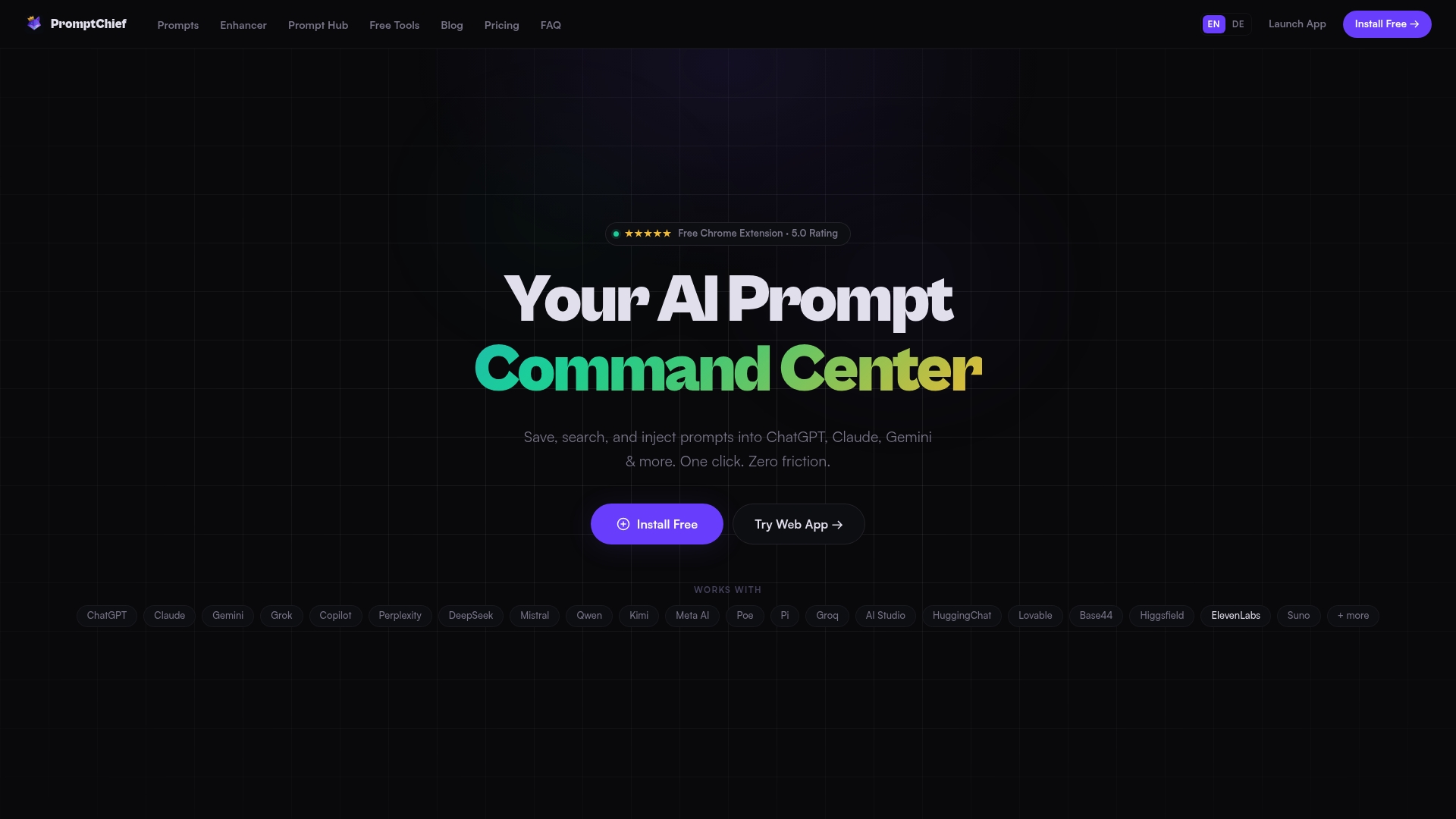
Start with the free plan at promptchief.tech and import your existing prompts in minutes. If you want to see how Promptchief handles multi-step workflows specifically, the prompt chains feature page walks through real use cases.
FAQ
What is the best PromptHero alternative for teams?
Promptchief is the strongest option for teams that need cloud sync, multi-LLM injection, and shared workspaces. It covers 27+ platforms and includes role-based access and versioning on paid plans.
Do PromptHero alternatives support multiple AI models?
The best ones do. Promptchief supports 27+ LLMs including ChatGPT, Claude, Gemini, Copilot, Grok, and DeepSeek, with a Chrome extension that injects prompts directly into each interface.
How long does it take to migrate to a new prompt manager?
Solo users and small teams typically complete a full migration in 1–2 weeks. Enterprise rollouts with governance controls and environment staging generally run 6–12 weeks.
What governance features should I require from any prompt manager?
At minimum: multi-tier RBAC, explicit versioning with environment tags, and audit logs. Enterprise frameworks recommend adding CI-style validation and a triad ownership model for production-grade prompt libraries.
Is there a free option among cloud-synced prompt managers?
Promptchief offers a free plan that includes cloud sync, the Chrome extension, and access to the community prompt library. Paid tiers (Plus, Pro, and team seats) unlock higher limits and advanced features.