
Prompt metadata is the structured frontmatter and operational tags attached to a prompt that make it reproducible, auditable, and toolable. It's not the prompt text itself. It's everything wrapped around that text: the model it targets, the schema it expects for input and output, and the version history that lets you trace why an output changed.
Canonical fields show up across nearly every schema you'll encounter:
- name and description, the human-facing identifiers
- variant, for A/B testing or model-specific tweaks
- model, which pins the prompt to a specific target
- input and output schemas, defining expected shape and defaults
- metadata, an open bag for anything custom
You'll find prompt metadata living in a handful of common containers: YAML frontmatter in .prompt files, provider key-value entries like AWS Bedrock's tagging system, EXIF or tEXT chunks embedded in generated images, and append-only logs that record every run for audit purposes.
Key Takeaways
Prompt metadata turns a fragile text string into a reproducible, auditable, and toolable system component that production AI depends on.
| Point | Details |
|---|---|
| Adopt a canonical schema | Use fields like name, variant, model, input, output, and an open metadata bag from the start. |
| Separate model-facing text from operational data | Keep infrastructure-only fields opaque to the LLM using the echo-identifier pattern. |
| Respect provider constraints | Bedrock's PromptMetadataEntry caps keys at 1 to 128 characters and values at 0 to 1,024 characters. |
| Log runs, don't overwrite them | Append-only JSONL and passLog entries make debugging nondeterministic outputs possible. |
| Use a manager built for this | PromptChief stores metadata fields natively and syncs them across devices and 27+ AI platforms. |
Table of Contents
- Understanding Prompt Metadata: Essential Fields and Schema Patterns
- Where Metadata Lives Across Your AI Stack
- Embedding and Extracting Prompt Metadata Without Losing Control
- Prompt Memory Management: Versioning, Namespaces, and Decay
- How PromptChief Applies These Metadata Patterns
- A Developer Checklist for Implementing Prompt Metadata
- Managing Prompt Metadata Without the Manual Overhead
- Sources
- FAQ
Understanding Prompt Metadata: Essential Fields and Schema Patterns
A workable schema starts with nine fields: name, description, variant, model, tools, config, input, output, and metadata. That's roughly the shape defined in dotprompt's PromptFrontmatterSchema, built with Zod to validate frontmatter as it's parsed. Each field does distinct work. variant lets you run three phrasings of the same prompt against production traffic without duplicating the whole file. tools declares what functions the model can call, which matters more as agent tooling spreads. config holds model parameters like temperature or max tokens, separate from the prompt logic itself.
The real payoff comes from typed input and output schemas. Instead of hoping a prompt returns valid JSON, you declare the expected shape up front, using JSON Schema or a Zod object, and validate the response against it before it touches downstream code. Skip this and you're debugging malformed outputs in production; declare it and you catch schema drift the moment a model update changes its formatting habits.
Typed schemas turn a prompt from a string you hope works into a contract you can test. When a provider updates a model and output format shifts even slightly, a typed schema catches it immediately instead of silently corrupting a downstream pipeline.
Frontmatter round-tripping deserves attention too. When you parse a .prompt file into a runtime object and then serialize it back to YAML, any field the schema didn't explicitly define should still survive the trip. Good frontmatter parsers, including dotprompt's implementation in Go, preserve unrecognized properties by folding them into the metadata bag rather than silently dropping them. That single behavior determines whether your team can safely add custom fields without a parser upgrade.
Where Metadata Lives Across Your AI Stack
Prompt metadata shows up in four distinct places, and each one carries different retrieval and privacy implications.
- Saved prompt libraries. Tools that store reusable prompts typically expose tags, reference images, and model-pinning settings through the UI. This is metadata built for humans browsing a library, not for a runtime parser.
- Image files. AI-generated images often carry EXIF or tEXT blocks holding the original prompt text, seed value, and sampler settings. Readers like the prompt metadata checker extract these fields directly from PNG chunks, which is how you can recover the exact prompt behind an image you didn't create.
- Provider deployment entries. Amazon Bedrock's PromptMetadataEntry attaches key-value tags to a prompt variant at deploy time, with keys capped at 1 to 128 characters and values at 0 to 1,024 characters.
- Agentic systems. Memory logs, tool catalogs, and pass logs track what an agent did across multiple steps, often deliberately hidden from the model itself.
Each container answers a different question: what should a human see, what traveled with a generated file, what constraints did a provider enforce, and what should stay invisible to the model but visible to your infrastructure.
Embedding and Extracting Prompt Metadata Without Losing Control
Getting metadata into a system is only half the job. Getting it back out reliably, without leaking anything sensitive, is where most teams stumble.
Frontmatter embedding works well when your parser matches your writer. If you hand-write YAML frontmatter and later parse it with a library that expects strict typing, mismatches surface as silent failures rather than errors. Test the round-trip: write a prompt file, parse it into metadata, serialize it back, and diff the two files. Anything that doesn't survive that cycle is a gap you'll hit in production.
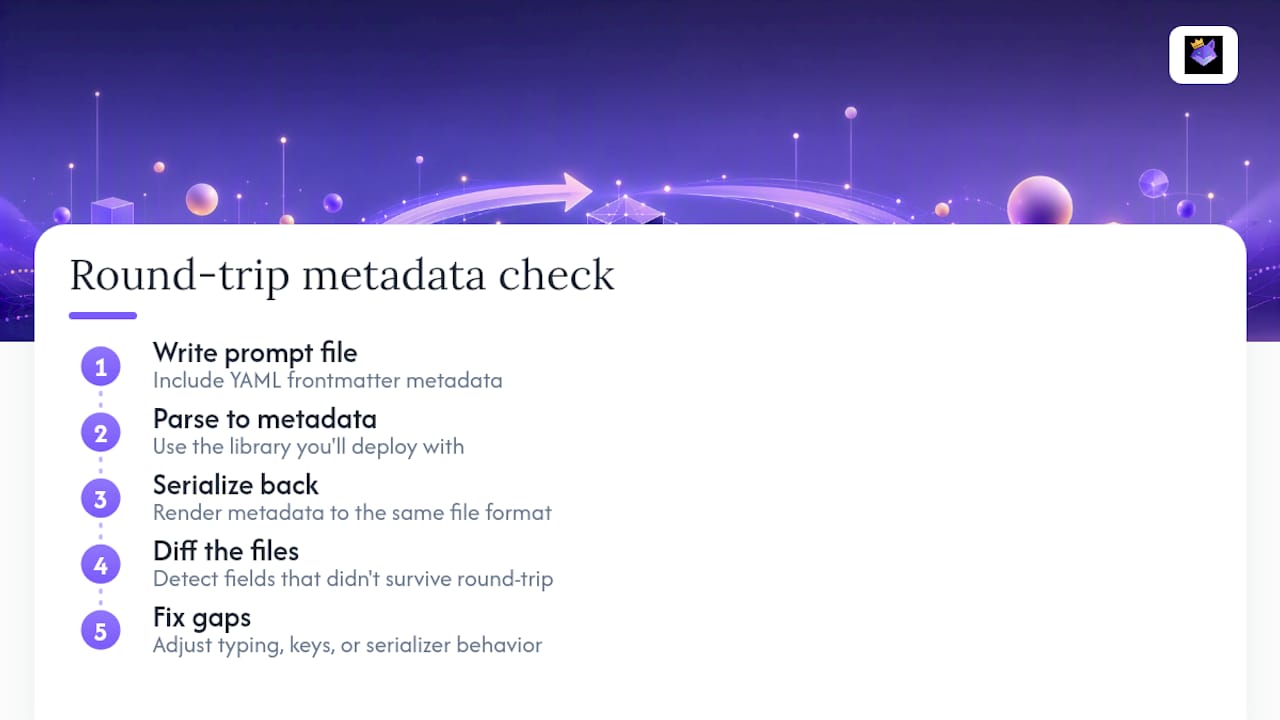
Image metadata extraction splits into two camps. EXIF fields are structured and standardized, easy to read with common libraries. tEXT chunks in PNG files are more freeform, often holding raw generation parameters like seed and sampler that tools such as the prompt metadata checker are built specifically to parse. Before publishing any AI-generated image publicly, strip or review that embedded data. A seed value is harmless. A full prompt revealing a client's unreleased product name is not.
Provider APIs impose their own limits worth respecting from day one. Bedrock's key-value length constraints mean you can't dump a full JSON object into a single metadata value. Design your tagging scheme around short keys and compact values before you hit the ceiling in a deploy pipeline.
Pro Tip: Keep the model-facing prompt and the operational metadata physically separate in your codebase. If a field exists only for your logging or billing system, it should never appear in the text you send to the LLM, only in the wrapper your infrastructure reads.
This is the opaque metadata pattern: store infrastructure-only fields, echo back an identifier the model doesn't need to interpret, and never send raw operational data as part of the token payload.
Prompt Memory Management: Versioning, Namespaces, and Decay
Production prompt systems fail in predictable ways: schema drift, colliding field names, and memory logs that balloon until they blow the context window. A handful of operational patterns head off all three.
- Append-only JSONL logs. Instead of overwriting a prompt record on every edit, append a new line. This creates a passLog you can replay, an approach PromptIR uses to track which compilation passes ran, whether they applied, and how long each took.
- Namespaced extension fields. Prefixing custom keys as
ext.myLib.keyprevents collisions when multiple libraries write to the same metadata bag, and lets older parsers safely ignore fields they don't recognize. - Content digests. Recording a
sourceHashandcompilationDigestalongside anirVersionlets you prove exactly which source produced which compiled output, which matters when someone asks why a prompt behaved differently last Tuesday. - Runtime decay signals. Fields like
access_count,last_accessed_at, andimportance_scoregive long-running agents a basis for pruning stale memory instead of letting context grow without bound.
None of this requires a new database. It requires deciding, before your first production incident, what gets logged and how it's named. Teams that skip this step end up reconstructing prompt history from Slack threads and Git blame, which works until it doesn't.
How PromptChief Applies These Metadata Patterns
PromptChief implements most of what this guide describes as a working system rather than a specification. Saved prompts carry structured fields for model targeting, tags, and variant notes, synced across every device through cloud storage. Frontmatter import and export means a prompt built for one workflow doesn't need to be rebuilt for another.
- Frontmatter-aware saved prompts with searchable metadata fields
- Cloud sync so metadata travels with the prompt, not just the device
- Fuzzy search and injection across 27+ AI platforms using the same underlying schema
- Team workspace fields for shared, versioned prompt libraries
That consistency is what lets a prompt written for ChatGPT get reused across Claude, Gemini, or other tools without losing the metadata that made it reproducible in the first place.
A Developer Checklist for Implementing Prompt Metadata
Here's the order I'd tackle this in, based on where teams typically get stuck.
Start by declaring a frontmatter schema, even a minimal one, and reserve an ext. namespace before you need it. Retrofitting a namespace after three teams have already written flat custom fields is painful. Add input and output typing next; it costs an afternoon and saves weeks of silent failures later.
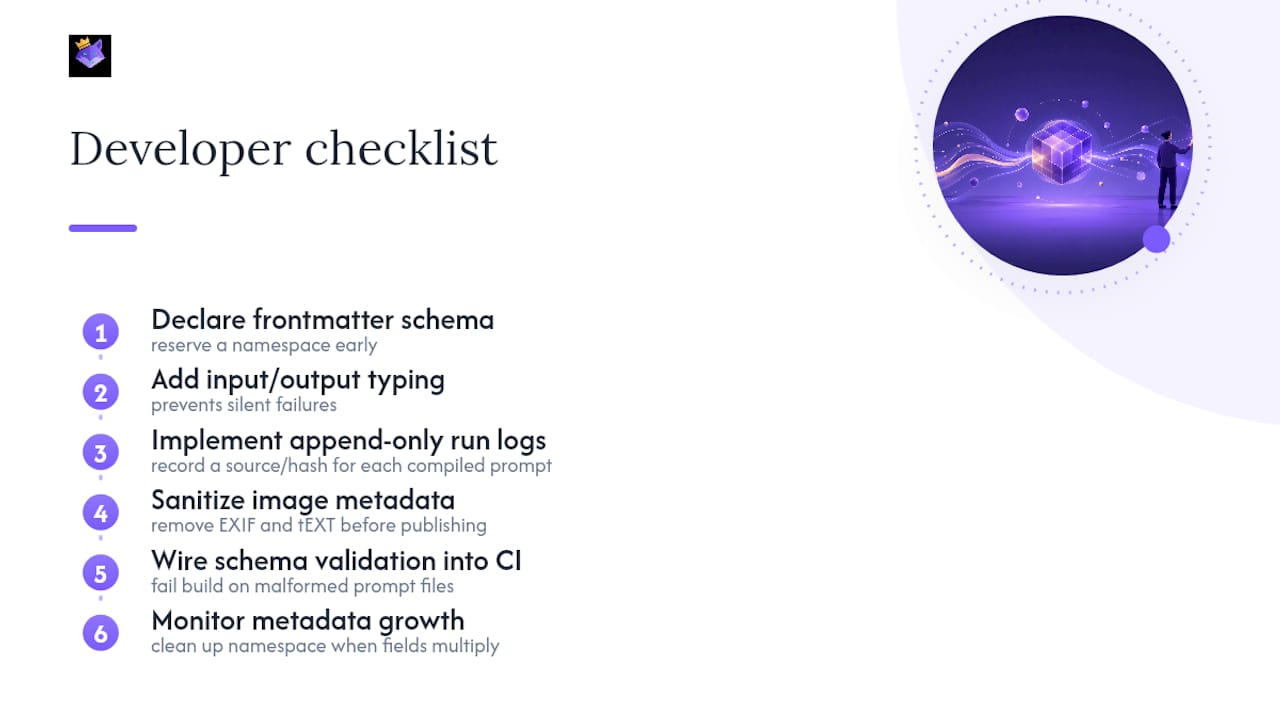
Implement append-only run logs from the start, recording a sourceHash on every compiled prompt so you can always trace an output back to its exact source. Before any image with embedded generation data goes public, sanitize the EXIF and tEXT fields; treat this the same way you'd treat scrubbing metadata from a shared PDF.
Finally, wire schema validation into CI so a malformed prompt file fails the build, not production, and keep an eye on how fast your metadata fields multiply. Unchecked growth there is usually the first sign your schema needs a namespace cleanup.
— John
Managing Prompt Metadata Without the Manual Overhead
Building the schema is one problem. Keeping it consistent across every prompt you write, every device you work from, and every AI platform your team touches is a different one entirely, and it's the one most developers underestimate until their prompt library hits triple digits.

PromptChief handles the operational side of everything covered above so you're not hand-rolling a metadata system from scratch. Saved prompts carry their model, variant, and tag fields automatically. Cloud sync means that metadata is available the moment you open the app on a different machine, not locked to whatever device you saved it on. Fuzzy search lets you pull up a prompt by a fragment of its metadata rather than scrolling a folder tree, and injection works across 27+ platforms without rebuilding the prompt for each one.
If you're still tracking prompt versions in a spreadsheet or a folder of text files, that's the gap PromptChief closes. Check the prompt management page and see how saved fields, search, and sync work together, or start a free account and import your first prompt library today.
Sources
- dotprompt (google) — Prompt metadata types
- PromptMetadataEntry - Amazon Bedrock
- dotprompt metadata.ts — PromptFrontmatterSchema and toMetadata/toFrontmatter
- Prompt Metadata Checker for Stable Diffusion Images
FAQ
What Is an Example of Prompt Metadata?
A typical example includes a prompt's name, model target, an input schema defining expected variables, and a variant label used for A/B testing, all stored in YAML frontmatter above the prompt text.
How Do You Find Metadata Embedded in an AI-Generated Image?
Tools like the prompt metadata checker read EXIF and tEXT blocks inside image files to extract the original prompt, seed value, and sampler settings.
What Are the Main Types of Prompt Metadata?
The main categories are schema metadata (name, model, input/output types), provider metadata (deployment tags like Bedrock's PromptMetadataEntry), image-embedded metadata (EXIF/tEXT), and operational metadata (run logs, source hashes).
What Does Prompt Metadata Actually Mean in Practice?
It means the structured data around a prompt, not the instructions themselves, that lets you version it, validate its inputs and outputs, and trace exactly which run produced a given output.
How Can a Prompt Manager Help With Metadata?
A dedicated tool like PromptChief stores metadata fields natively for every saved prompt and syncs them across devices, removing the need to track schema fields manually in separate files.