
TL;DR:
- Promptchief is the top choice for professional prompt management across multiple AI models, offering prompt injection, private workspaces, and multi-step chains. Unlike community libraries like FlowGPT, it treats prompts as structured assets, supporting seamless workflow automation and collaboration.
For professional prompt management across multiple AI models, Promptchief is the strongest pick in this category. It covers multiple platforms, injects prompts directly via a Chrome extension, and keeps your library private and cloud-synced. If you need image prompt inspiration, PromptHero is the go-to. For vetted premium templates, PromptBase delivers. For open-source reference, Hugging Face is unmatched.
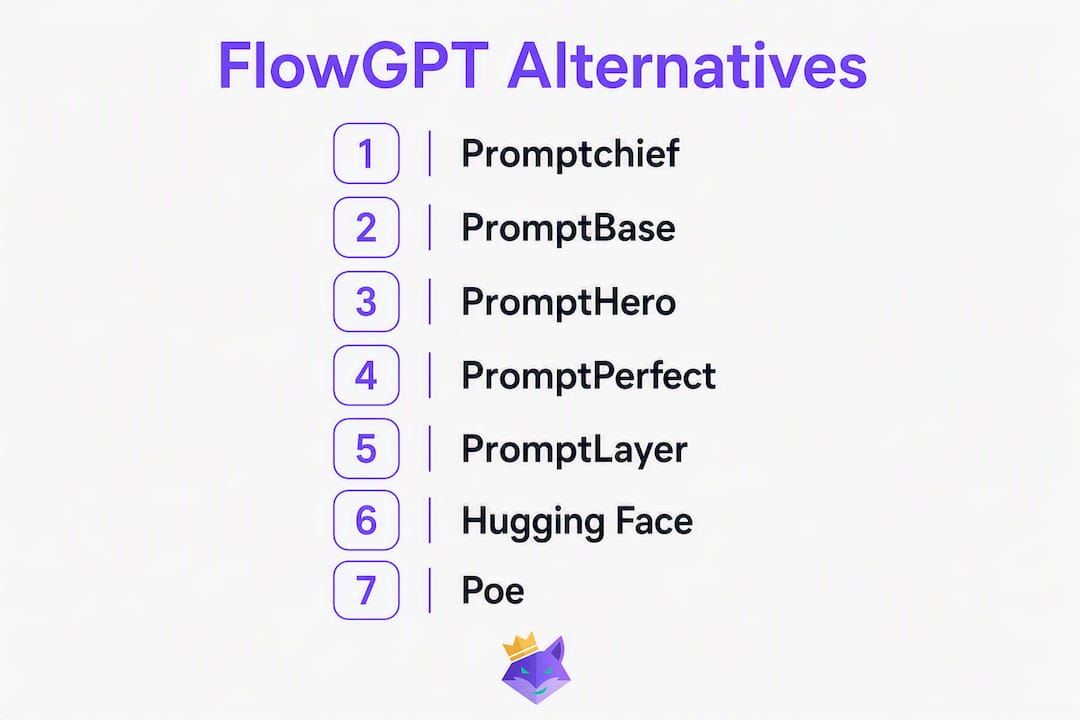
Here is the shortlist at a glance:
- Promptchief — best for multi-model prompt management, injection, and team workspaces (free tier + paid plans, US available)
- PromptBase — best for buying and selling premium, vetted prompt templates (paid marketplace, US available)
- PromptHero — best for image prompt inspiration across Midjourney, Stable Diffusion, and DALL-E (free + paid, US available)
- PromptPerfect — best for AI-assisted prompt optimization and rewriting (free tier + paid, US available)
- PromptLayer — best for developers who need prompt versioning, logging, and API integration (free tier + paid, US available)
- Hugging Face — best open-source reference for models, datasets, and community Spaces (free, US available)
- Poe — best for casual multi-model chatbot access in a single interface (free + paid, US available)
FlowGPT is a capable community prompt library, but it was built for social discovery, not structured management. It lacks private workspaces, prompt injection, and multi-model workflow support — the features professionals actually need day to day.
Table of Contents
- How the top FlowGPT alternatives compare
- What each alternative actually offers
- How to pick the right tool for your workflow
- Why structured prompt management beats community discovery
- Key Takeaways
- The migration mistake most people make
- Promptchief covers what FlowGPT leaves out
- Useful sources and further reading
- FAQ
How the top FlowGPT alternatives compare
Pro Tip: When scanning this table, prioritize the "Models supported" and "Prompt injection" columns. Those two dimensions separate tools built for professional workflows from tools built for casual browsing.
| Tool | Best for | Pricing / free tier | Models supported | Prompt management (search, tags, chains) | Prompt injection / browser extension / API | Team & workspace features | Privacy / private libraries |
|---|---|---|---|---|---|---|---|
| Promptchief | Multi-model prompt management + injection | Free tier; Plus & Pro paid plans | 27+ (ChatGPT, Claude, Gemini, and more) | Fuzzy search, tags, multi-step chains | Chrome extension for injection; API integration | Team workspaces, seat-based pricing | Private libraries; cloud sync |
| PromptBase | Premium vetted templates | Paid marketplace (buy/sell per prompt) | ChatGPT, Midjourney, DALL-E, Stable Diffusion | Browse and purchase; no personal library mgmt | No browser extension; copy-paste workflow | No team features | Purchased prompts are private |
| PromptHero | Image prompt inspiration | Free + Pro paid tier | Midjourney, Stable Diffusion, DALL-E, ChatGPT | Search by model/style; no tagging or chains | No injection; copy-paste | No team features | Public-first library |
| PromptPerfect | Prompt optimization & rewriting | Free tier; paid Pro plan | ChatGPT, Claude, Stable Diffusion, Midjourney | Basic save & organize; no chains | No browser extension; API available | Limited team features | Private prompt storage |
| PromptLayer | Developer logging & versioning | Free tier; paid plans | OpenAI, Anthropic, Azure OpenAI | Version history, tagging, search | API-first; no browser extension | Team access; audit logs | Private; enterprise-grade logging |
| Hugging Face | Open-source model & dataset reference | Free (Spaces, repos); Pro paid | Hundreds of open-source models | Manual curation via repos; no chains | API access; no browser extension | Community Spaces; org accounts | Public by default; private repos paid |
| Poe | Casual multi-model chat access | Free + paid subscription | ChatGPT, Claude, Gemini, Llama, and others | No prompt library or management | No injection; in-app only | No team workspace | No private library |
What each alternative actually offers
Promptchief
Promptchief is built around one idea: prompts are structured data assets, not social posts. You save, tag, search, and inject them directly into 27+ AI platforms via a Chrome extension, without ever leaving the chat window. Multi-step prompt chains let you automate sequences across models, and the AI rewriting feature adapts a single prompt to nine different styles or tones. Cloud sync means your library follows you across devices.
Pros:
- Chrome extension injects prompts directly into ChatGPT, Claude, Gemini, and many other platforms
- Fuzzy search, tags, magic placeholders, and multi-step chains for complex workflows
- Private team workspaces with seat-based pricing and productivity analytics
- AI prompt rewriting in 9 styles; community hub for shared discovery
Cons:
- Advanced features require a paid plan
- Community hub is smaller than FlowGPT's social library
Best for: professionals and teams who need prompt management, injection, and multi-model coverage in one place.

PromptBase
PromptBase is a marketplace, not a manager. You browse, buy, and sell prompts created by other users, with a focus on quality-vetted templates for ChatGPT, Midjourney, DALL-E, and Stable Diffusion. The value proposition is simple: pay a small fee and get a prompt that someone else has already tested and refined. There is no personal library management, no injection, and no team workspace.
Pros:
- High-quality, tested templates across text and image models
- Straightforward purchase model; prompts are yours to keep
- Good for one-off creative or marketing tasks
Cons:
- No prompt injection or browser extension
- No searchable personal library or tagging system
- Costs add up if you need many prompts
Best for: users who want premium, ready-to-use templates without building their own library.
PromptHero
PromptHero is the image-prompt equivalent of a mood board. Its library skews heavily toward Midjourney, Stable Diffusion, and DALL-E, with a search interface that lets you filter by model, style, and aesthetic. For text-model workflows, it is thin. There is no injection, no tagging system, and no team features.
Pros:
- Excellent image prompt discovery across major diffusion models
- Visual search makes finding the right style fast
- Free tier covers most discovery needs
Cons:
- Minimal value for text-model (ChatGPT, Claude) workflows
- No prompt management, injection, or private workspace
- Public-only library by default
Best for: designers and creatives who need image prompt inspiration fast.

PromptPerfect
PromptPerfect focuses on one thing: making your existing prompts better. Feed it a rough prompt and it rewrites and optimizes it for a specific model, whether that is ChatGPT, Claude, or Stable Diffusion. The workflow is generation-first rather than management-first, so multi-model prompt reuse requires manual effort. An API is available for developers who want to automate optimization.
Pros:
- Strong AI-assisted prompt rewriting for multiple models
- API access for developers
- Private prompt storage included
Cons:
- No browser extension for injection
- Limited organizational features (no chains, minimal tagging)
- Team features are thin compared to dedicated managers
Best for: writers and developers who want to improve prompt quality before deploying at scale.
PromptLayer
PromptLayer is built for developers, not casual users. It sits between your application and the OpenAI or Anthropic API, logging every prompt call, tracking versions, and letting you A/B test prompt variants. If you are running a production app and need an audit trail, PromptLayer delivers. If you want a browser extension that injects prompts into a chat UI, look elsewhere.
Pros:
- Full prompt versioning, logging, and A/B testing
- Team access with audit logs; strong for compliance-sensitive workflows
- Integrates with OpenAI, Anthropic, and Azure OpenAI APIs
Cons:
- API-first; no browser extension or chat-UI injection
- Overkill for non-developer users
- Steeper learning curve than consumer-facing tools
Best for: developers building LLM-powered applications who need observability and version control.
Hugging Face
Hugging Face is the open-source backbone of the AI world. Its model hub hosts thousands of models, datasets, and community Spaces where you can run experiments directly in a browser. For prompt management, it offers nothing out of the box. You are working with repos, notebooks, and manual curation. But as a reference layer for understanding model behavior or finding fine-tuned variants, nothing else comes close.
Pros:
- Unmatched breadth of open-source models and datasets
- Free access to most resources; active research community
- API access for any model in the hub
Cons:
- No prompt library, injection, or workflow management
- Requires technical comfort with repos and notebooks
- Private repos require a paid plan
Best for: researchers, developers, and ML practitioners who need open-source model access and community reference.
Poe
Poe, built by Quora, gives you access to ChatGPT, Claude, Gemini, Llama, and several other models through a single chat interface. The appeal is convenience: one subscription, many models, no switching tabs. But Poe has no prompt library, no injection, no tagging, and no team workspace. It is a chat aggregator, not a prompt manager.
Pros:
- Access to multiple top models in one interface
- Clean, easy-to-use UI
- Free tier includes access to several models
Cons:
- No prompt saving, tagging, or search
- No browser extension or injection capability
- No team or workspace features
Best for: individuals who want to compare model outputs casually without committing to one provider.
How to pick the right tool for your workflow
The right choice depends entirely on what job you are hiring the tool to do. A developer building a production app needs something different from a marketer managing 50 reusable prompts across ChatGPT and Claude.
Key selection criteria
- Prompt chains — multi-step workflows that pass outputs between prompts are where serious automation lives. Not every tool supports them.
Questions to ask (and test) during a trial
- Can you inject a saved prompt into ChatGPT and Claude without leaving the chat window?
- Can you import a batch of prompts and tag them in under five minutes?
- Does the tool preserve prompt fidelity when you switch models (same prompt, different output quality)?
- Can you rewrite or optimize a prompt automatically for a different model or tone?
- Try ready-to-use prompt examples to benchmark how fast you can go from saved prompt to model output.
Red flags to watch for
- Public-only libraries with no private workspace option
- No browser extension and no API for injection
- Single-model support only
- Vague or absent data-handling policies
- No team access controls or audit logs
Most professional tools offer a free tier for basic use and a paid monthly plan for team features. Expect to spend a few hours onboarding a small team, longer if you are migrating an existing prompt library and need to re-tag everything.
Why structured prompt management beats community discovery
Alternatives to FlowGPT fall into three categories: community-driven libraries (FlowGPT, PromptHero), model-specific generators (PromptPerfect), and full prompt management platforms (Promptchief, PromptLayer). For professionals, the third category wins on almost every practical dimension.
The core reason is that community libraries treat prompts as social content. You browse, upvote, and copy. That works for inspiration, but it does not work when you need to run the same prompt across ChatGPT, Claude, and Gemini every morning, track which version performed best, and share it with three teammates without exposing it publicly.
Treating prompts as structured data assets — searchable, versioned, injectable — is what separates a workflow tool from a discovery feed. A prompt with tags, a version history, and a one-click injection path is reusable and auditable. A prompt you copied from a public feed and pasted into a notes app is neither.
"Professionals should prioritize organized, searchable libraries and direct prompt injection over social-discovery feeds." — PromptMake
Pro Tip: During your trial, benchmark injection latency (how fast a saved prompt appears in the chat UI), test the same prompt across at least two models to check output fidelity, and verify that your prompts are stored privately before adding anything sensitive.
Consider a content team that runs daily SEO briefs through Claude and social copy through ChatGPT. Without a prompt manager, someone is copy-pasting from a shared doc, updating it manually, and hoping teammates use the latest version. With a tool like Promptchief, the brief prompt lives in a private workspace, gets injected in one click, and the team can see which version produced the best output. The copy-paste step disappears entirely.
Open-source collections on GitHub and Hugging Face Spaces remain valuable for research and model reference, but they require manual curation and offer no workflow integration out of the box. They are a starting point, not a system.
Key Takeaways
The strongest FlowGPT alternative for professional prompt management is Promptchief, which covers 27+ AI models with browser injection, private workspaces, and multi-step prompt chains in a single cloud-synced platform.
| Point | Details |
|---|---|
| Match the tool to the job | Community libraries suit discovery; prompt managers suit daily multi-model workflows. |
| Prioritize injection and multi-model support | A browser extension that injects prompts into 27+ platforms eliminates copy-paste friction entirely. |
| Private workspaces are non-negotiable for teams | Public-only libraries expose business prompts; always verify private storage and access controls before committing. |
| Trial before you migrate | Test injection, batch import, and cross-model fidelity during the free tier before moving an existing library. |
| Promptchief leads for professional use | Promptchief covers multi-model injection, prompt chains, team workspaces, and AI rewriting in one platform. |
The migration mistake most people make
Moving from a community platform like FlowGPT to a prompt manager is not just a copy-paste job. The prompts you saved publicly on a discovery platform carry no metadata: no tags, no version history, no indication of which model they were tested on. When you drop them into a new tool, you lose context that took weeks to build.
The other common mistake is skipping the privacy step. Professionals often migrate their entire library before enabling a private workspace, which means sensitive business prompts sit in a public or semi-public state during the transition. That is a real exposure, not a theoretical one.
A safer path: audit your top 20 prompts first. Re-tag them with model, use case, and version. Enable your private workspace before importing anything. Then test injection into each target model to confirm the prompt still performs as expected. The prompt engineering fundamentals that made a prompt work on FlowGPT may need adjustment when you move to a structured manager with multi-model support, because the context window and system prompt behavior differ across models.
The tools that make this migration easiest are the ones with fuzzy search and bulk tagging. Without those, re-organizing 50 prompts manually takes longer than building the library from scratch.
Promptchief covers what FlowGPT leaves out
If you have been relying on FlowGPT for prompt discovery and now need something that actually fits a professional workflow, Promptchief closes the gap directly. It supports 27+ AI platforms including ChatGPT, Claude, and Gemini, injects prompts via a Chrome extension with cloud sync, and keeps your library private by default.

The features that matter most for teams are all there: private workspaces, seat-based access, multi-step prompt chains, fuzzy search, magic placeholders, and AI rewriting in 9 styles. You can start on the free tier to test injection and library organization, then upgrade when you are ready to add teammates or unlock higher AI credit limits.
The prompt management platform is available in the United States with no waitlist. Start with the free plan, import your top prompts, and run the injection test against your primary model. That single step will tell you more than any comparison table.
Useful sources and further reading
Research sources used in this article:
- 10 Best FlowGPT Alternatives & Competitors in 2026 — SoftwareSuggest
- Flow GPT Alternatives & Competitors — SaaSHub
- Best FlowGPT Alternatives 2026 — Capterra
Promptchief pages to explore or start a trial:
- Prompt management platform overview — primary product page
- Prompt management software features — detailed feature breakdown
- What is a prompt manager? — category explainer for new users
- AI prompt templates — free reusable prompts — ready-to-use starting library
- Best AI prompt managers in 2026 — broader category comparison
FAQ
What is the best FlowGPT alternative for professionals?
Promptchief is the strongest option for professional use: it supports 27+ AI models, injects prompts via a Chrome extension, and includes private team workspaces with prompt chains and fuzzy search.
Are there free alternatives to FlowGPT?
Yes. Promptchief, PromptHero, PromptLayer, Hugging Face, and Poe all offer free tiers. Advanced features like team workspaces, higher AI credit limits, and priority support require a paid plan.
Is there an AI chatbot better than ChatGPT for some tasks?
It depends on the task. Claude tends to outperform ChatGPT on long-document analysis and nuanced writing; Gemini has stronger integration with Google Workspace. A multi-model tool like Promptchief or Poe lets you route prompts to whichever model fits the job.
What is the most unrestricted AI chat platform available?
Poe gives you access to multiple models (ChatGPT, Claude, Gemini, Llama) in one interface with minimal friction. For users who want to run the same prompt across several models without restrictions, Poe's free tier covers most needs.
How do I choose between a prompt library and a prompt manager?
Use a library (PromptHero, PromptBase) when you need inspiration or one-off templates. Use a prompt manager (Promptchief, PromptLayer) when you need to organize, version, inject, and reuse prompts across models and teammates on a daily basis.